Commercial
Romantic Seaside Bride With Seagulls
Views
54
 Orelon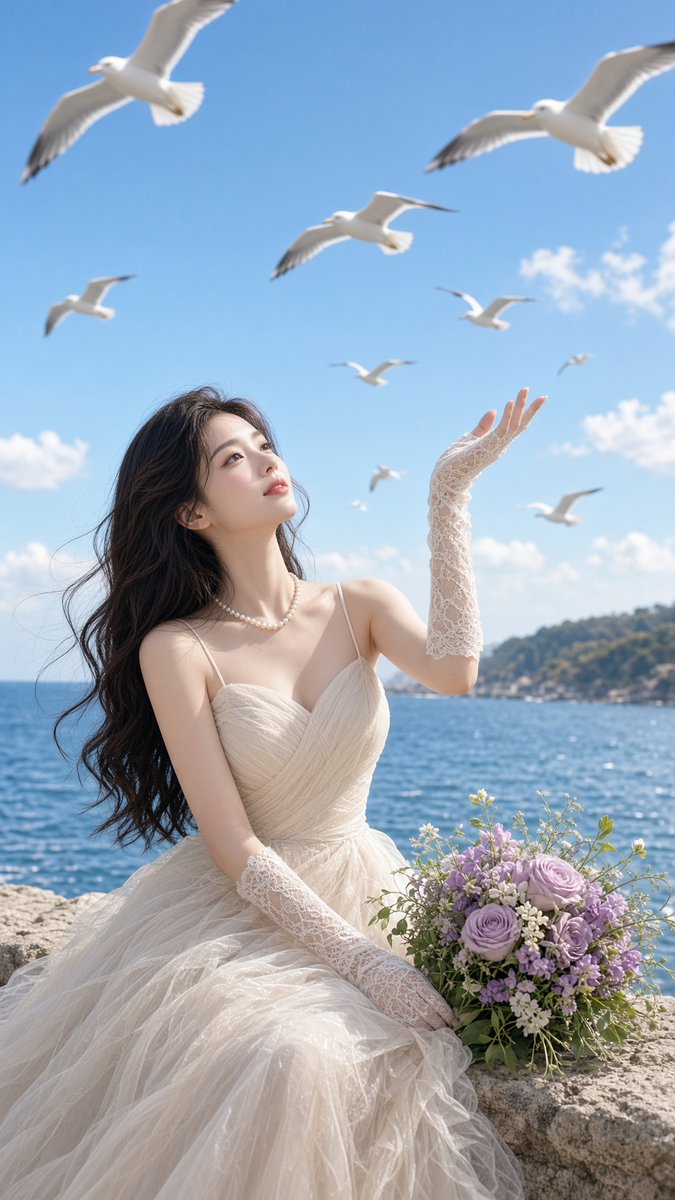
Commercial
Create a vertical, ultra-realistic romantic bridal fashion photograph on a sunny seaside cliff. A young East Asian bride with long flowing dark wavy hair sits on a pale stone wall beside the ocean, wearing an elegant ivory tulle wedding gown with thin straps, a softly pleated bodice, voluminous layered skirt, a pearl necklace, and long white lace fingerless gloves. She gazes upward with a serene, dreamy expression, raising her right hand toward the sky as if greeting the birds. Place a bouquet of lavender and pale purple roses with small white flowers and greenery on the stone ledge beside her. The background shows sparkling deep-blue sea, a distant green coastal hillside, and a bright clear blue sky with scattered small white clouds. Include exactly 9 white seagulls in flight at different distances and scales: 2 large gulls near the top corners, 1 medium gull near the upper center, 1 small gull at left mid-sky, 1 small gull near right mid-sky, 1 tiny gull far right, 1 tiny gull near center, 1 blurred gull low right above the horizon, and 1 distant gull between the bride and horizon. Use soft natural daylight, gentle wind lifting the hair and dress, shallow depth of field, luminous skin, airy pastel color grading, cinematic high-fashion editorial composition, 9:16 vertical framing, crisp details on the bride and bouquet, slight motion blur on distant birds, no text, no watermark.
This is a free AI prompt from the Orelon library. Thousands more image prompts here are free to copy and adapt.
Explore more image prompts




Ready to create
Start with this curated direction in Orelon, then shape it into your next visual.