Camera Control
Snowy Chinese Temple Portrait
Likes
28
Views
710
 Orelon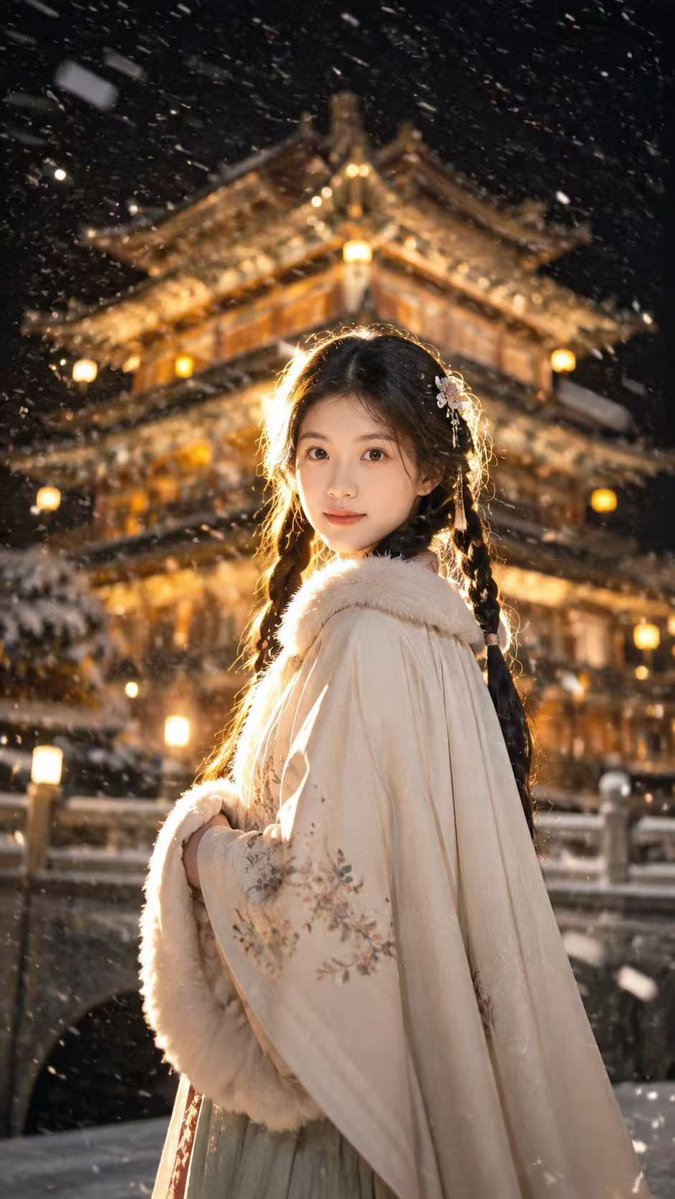
Camera Control
Create a vertical cinematic portrait of a young Chinese woman in an ancient snowy night setting, standing in a soft over-the-shoulder pose and looking back toward the camera. She wears a pale ivory traditional Hanfu cloak with thick white fur trim around the collar and sleeve edges, subtle floral embroidery on the wide sleeve, and a muted light green skirt visible underneath. Her long black hair is styled into exactly two thick braids, one on each side, with a small pale pink floral hair ornament near the right side of her head. Her face is intentionally obscured by a centered smooth skin-toned rectangular block with no facial features, covering the entire face area. Behind her is a large multi-tier Chinese temple or palace with ornate upturned roofs, warmly glowing golden lanterns and windows, heavily blurred by shallow depth of field. The scene takes place at night with dense falling snow, visible snow streaks and flakes across the foreground, snow resting on rooflines and railings, and a stone bridge or terrace railing at the bottom. Use dramatic warm backlighting from behind her head and shoulders, creating a glowing rim light on her hair and fur, with strong contrast between the warm temple lights and the cold dark snowy sky. Style: ultra-realistic, cinematic photography, 9:16 vertical composition, shallow depth of field, soft bokeh, atmospheric snowfall, warm amber and cool black color palette, high detail fabric texture, no text, no watermark. Customize the subject as {argument name="character description" default="young Chinese woman"}, the outfit color as {argument name="outfit color" default="pale ivory"}, the background landmark as {argument name="background landmark" default="multi-tier Chinese temple"}, the weather as {argument name="weather" default="dense falling snow"}, and the lighting mood as {argument name="lighting mood" default="warm golden backlight at snowy night"}.
This is a free AI prompt from the Orelon library. Thousands more image prompts here are free to copy and adapt.
Explore more image prompts





Ready to create
Start with this curated direction in Orelon, then shape it into your next visual.