Visual Effects
Cyberpunk Building Wall Texture
Likes
3
Views
198
 Orelon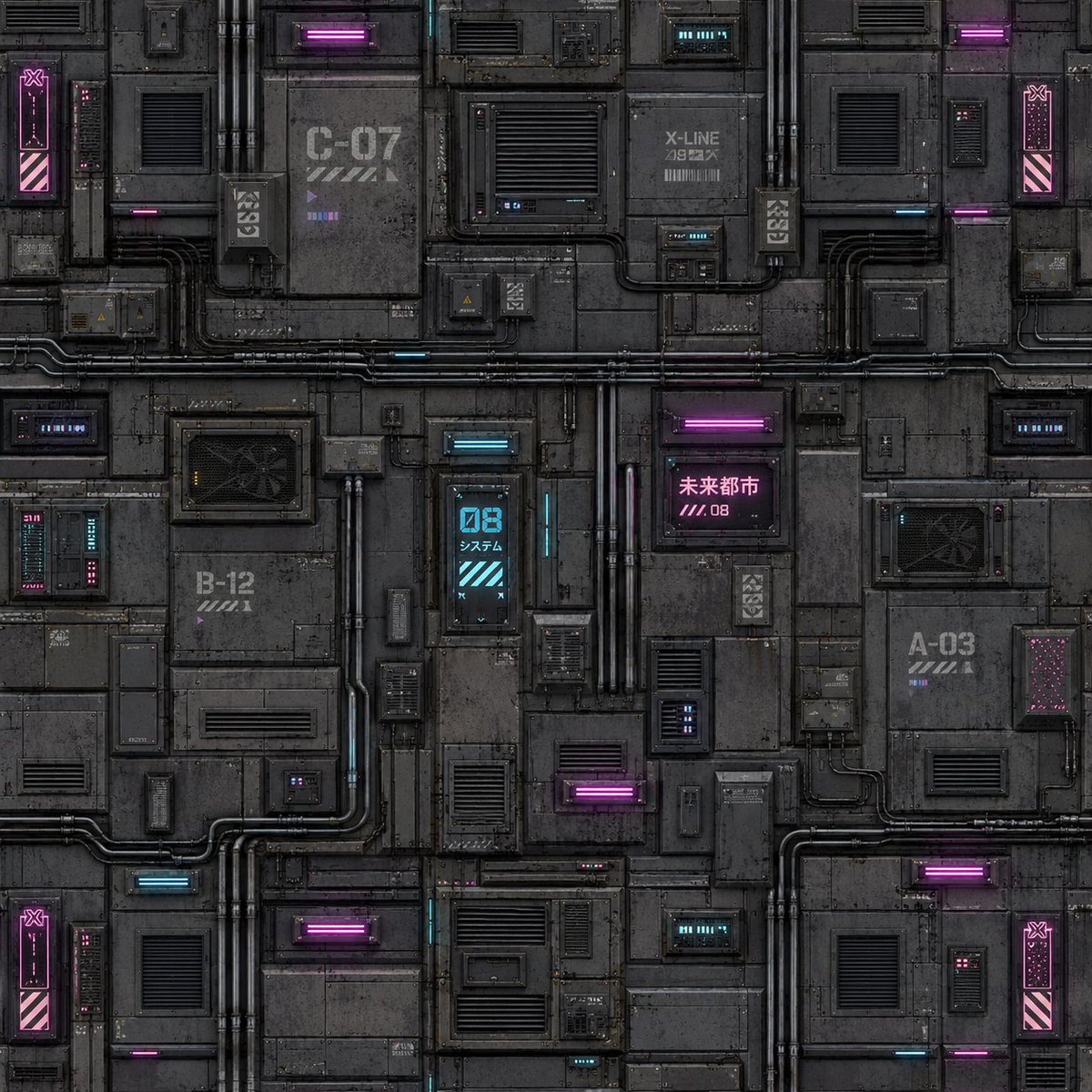
Visual Effects
Create a seamless square cyberpunk sci-fi building facade texture for game development. The image should be a flat orthographic front view, designed as a tileable wall material with no perspective, no sky, no characters, and no foreground objects. Use a dark industrial palette of charcoal gray and black metal panels, weathered concrete-like plating, grime, scratches, bolts, seams, rust stains, and dense greeble detail. Fill the entire canvas with modular rectangular wall sections divided by horizontal and vertical seams. Include many vents, louvered grilles, access hatches, small service boxes, cable conduits, exposed pipes, junction boxes, and inset technical panels. Add neon cyberpunk accents in magenta and cyan: glowing horizontal tube lights, small status displays, tiny LED strips, and warning panels. Include exactly 8 prominent neon glow elements: 4 magenta horizontal light bars, 2 cyan horizontal light bars, 1 cyan vertical digital panel reading “08” with small Japanese text beneath it, and 1 magenta sign with Japanese text reading “未来都市” plus “////.08”. Add industrial markings and labels on the wall such as “C-07”, “B-12”, “A-03”, and “X-LINE”, with stencil stripes and small unreadable technical microtext. Place four narrow vertical magenta warning panels near the left and right edges, each with diagonal hazard stripes near the bottom and a small icon near the top, helping the texture tile convincingly. Make the surface highly detailed but readable, with realistic worn edges, ambient occlusion in seams, subtle reflections on metal, and soft neon bloom. Use a square {argument name="texture resolution" default="1024x1024"} canvas, centered composition, seamless repeating texture quality, dark gritty cyberpunk game asset style, ultra-detailed hard-surface sci-fi texture, no watermark, no logo, no people.
This is a free AI prompt from the Orelon library. Thousands more image prompts here are free to copy and adapt.
Explore more image prompts




Ready to create
Start with this curated direction in Orelon, then shape it into your next visual.