Camera Control
Cyberpunk POV Motorcycle Ride at Hyper-Velocity
Likes
37
Views
2.4K
 Orelon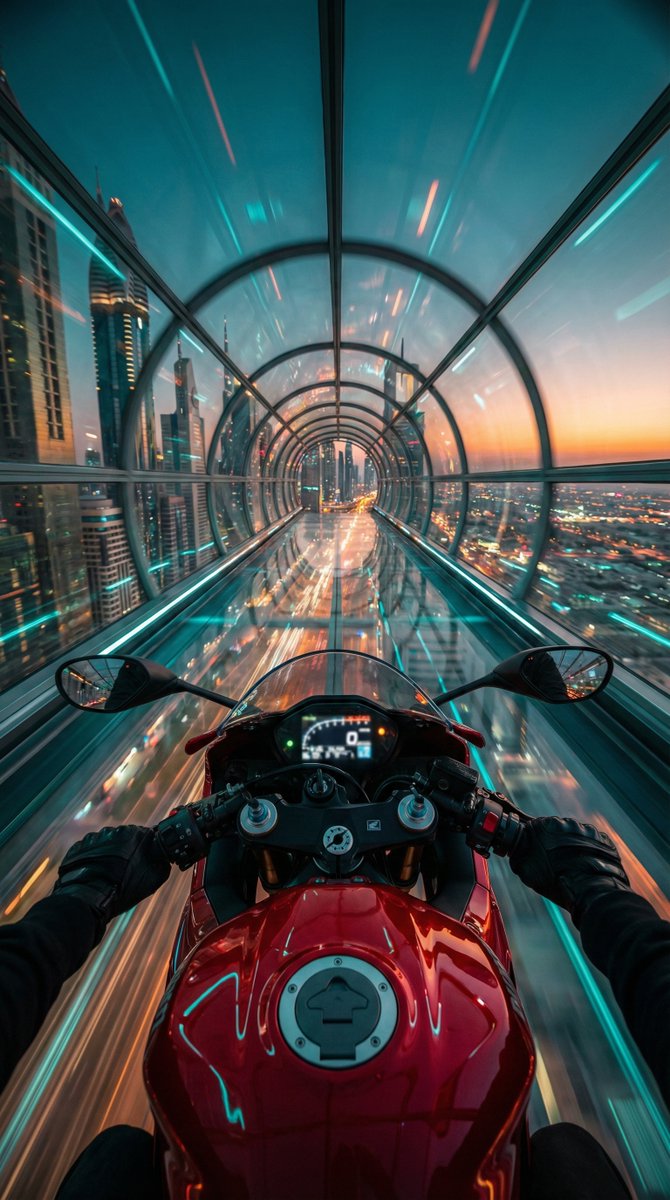
Camera Control
"Red futuristic sport motorcycle (POV perspective)", "visible_elements": "Glossy red fuel tank with fuel cap, clip-on handlebars, black gloved hands gripping the grips, illuminated digital dashboard (slightly blurred)", "action": "Speeding at hyper-velocity through a suspended structure", "pose": "First-Person View (POV) / Rider's eye perspective looking slightly downward at the bike and forward into the horizon" }, "environment": { "setting": "Transparent glass hyperloop tunnel / skyway", "location": "High altitude above a futuristic cyberpunk metropolis", "background_details": "Sprawling city grid with infinite street lights below, skyscrapers, motion-blurred light trails", "horizon": "Dusk/Twilight sky with a gradient of deep teal fading into a warm sunset orange strip" }, "lighting_and_color": { "color_palette": "Cinematic Teal and Orange (Complementary colors)", "primary_tones": "Cyan/Turquoise glass reflections, Deep Red motorcycle paint, Golden/Orange horizon glow", "lighting_style": "High contrast, neon ambient lighting, specular highlights on the metal and glass surfaces" }, "camera_technical": { "camera_angle": "Wide-angle POV (14mm to 16mm equivalent)", "focus": "Sharp focus on the motorcycle tank and handlebars, radial motion blur on the tunnel walls and city", "aperture": "f/2.8 (to capture low light details)", "shutter_speed": "1/30s (simulated drag shutter to create heavy motion blur effects on the surroundings)", "iso": "ISO 800", "composition": "Central symmetry, leading lines created by the tunnel structure converging at the center vanishing point" }, "style_descriptors": [ "Cyberpunk", "Synthwave aesthetic", "Hyper-realistic", "High velocity", "Futuristic", "Cinematic", "8k resolution", "Unreal Engine 5 render style" }
This is a free AI prompt from the Orelon library. Thousands more image prompts here are free to copy and adapt.
Explore more image prompts





Ready to create
Start with this curated direction in Orelon, then shape it into your next visual.