Visual Effects
Gothic Jester Duelist
Likes
1
Views
50
 Orelon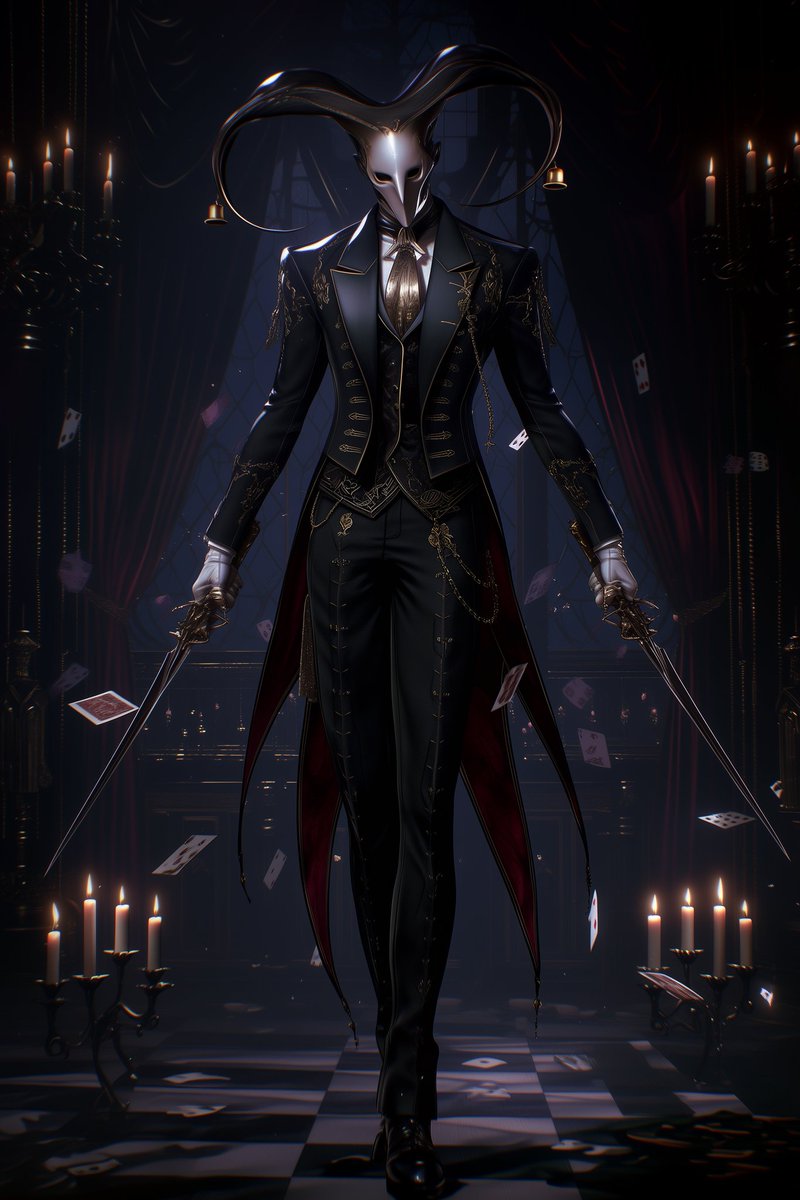
Visual Effects
Create a dark gothic anime-fantasy portrait of a mysterious jester-headed swordsman walking forward in a candlelit Victorian theater hall. The character is {argument name="character type" default="a tall elegant male jester duelist"} centered full-body, wearing an ornate {argument name="outfit color" default="black"} tailcoat suit with gold embroidery, military-style frog closures, fitted trousers, white gloves, a pale cravat, layered waistcoat, chains, and a red-lined split tailcoat. His face is hidden by a smooth featureless square gray mask or blank censored face, while two enormous glossy horn-like jester appendages curve outward and upward from his head like long black hair or polished tentacles, each ending near a small dangling golden bell; use exactly 2 large curved head appendages and exactly 2 visible bells. He holds exactly 2 thin rapier-like swords, one in each hand, angled downward to the lower corners. The environment is a dim theatrical ballroom with deep burgundy curtains, tall arched windows, black candelabras, and a checkerboard floor. Include many floating playing cards swirling around him, with distinct visible cards in the foreground and background, plus candle clusters: one multi-candle candelabra on the left foreground, one multi-candle candelabra on the right foreground, and tall side candelabras glowing in the darkness. Lighting is moody, high-contrast, cinematic, with cool blue shadows, warm candle highlights, glossy reflections on the suit and horn appendages, shallow atmospheric haze, dramatic rim light, and fine ornate detailing. Style: {argument name="art style" default="high-detail dark anime illustration with semi-realistic fantasy rendering"}, vertical composition, symmetrical and theatrical, elegant menace, no readable text, no watermark.
This is a free AI prompt from the Orelon library. Thousands more image prompts here are free to copy and adapt.
Explore more image prompts


Ready to create
Start with this curated direction in Orelon, then shape it into your next visual.