Visual Effects
Anime Pokmon Style Versus Screen
Likes
27
Views
624
 Orelon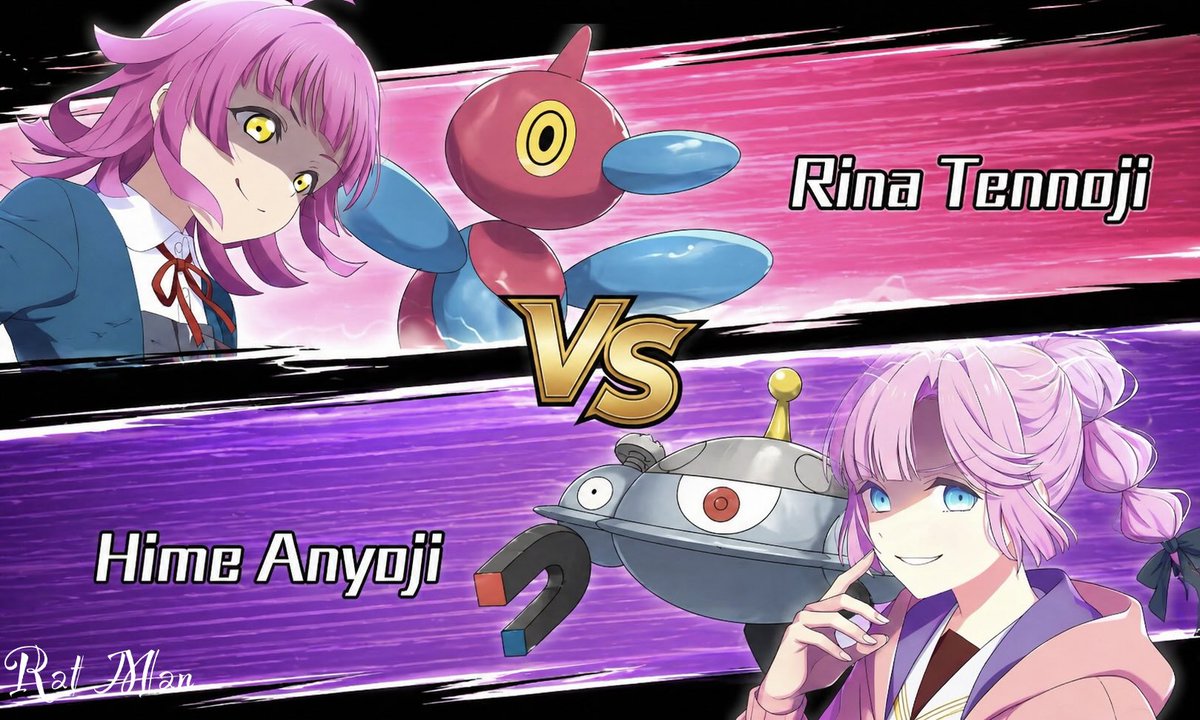
Visual Effects
A dynamic anime versus screen styled like a Pokémon battle intro, split diagonally into 2 opposing horizontal panels with a large metallic gold “VS” emblem in the center. The top panel has a hot pink speed-line background with black brushstroke borders and shows {argument name="top character name" default="Rina Tennoji"} on the left, a teenage anime girl in a blue school uniform jacket, white shirt, and red ribbon tie, leaning in from the left with a confident expression, short layered pink hair with outward flips, and vivid yellow eyes. Beside her is 1 floating Porygon2-like creature, glossy red and blue with a rounded body, oval blue limbs, and a single circular yellow-and-black eye. On the right side of the top panel, large bold white text with a black outline reads “Rina Tennoji.” The bottom panel has a vivid purple speed-line background with black brushstroke borders and shows {argument name="bottom character name" default="Hime Anyoji"} on the right, a teenage anime girl in a soft pink hoodie over a school-style outfit, posed with one hand near her chin, pastel pink hair in twin braided buns tied with dark bows. Her face is obscured by a large solid censor block rectangle. Beside her is 1 floating Magnezone-like robot creature, metallic silver and blue-gray with a domed body, 1 central red eye, 1 smaller side eye, a yellow antenna on top, and 2 horseshoe magnets as arms with red and blue tips. On the left side of the bottom panel, large bold white text with a black outline reads “Hime Anyoji.” Use crisp anime line art, glossy cel shading, dramatic motion streaks, high contrast, and a competitive game splash-screen composition on a black outer background. Include 2 characters, 2 creature companions, 2 name labels, 1 central VS emblem, and a small stylized white artist signature in the lower-left corner.
This is a free AI prompt from the Orelon library. Thousands more image prompts here are free to copy and adapt.
Explore more image prompts


Ready to create
Start with this curated direction in Orelon, then shape it into your next visual.