Camera Control
Sims Screenshot to CCD Photo
Views
65
 Orelon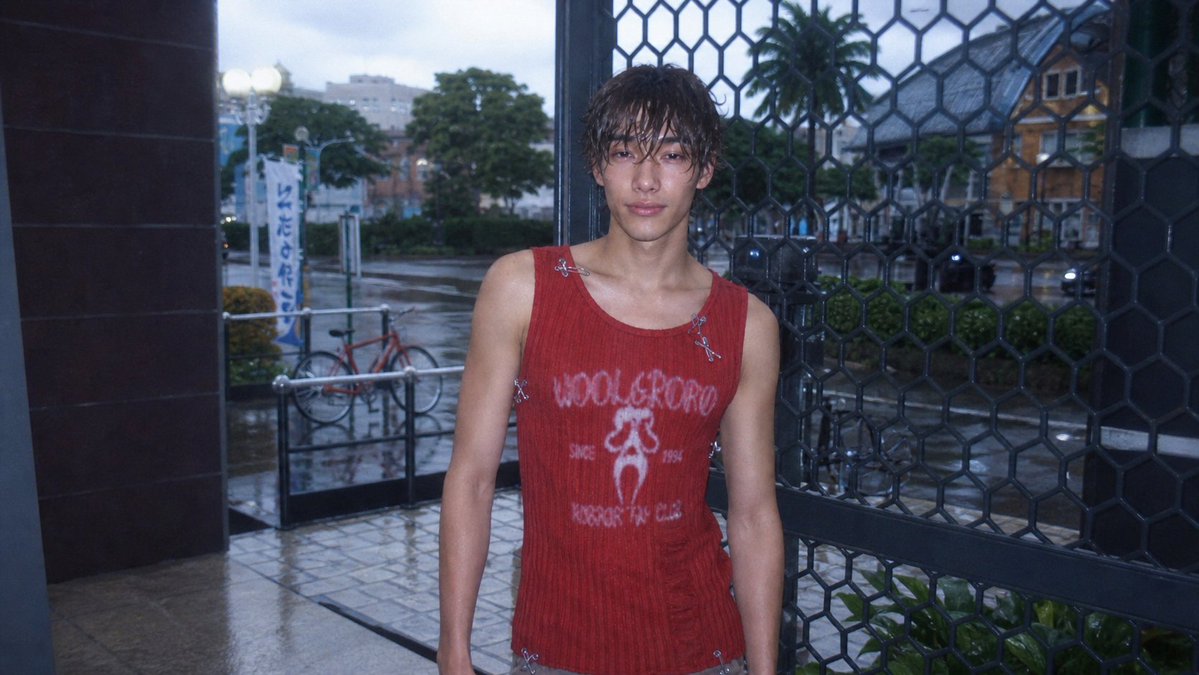
Camera Control
Using REFERENCE_0 as the base image, transform the Sims 4 screenshot into a realistic {argument name="photo style" default="early-2000s CCD compact digital camera photo"}. Keep the same character, outfit, pose, framing, storefront entrance, metal grid, bicycle, street, and overall composition, but make it look like a real candid photo rather than a game render. Add a cool blue dusk tone, harsh built-in flash on the subject, wet rainy pavement with subtle reflections, softened background depth, slight underexposure, visible digital noise, mild chromatic aberration, lens softness, vignette, and low-resolution CCD texture. Preserve the face anonymization as a soft square blur. Maintain a natural 16:9 snapshot crop with imperfect casual framing.
This is a free AI prompt from the Orelon library. Thousands more image prompts here are free to copy and adapt.
Explore more image prompts





Ready to create
Start with this curated direction in Orelon, then shape it into your next visual.