Commercial
Bag Check Lifestyle Infographic
Likes
1
Views
153
 Orelon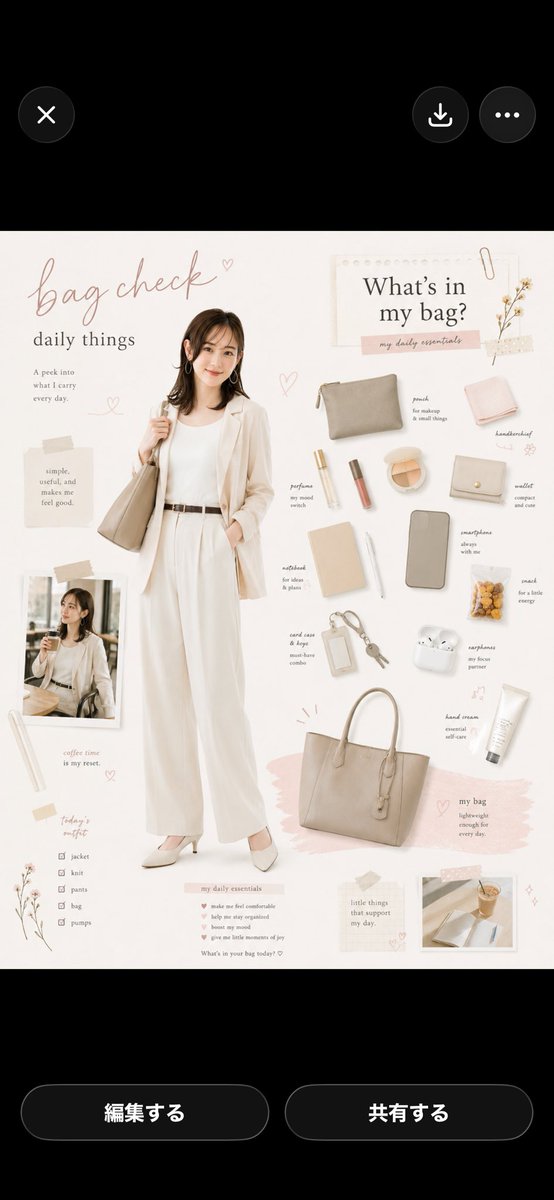
Commercial
Using REFERENCE_0 as the woman/hairstyle/outfit base, transform it into a soft beige lifestyle magazine infographic poster. Extend the portrait into a full-body standing pose: she is holding a neutral tote bag on one shoulder, one hand in her trouser pocket, wearing coordinated cream/white office-casual styling; keep the face anonymized/softly blurred as in the reference. Create an elegant scrapbook layout on an off-white background with blush tape, tiny hearts, botanical doodles, paper textures, and handwritten serif/cursive typography. Add the main title {argument name="headline text" default="bag check"} with the subtitle {argument name="subtitle text" default="daily things"}. On the right, add a paper card titled {argument name="section title" default="What’s in my bag?"} and arrange exactly 14 labeled daily-essential items in a clean flat-lay: 1 pouch, 2 handkerchief, 3 perfume, 4 lip product, 5 face compact, 6 wallet, 7 notebook, 8 pen, 9 smartphone, 10 snack, 11 card case, 12 keys, 13 earphones, 14 hand cream. Include a large beige tote bag at the lower right labeled as the bag, plus exactly 2 small inset lifestyle photos: one cafe photo at the lower left and one desk/coffee photo at the lower right. Add a small checklist titled "today’s outfit" with exactly 5 checked items: jacket, knit, pants, bag, pumps. Use a minimalist Japanese/Korean cafe-aesthetic palette of cream, taupe, beige, pale pink, and warm gray, with airy spacing and delicate editorial composition. Make the poster tall and vertical, suitable for a social-media seminar/sample graphic.
This is a free AI prompt from the Orelon library. Thousands more image prompts here are free to copy and adapt.
Explore more image prompts




Ready to create
Start with this curated direction in Orelon, then shape it into your next visual.