Commercial
Gothic K-Drama Fusion Illustration with Identity Preservation
Likes
2
Views
180
 Orelon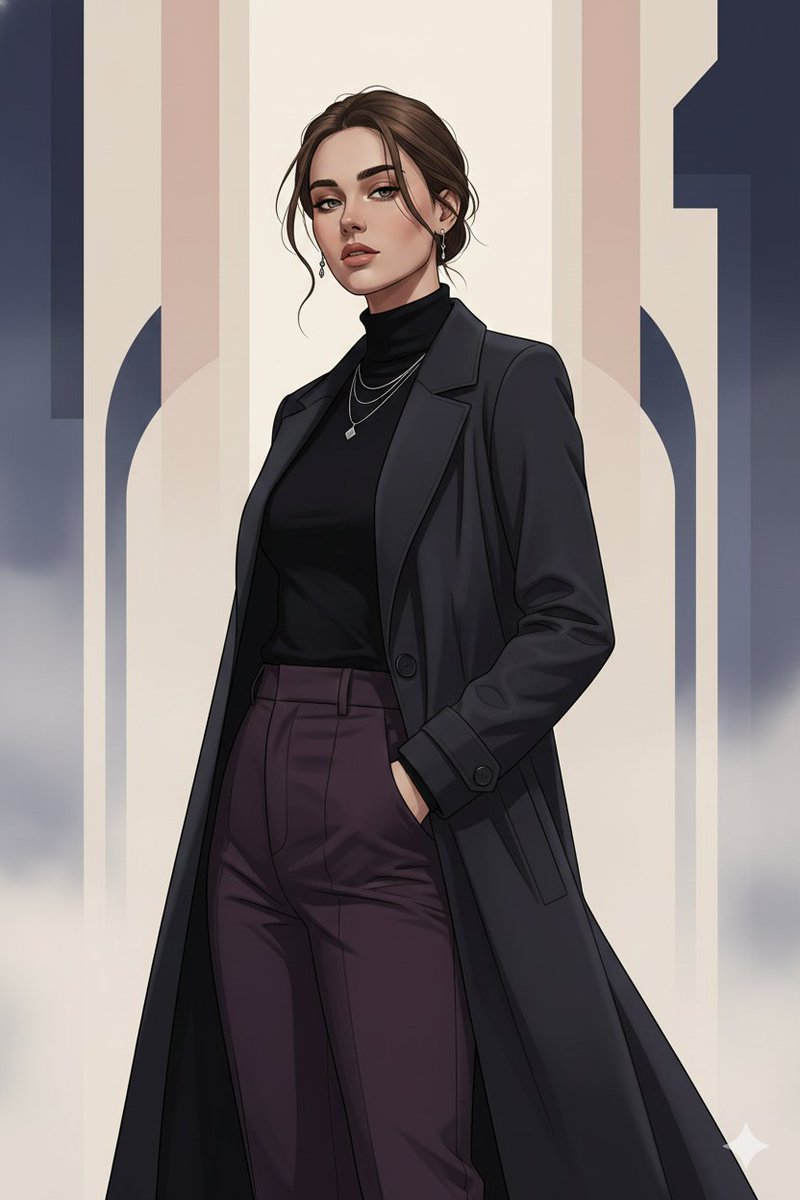
Commercial
{ "prompt": "Use the uploaded image strictly as an identity reference. Preserve 100% exact face match, facial structure, expressions, skin tone, hairstyle, and identity of every person visible in the reference image. Do not add or remove any person. Create a Gothic ✕ K-Drama fusion pose (for example: standing close with emotional tension, soft side glance under dramatic shadows, calm intimate posture) while keeping anatomy natural and elegant. Style the subjects in a blend of modern K-drama fashion and subtle gothic elements—clean coats, flowing silhouettes, muted dark fabrics, minimal metallic accents—without changing facial identity. Convert the scene into a premium illustration blended with clean vector art. Use refined linework, soft gradients, gentle shadow transitions, and selective high-contrast edges to balance romance and mystery. Lighting should be cinematic low-key with soft diffused highlights to keep faces tender yet dramatic. Color palette should blend romantic pastels (ivory, blush, soft blue) with gothic tones (charcoal, deep plum, midnight black). Background should be minimal and atmospheric—soft fog, abstract arches, or subtle architectural hints—simplified into layered vector forms. Render in ultra high resolution with crisp edges, emotional depth, and a polished fusion poster finish.", "negative_prompt": "face mismatch, identity change, extra person, missing person, horror gore, heavy gothic makeup, anime exaggeration, chibi, wrong facial features, wrong skin tone, bad anatomy, extra fingers, extra limbs, harsh noise, photorealism, low quality, blur, watermark, logo, text", "style": "gothic × K-drama fusion illustration + vector art", "mood": "romantic, mysterious, emotional", "lighting": "low-key cinematic with soft diffused highlights", "background": "minimal atmospheric gothic-romantic vector backdrop", "detail_level": "high but soft", "render_quality": "ultra high resolution, cinematic clarity", "composition": "same persons, intimate fusion pose", "reference_strength": 0.95 }
This is a free AI prompt from the Orelon library. Thousands more image prompts here are free to copy and adapt.
Explore more image prompts




Ready to create
Start with this curated direction in Orelon, then shape it into your next visual.