Camera Control
Pose Change with Fixed Reference Prompt
Likes
2
Views
284
 Orelon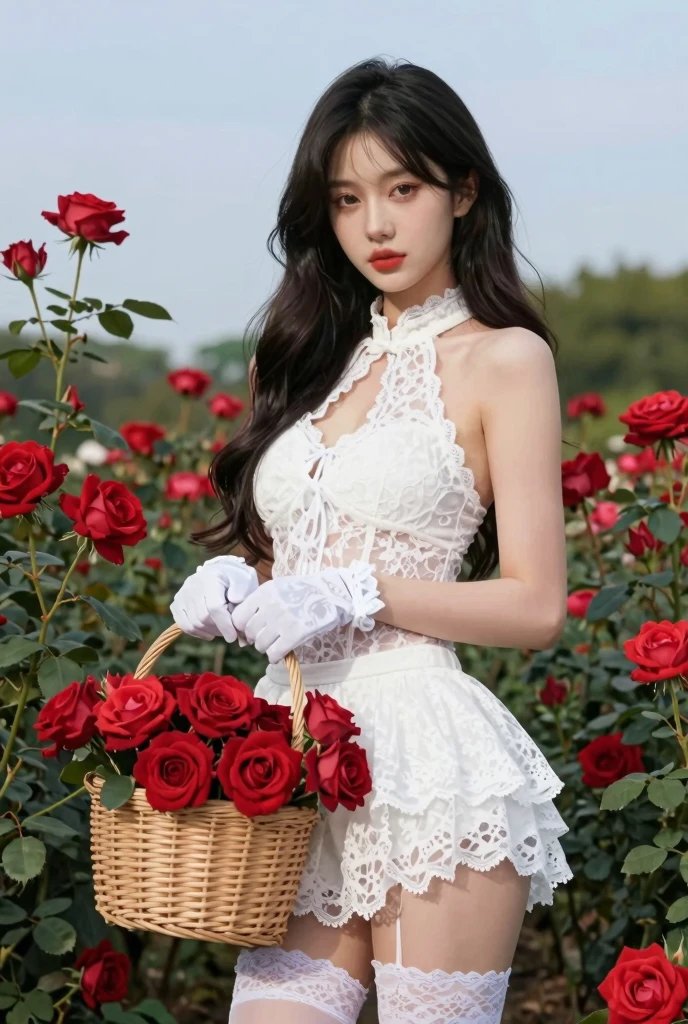
Camera Control
Using the provided reference image, keep the same person, same face, same hairstyle, same hair color, same body proportions, same outfit, same accessories, same environment, same lighting, same camera lens, same framing, same background, and same overall aesthetic exactly identical to the reference. The setting remains an outdoor rose garden filled with vibrant {argument name="rose color" default="red"} roses under soft natural daylight and a clear blue sky. The subject is wearing the same white lace halter-neck outfit, white gloves, white lace stockings, and holding the same wicker basket filled with red roses. The only change is the pose: – Replace the original pose with [{argument name="new pose description" default="NEW POSE DESCRIPTION HERE"}]. – No roses added or removed. – No changes to facial expression unless explicitly stated. – No changes to clothing, accessories, or environment. Photorealistic, high-end editorial photography, shallow depth of field, natural skin texture, realistic fabric detail, soft color grading, cinematic yet natural look.
This is a free AI prompt from the Orelon library. Thousands more image prompts here are free to copy and adapt.
Explore more image prompts





Ready to create
Start with this curated direction in Orelon, then shape it into your next visual.