UGC / Ad Templates
Harajuku Kawaii Fashion Editorial
Likes
3
Views
95
 Orelon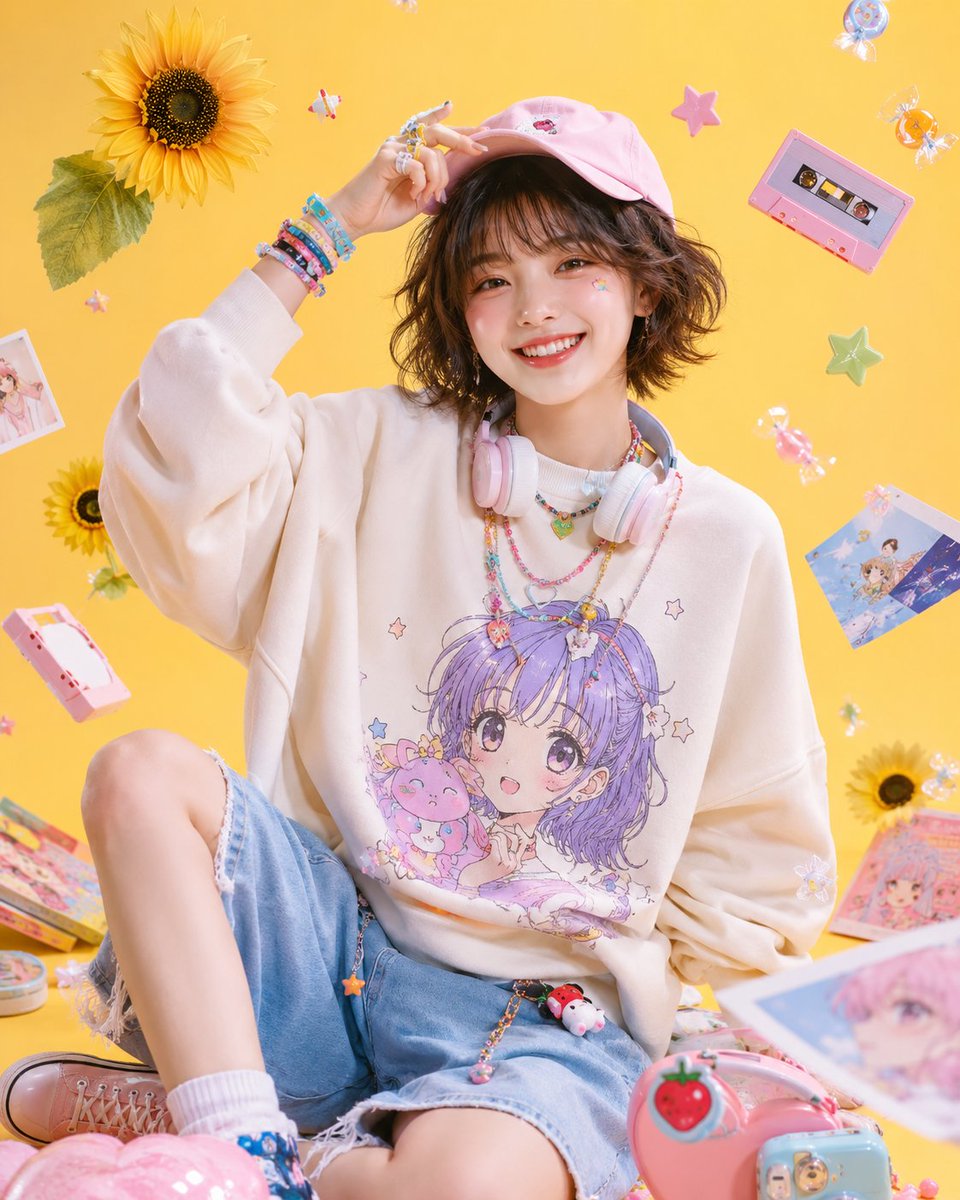
UGC / Ad Templates
Subject: {argument name="subject" default="Sparkling Harajuku Pop Girl"} / Harajuku kawaii fashion editorial Person/Expression: {argument name="person" default="woman in her early 20s"}, fluffy short bob, light see-through bangs, natural clear skin, bright smile, energetic and friendly expression, natural eye contact with camera. Clothing/Pose: {argument name="outfit" default="oversized sweatshirt with anime-style graphics"}, light blue denim shorts, pastel pink cap, pastel-colored headphones around the neck, colorful bracelets and rings, a playful pose sitting while lightly lifting the cap with one hand. Background/Lighting: butter-yellow studio background, soft softbox lighting, sunflowers, star motifs, cassette tapes, candy, stickers, a pop and cute space where magazine collage-style items float in the air. Composition/Camera: vertical composition, fashion portrait from upper body to above knees, centered composition, 35mm lens, bright and clear studio photography, magazine cover-style composition making the subject look prominent. Texture/Style: high definition, 4K quality, natural skin texture, glossy magazine finish, Harajuku pop fashion, kawaii streetwear editorial, Y2K pastel fashion, candy colors, clean Japanese-style fashion photography. Negative: low quality, unnatural hands, distorted face, extra fingers, warped body, excessive processing, overexposure, text, logo, watermark
This is a free AI prompt from the Orelon library. Thousands more image prompts here are free to copy and adapt.
Explore more image prompts





Ready to create
Start with this curated direction in Orelon, then shape it into your next visual.