Visual Effects
Anime Queen of Spades Card
Likes
23
Views
1.5K
 Orelon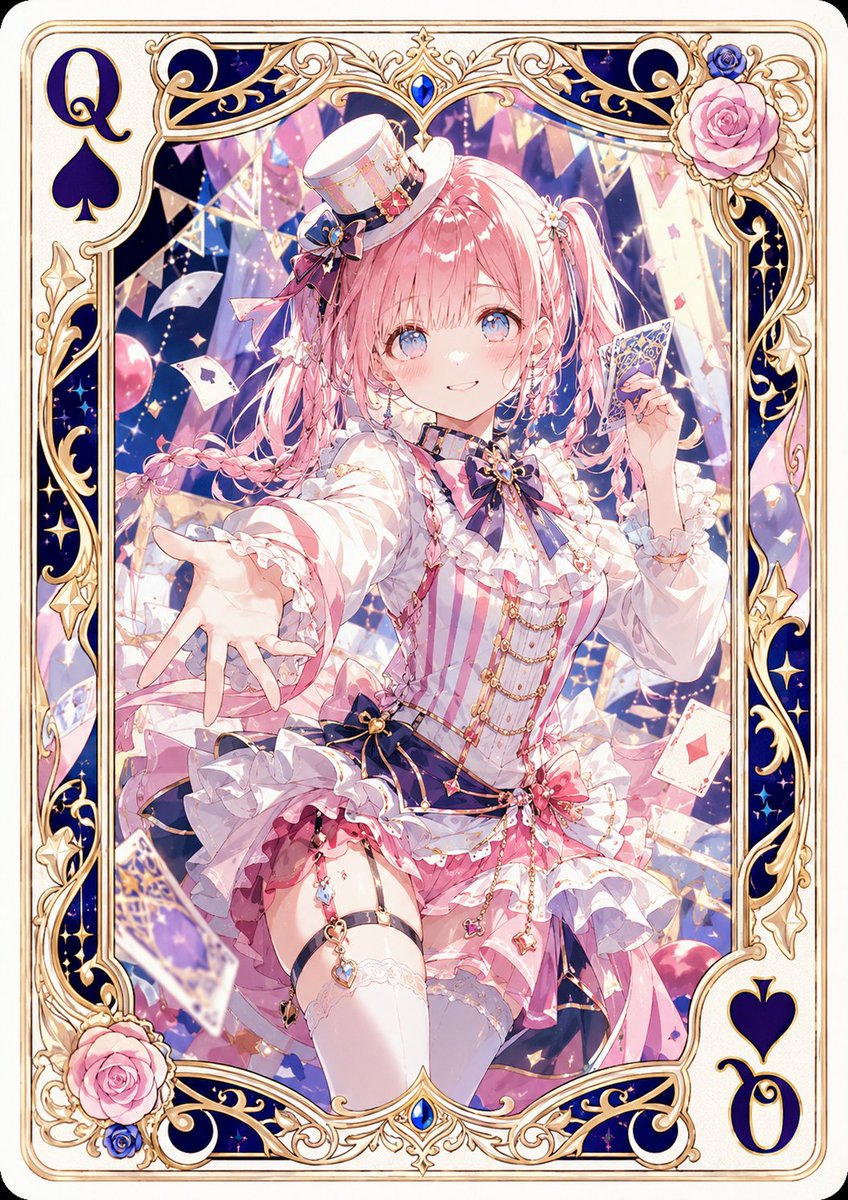
Visual Effects
Create a luxurious vertical anime playing card illustration featuring {argument name="character name" default="an original pink-haired magician girl"} as the unique Queen of Spades. The canvas is a tall rounded-corner poker card with a cream background and an ornate gold filigree border, deep navy enamel panels, tiny star motifs, blue jewel accents, and pink rose decorations in the top-right and bottom-left corners. Put a large navy “Q” and spade symbol in the top-left corner and a matching rotated “Q” with spade symbol in the bottom-right corner. In the center, show a cheerful idol-magician anime girl in a dynamic seated pose reaching one hand toward the viewer while holding a decorated playing card in her other hand. She has {argument name="hair color" default="soft pastel pink"} twin-tail hair with braids, ribbons, small flower clips, bright blue eyes, rosy cheeks, and a gentle smile. Her outfit is an elaborate pink, white, and navy stage costume: tiny tilted top hat with ribbons and gold trim, frilly blouse, striped pink corset bodice, navy bow with gemstone brooch, gold chains, layered ruffled skirt, thigh-high white stockings, garter charm, lace cuffs, and many small heart and jewel accessories. The background inside the card frame is a magical casino-stage scene with glowing confetti, floating playing cards, triangular bunting, balloons, crystalline shards, sparkles, and soft pastel lights in pink, lavender, blue, and gold. Use extremely detailed shoujo anime rendering, glossy highlights, delicate line art, ornate fantasy card design, luminous atmosphere, high saturation but soft pastel palette, dramatic depth, and premium collectible card quality. Keep exactly one main character, exactly two visible corner index sets, and exactly two rose clusters; no extra text besides the card rank and suit.
This is a free AI prompt from the Orelon library. Thousands more image prompts here are free to copy and adapt.
Explore more image prompts


Ready to create
Start with this curated direction in Orelon, then shape it into your next visual.