Commercial
Cinematic Paparazzi Photoshoot Transformation Prompt
Views
107
 Orelon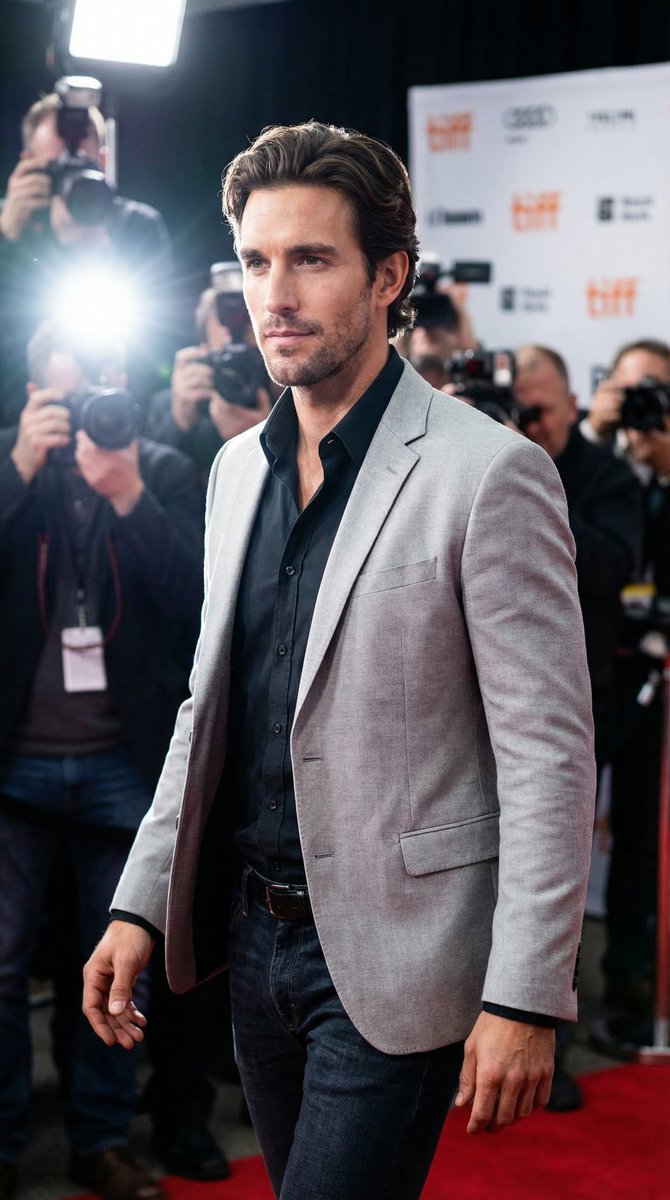
Commercial
{ "model": "nano-banana-pro", "prompt": { "scene_type": "cinematic paparazzi photoshoot", "subject": { "identity": "use provided reference image face exactly", "pose": "walking forward confidently while looking slightly to the side", "expression": "calm, bold, confident, celebrity presence" }, "outfit": { "top": "light gray blazer worn open over a dark inner shirt", "bottom": "dark fitted jeans", "style": "modern celebrity fashion" }, "environment": { "location": "red carpet style press event", "background": "crowd of photographers on both sides holding cameras", "lighting_sources": "multiple camera flashes firing from all directions", "atmosphere": "dramatic, high-profile celebrity arrival" }, "lighting": { "main_light": "strong flash lighting from photographers", "rim_light": "backlight creating glow around shoulders and head", "contrast": "high contrast cinematic lighting" }, "camera": { "angle": "eye level", "lens": "85mm portrait lens", "depth_of_field": "shallow depth of field, background slightly blurred", "focus": "sharp focus on subject" }, "color_tone": { "mood": "dark cinematic tone", "temperature": "cool neutral", "style": "Hollywood red carpet look" }, "quality": { "realism": "ultra photorealistic", "details": "high skin texture, natural fabric folds, realistic light reflections", "resolution": "8K", "render": "professional photography" } } }
This is a free AI prompt from the Orelon library. Thousands more image prompts here are free to copy and adapt.
Explore more image prompts




Ready to create
Start with this curated direction in Orelon, then shape it into your next visual.