Effects by Tags
Engineering Assembly Documentation Layout
Likes
23
Views
647
 Orelon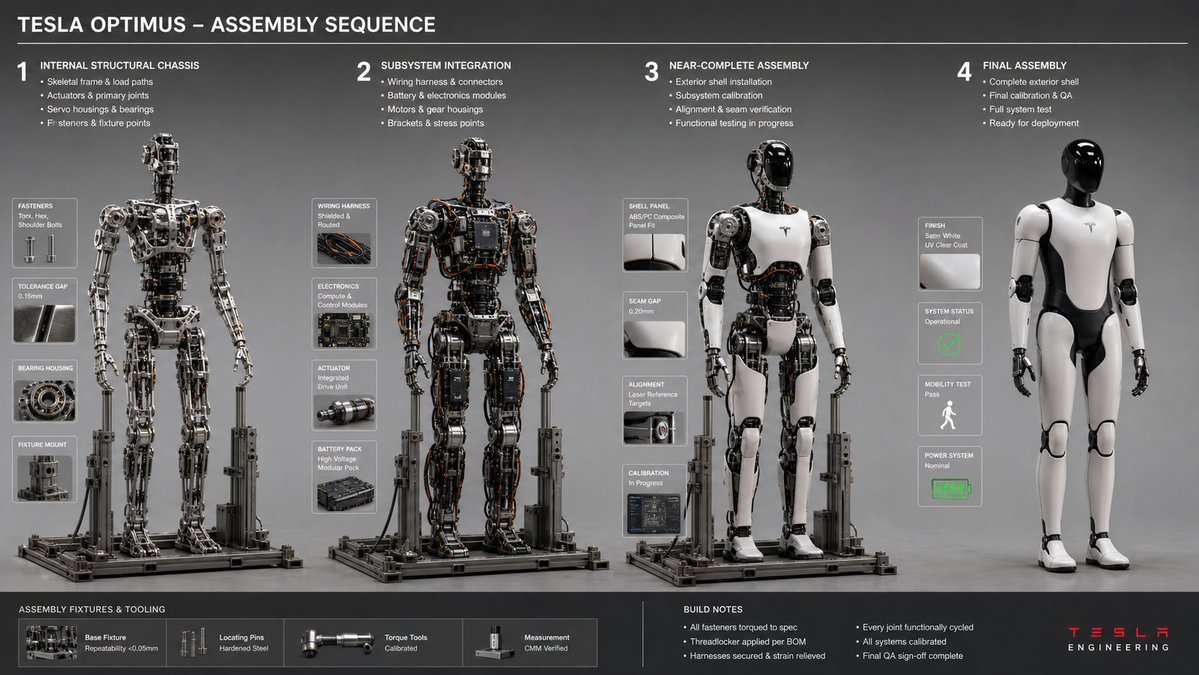
Effects by Tags
16:9, do this for a {argument name="object" default="Tesla Optimus Robot"}<assembly_seq> OBJECT: [INSERT OBJECT] STAGES: 4 RULE: AI infers logical build sequence from internal chassis to exterior shell. INFERENCE: Fastener types, jig/fixture shadows, tool marks, tolerance gaps, workspace debris. DOUBLE_INFER: Assembly order → stress points → wear patterns on tools/hands (if present). LAYOUT: Horizontal sequence, consistent lighting, isometric or 3/4 view. </assembly_seq> <render> STYLE: Engineering workflow documentation, neutral gray backdrop, sharp focus ::3 </render>
This is a free AI prompt from the Orelon library. Thousands more image prompts here are free to copy and adapt.
Explore more image prompts





Ready to create
Start with this curated direction in Orelon, then shape it into your next visual.