Commercial
Transparent Bear Character Cutout
Views
4
 Orelon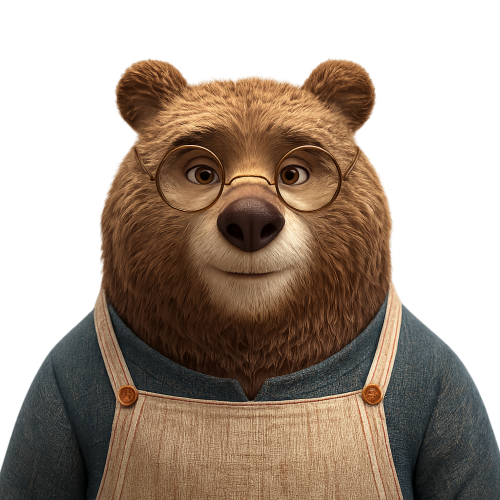
Commercial
Using the provided reference image, isolate the bear character and remove the entire background, replacing it with a fully transparent background. Keep the character’s pose, expression, glasses, clothing, proportions, lighting, fur detail, and crop essentially unchanged. Preserve delicate edge detail around the ears, fur, shoulders, apron straps, and glasses with a clean cutout suitable for use as a reusable PNG sticker or product-style asset. Do not add any new objects, text, shadows, borders, or background elements.
This is a free AI prompt from the Orelon library. Thousands more image prompts here are free to copy and adapt.
Explore more image prompts




Ready to create
Start with this curated direction in Orelon, then shape it into your next visual.