Camera Control
Traditional Shadow Puppet Performance
Likes
44
Views
973
 Orelon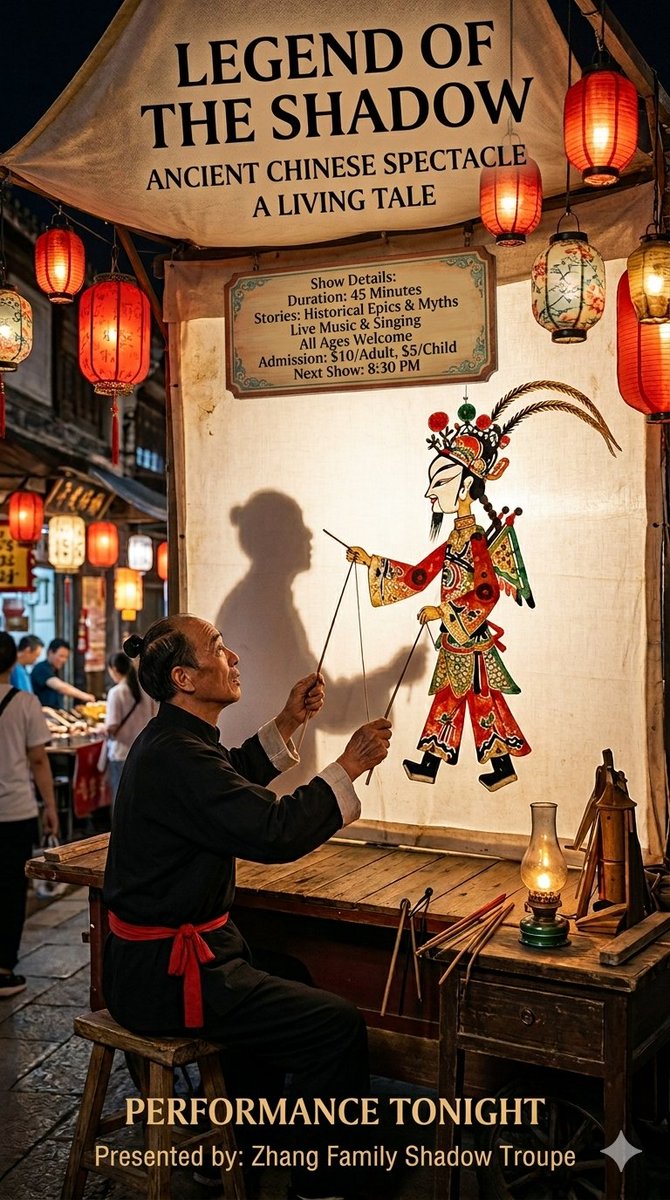
Camera Control
{ "scene": "{argument name="event" default="Traditional shadow puppet performance at a night market"}", "subject": { "person": "{argument name="subject" default="Elderly male puppeteer in traditional black attire with a red waist sash"}", "action": "Manipulating a colorful leather shadow puppet of a {argument name="puppet type" default="warrior"}", "placement": "Seated at a weathered wooden workbench" }, "lighting": { "primary": "Backlit translucent screen", "ambient": "Warm glow from red lanterns and a vintage oil lamp", "style": "Cinematic, high contrast, golden hour tones" }, "camera_settings": { "lens": "35mm", "depth_of_field": "Shallow (bokeh background)", "angle": "Eye-level, medium shot" }, "aesthetic": "Photorealistic, cultural heritage, atmospheric, documentary photography style" }
This is a free AI prompt from the Orelon library. Thousands more image prompts here are free to copy and adapt.
Explore more image prompts





Ready to create
Start with this curated direction in Orelon, then shape it into your next visual.