Visual Effects
Red Hoodie Lava Dragon Poster
Views
52
 Orelon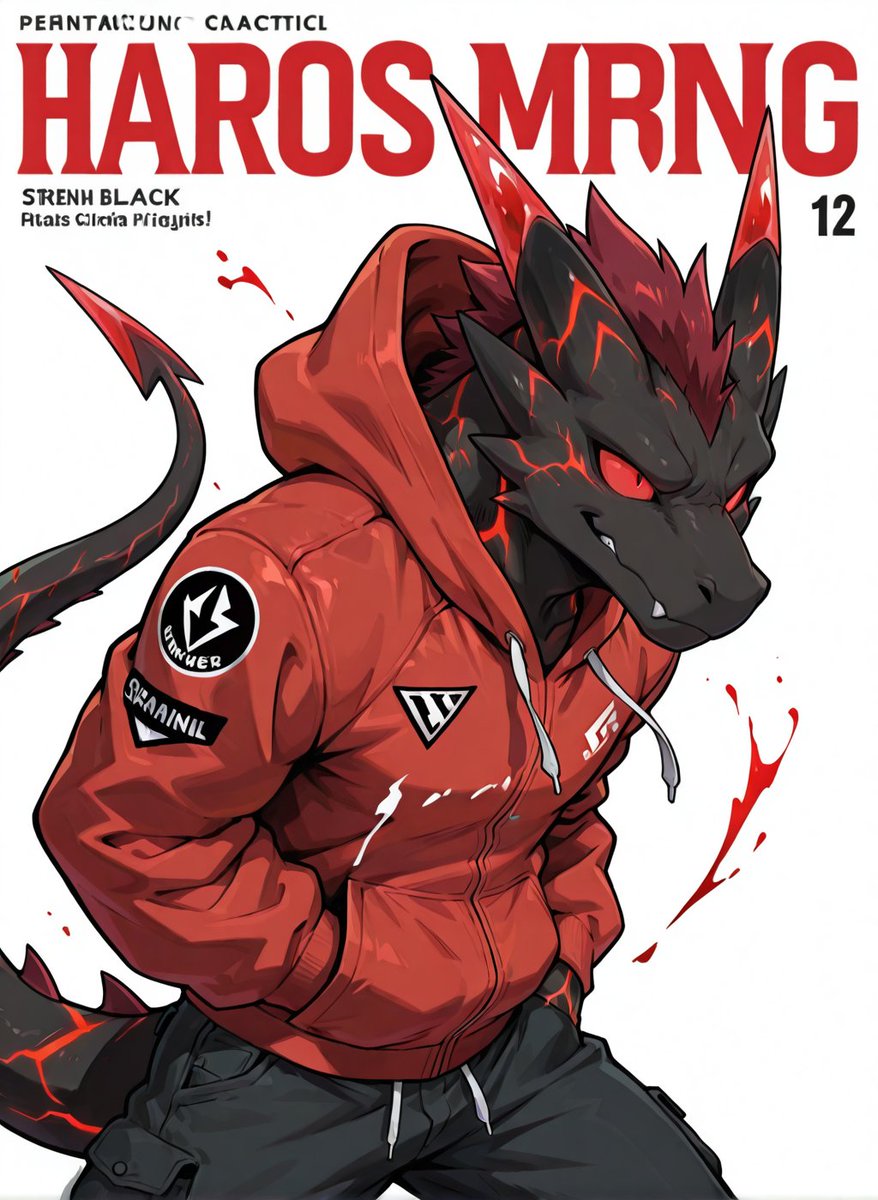
Visual Effects
Create a bold anime streetwear poster on a clean white background featuring a single anthropomorphic black dragon character in a three-quarter upper-body pose, leaning forward with hands in the hoodie pockets and a confident snarling grin. The dragon has dark charcoal scales, glowing red lava-like crack patterns across the face, neck, tail, and horns, sharp angular red eyes, white fangs, tall pointed ears, two long red-and-black horns, a spiky red mane, and a long curved tail with a red spear-shaped tip entering from the left. Dress the character in a glossy oversized {argument name="hoodie color" default="crimson red"} zip-up hoodie with the hood up, white drawstrings, heavy folds, a front pocket, and black technical cargo pants; show exactly 4 visible clothing markings: a circular black-and-white emblem patch on the upper sleeve, a black rectangular sleeve patch with distorted white lettering, a small triangular chest logo, and a small white chest wordmark. Add dynamic red paint-splatter strokes around the character, especially one large splash on the right and smaller droplets near the left horn area. At the top, design a magazine-cover style typographic layout with one huge bold condensed red headline reading {argument name="headline text" default="HAROS MRNG"}, one small black uppercase line above it with intentionally imperfect pseudo-text, one small black subheading block on the upper left reading {argument name="subheading text" default="STRENH BLACK"} with a second smaller garbled line below, and a black issue number {argument name="issue number" default="12"} on the upper right. Use high-contrast cel-shaded anime rendering, sharp black outlines, dramatic red highlights, glossy fabric reflections, clean poster composition, and a modern character-design magazine aesthetic.
This is a free AI prompt from the Orelon library. Thousands more image prompts here are free to copy and adapt.
Explore more image prompts


Ready to create
Start with this curated direction in Orelon, then shape it into your next visual.