UGC / Ad Templates
Sims 4 to CCD Carnival Selfie
Views
65
 Orelon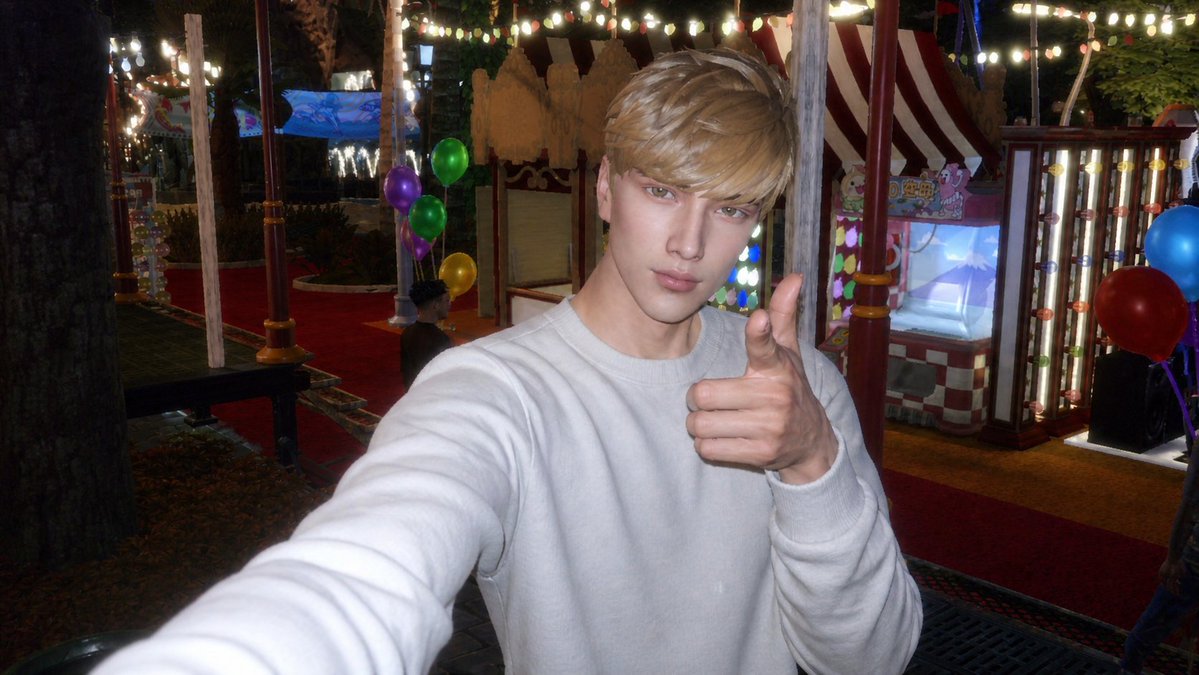
UGC / Ad Templates
Using the provided reference image as the Sims 4 character base, transform it into a realistic {argument name="photo style" default="CCD digital camera flash photo"} rather than a game screenshot. Repose the character as a close-up arm’s-length selfie, wearing a {argument name="outfit" default="plain white sweatshirt"}, with one arm extended toward the camera and the other hand giving a thumbs-up. Change the setting to a {argument name="new setting" default="nighttime amusement park or carnival"} with strong on-camera flash, slightly harsh highlights, low-light noise, mild blur, and nostalgic compact-camera colors. Add a festive background with red carpet walkways, striped carnival booths, glowing marquee bulbs, string lights, trees, and exactly 6 visible balloons: 4 on the left side in purple, green, green, and yellow, and 2 on the right side in blue and red. Keep the overall face-obscuring square censorship from the reference, but make the image look like an authentic casual snapshot rather than a rendered scene.
This is a free AI prompt from the Orelon library. Thousands more image prompts here are free to copy and adapt.
Explore more image prompts





Ready to create
Start with this curated direction in Orelon, then shape it into your next visual.