Camera Control
2000s Digital Camera Snapshot Prompt
Likes
48
Views
2.6K
 Orelon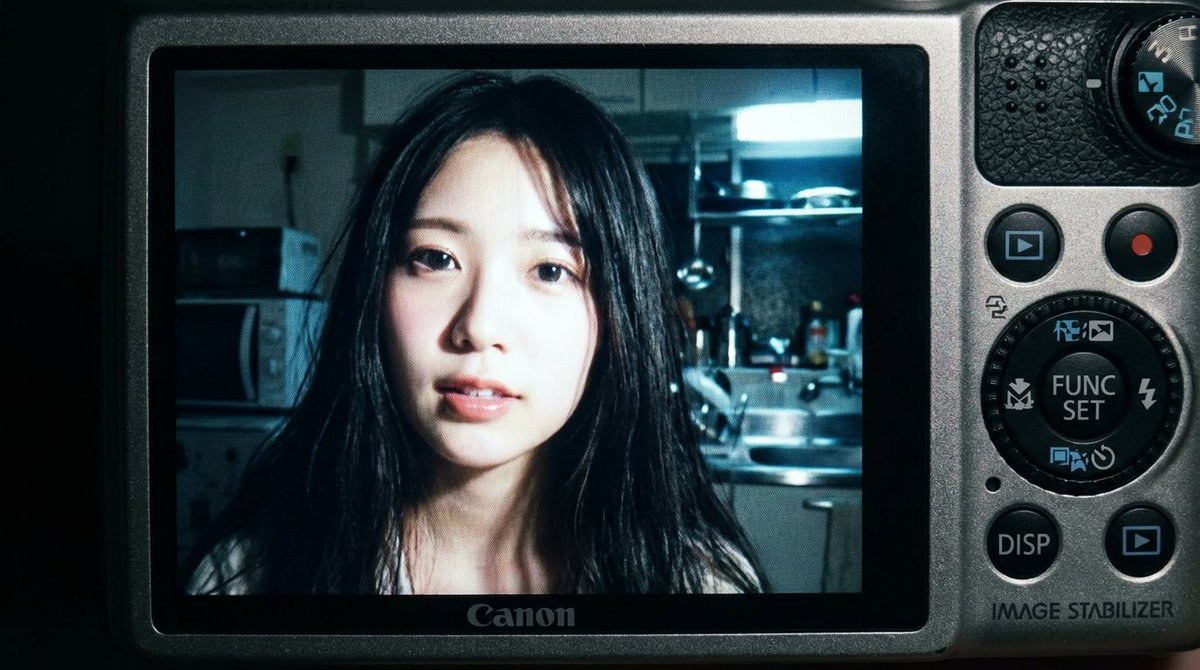
Camera Control
{ "subject": { "face_features": "Use the facial features from the attached photo", "description": "Close-up shot of a young woman. Long black hair loosely falls across her face, with a soft, slightly parted lip expression. Strong light from the built-in flash creates sharp highlights on her face and hair.", "mood": "Candid, raw, nostalgic. In the style of an early 2000s digital camera snapshot." }, "camera_display_scene": { "device": "Compact Canon digital camera", "visible_parts": [ "Camera body frames the image", "Buttons, dials, textured surface", "FUNC/SET wheel", "DISP button", "'IMAGE STABILIZER' label on the side" ], "screen_image": { "lighting": "Indoor night, bright direct light from built-in flash", "background": "Dim, cluttered kitchen. Appliances, shelves, and metal surfaces are softly blurred.", "color_tone": "Slightly subdued, cool undertones. Strong flash contrast. Natural graininess derived from the display.", "text_or_logo": "None" } }, "image_spec": { "aspect_ratio": "4:5 (Vertical)", "camera_simulation": "Compact digital camera simulation", "lens": "Equivalent to 28–35mm", "aperture": "f/2.8", "iso": 400, "shutter_speed": "1/60 (using flash)", "white_balance": "Auto flash", "lighting": { "subject": "Strong direct flash", "background": "Low ambient light" }, "color_grading": "Nostalgic digital camera tone, high contrast flash, subtle display graininess, screen-specific glow" } }
This is a free AI prompt from the Orelon library. Thousands more image prompts here are free to copy and adapt.
Explore more image prompts





Ready to create
Start with this curated direction in Orelon, then shape it into your next visual.