Camera Control
Contrasting Bird Wildlife Portrait
Likes
2
Views
228
 Orelon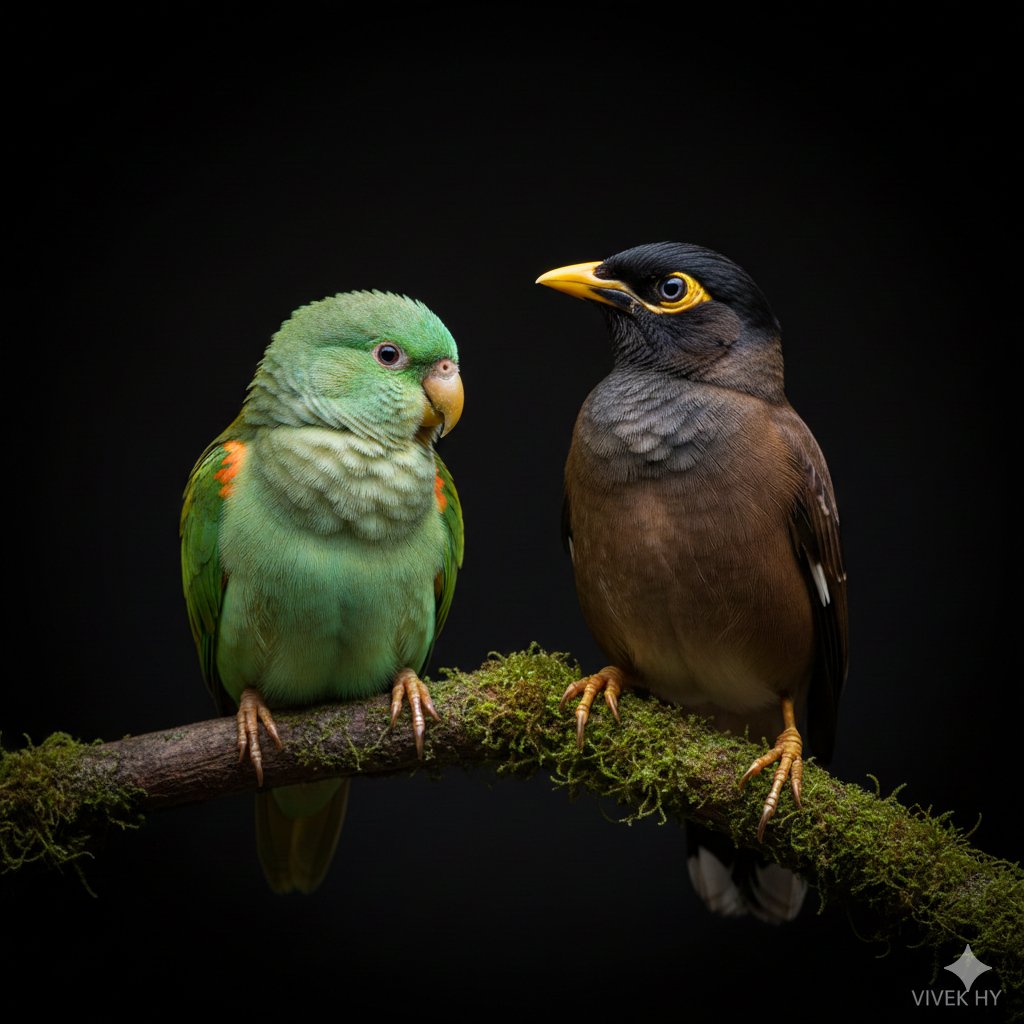
Camera Control
{ "bird_pair": { "left_bird": "{argument name="left bird type" default="small green parrot"} with {argument name="left bird color" default="light emerald feathers, orange patches"}, and soft rounded shape", "right_bird": "{argument name="right bird type" default="brown-black myna"} with sharp yellow beak and distinct eye ring", "posture": "both perched calmly on a moss-covered branch, facing slightly toward each other" }, "lighting_profile": { "style": "dramatic low-key lighting", "effect": "sharp highlights on feathers, deep shadows adding contrast", "background": "pure dark backdrop creating clean isolation around subjects" }, "visual_aesthetics": { "mood": "calm, detailed, studio-style wildlife portrait", "color_palette": "natural greens, browns, yellows against black", "texture_focus": "feather detail, beak shine, moss surface clarity" }, "composition": { "framing": "centered horizontal layout focusing on both birds equally", "depth": "foreground crisp and detailed with smooth falloff into dark void" }, "quality": "{argument name="resolution" default="8K"} hyper-realistic wildlife close-up with fine feather detail", "signature": "VIVEK HY" }
This is a free AI prompt from the Orelon library. Thousands more image prompts here are free to copy and adapt.
Explore more image prompts





Ready to create
Start with this curated direction in Orelon, then shape it into your next visual.