Effects by Tags
Tanabata Ponytail Yukata Portrait
Likes
37
Views
479
 Orelon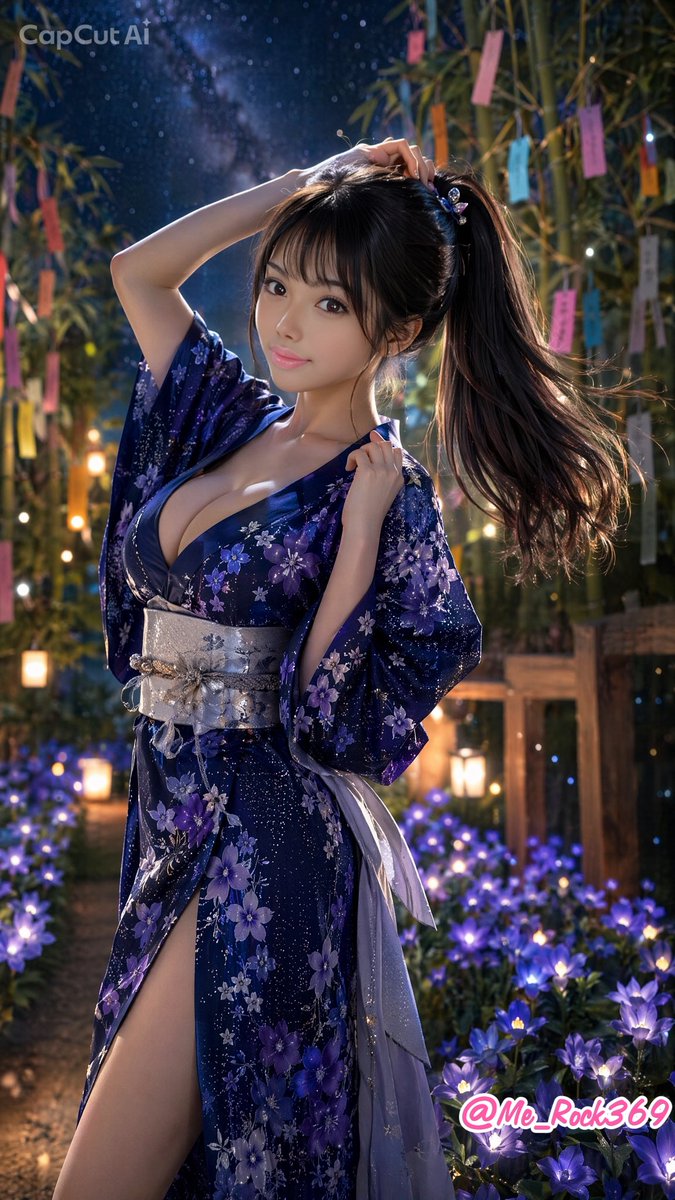
Effects by Tags
Create a vertical 9:16 ultra-detailed photorealistic anime-style portrait of a beautiful young Japanese woman at a Tanabata night festival, wearing a deep navy-blue yukata with purple bellflower motifs and tiny star-speckled patterns. She has long glossy black hair tied in a high side ponytail with a small purple floral hair ornament, soft bangs, large expressive brown eyes, smooth fair skin, and a gentle confident smile. Pose her standing three-quarter view, one arm raised with her hand touching the top of her ponytail and the other hand lightly holding the edge of her collar, creating an elegant emotional ponytail-themed composition. The yukata should have a low neckline, wide sleeves, a high side slit revealing one leg, and a metallic silver obi tied at the waist with trailing pale lavender ribbons. Place her in a dreamy bamboo grove at night under a starry sky and visible Milky Way, with Tanabata wish papers hanging from bamboo branches in multiple colors, warm lanterns glowing in the background, and a foreground bed of luminous purple bellflowers. Use cinematic bokeh, soft rim lighting on her hair, magical blue-purple firefly-like sparkles, shallow depth of field, highly polished glossy illustration rendering, realistic fabric texture, and a romantic festival atmosphere. Add two visible text overlays: a semi-transparent “CapCut AI” watermark in the upper left and a pink-white signature “@Me_Rock369” in the lower right. Main customizable details: {argument name="character name" default="unnamed young Japanese woman"}, {argument name="yukata color" default="deep navy blue"}, {argument name="flower motif" default="purple bellflowers"}, {argument name="festival setting" default="Tanabata night bamboo grove"}, {argument name="signature text" default="@Me_Rock369"}.
This is a free AI prompt from the Orelon library. Thousands more image prompts here are free to copy and adapt.
Explore more image prompts





Ready to create
Start with this curated direction in Orelon, then shape it into your next visual.