Visual Effects
Dark Fantasy Game HUD on Green Screen
Likes
1
Views
272
 Orelon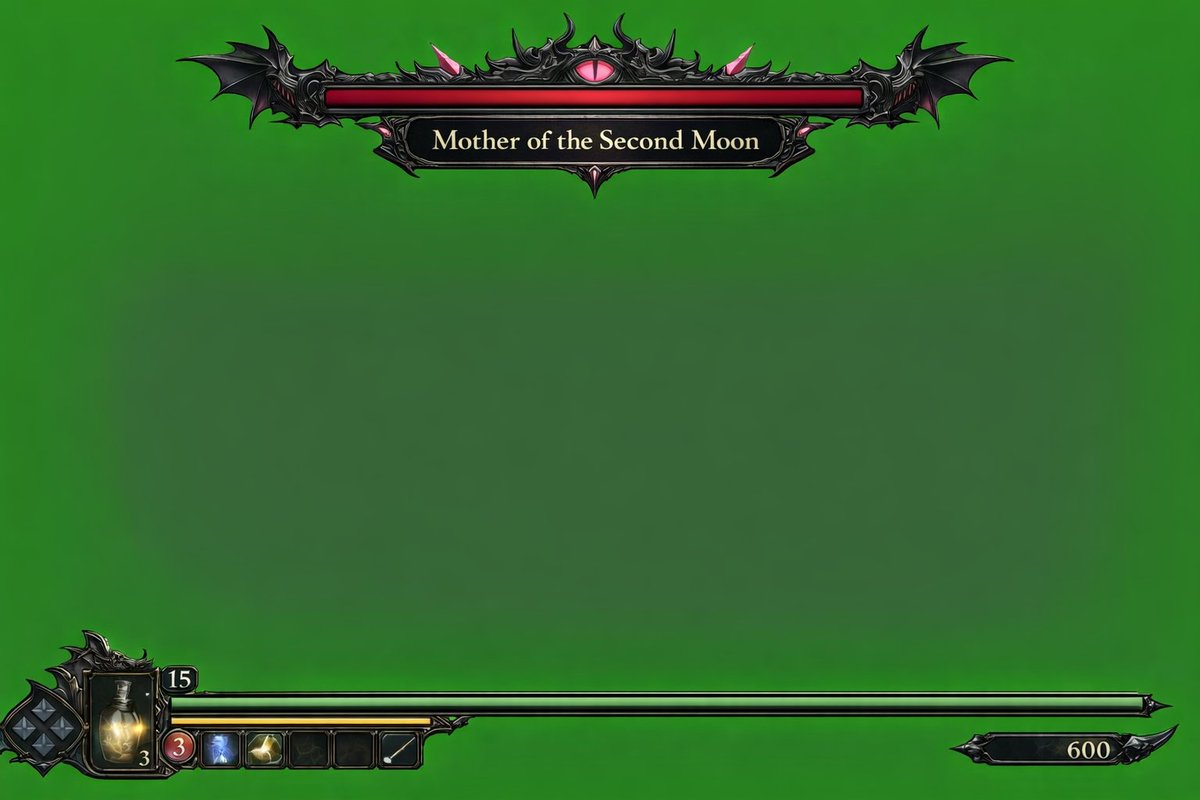
Visual Effects
{ "type": "video game HUD overlay", "background": "{argument name=\"background color\" default=\"solid chroma key green\"}", "theme": "{argument name=\"UI theme\" default=\"dark fantasy gothic\"}", "layout": { "top_center": { "component": "boss health bar", "design": "ornate black metal frame with bat wings on the edges and a glowing pink eye in the top center", "bar_color": "{argument name=\"boss health bar color\" default=\"red\"}", "label": "{argument name=\"boss name\" default=\"Mother of the Second Moon\"}" }, "bottom_left": { "component": "player status HUD", "design": "intricate dark metal frame", "elements": [ "diamond-shaped D-pad indicator", "glowing yellow potion flask with the number '3'", "number '15' in a small top frame", "long {argument name=\"player health bar color\" default=\"green\"} health bar extending to the right", "shorter yellow bar underneath the green bar", "row of 5 square quick-select inventory slots (slot 1: red circle with '3', slot 2: blue icon, slot 3: yellow icon, slot 4: empty, slot 5: white diagonal line)" ] }, "bottom_right": { "component": "score or currency indicator", "design": "small black decorative plaque with the number '600'" } } }
This is a free AI prompt from the Orelon library. Thousands more image prompts here are free to copy and adapt.
Explore more image prompts


Ready to create
Start with this curated direction in Orelon, then shape it into your next visual.