Camera Control
Izakaya Wall Menu Transformation
Views
56
 Orelon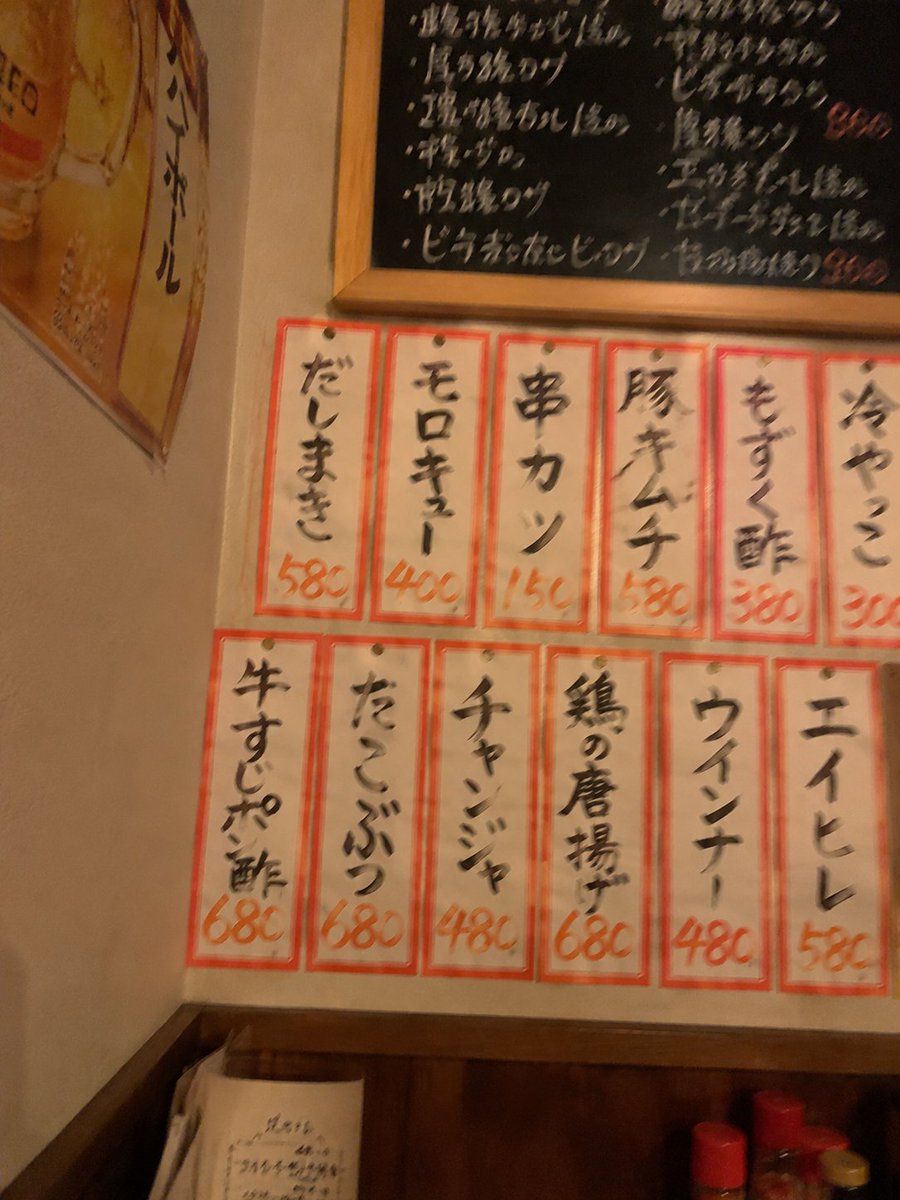
Camera Control
Using the provided reference image as the izakaya interior mood reference, transform the wall menu into a closer, more frontal handheld snapshot of a casual Japanese pub menu corner. Replace the original white printed paper notices on the wooden wall with exactly 12 narrow cream menu slips outlined in red, arranged in 2 rows of 6, each pinned at the top and written in bold black brush-style Japanese with orange handwritten prices. The 12 menu slips should read: top row 「だしまき 580」「モロキュー 400」「串カツ 150」「豚キムチ 580」「もずく酢 380」「冷やっこ 300」; bottom row 「牛すじポン酢 680」「たこぶつ 680」「チャンジャ 480」「鶏の唐揚 680」「ウインナー 480」「エイヒレ 530」. Add a black chalkboard menu above the slips with messy white chalk writing and a few orange prices, plus a yellow beer poster on the left wall. Keep the warm dim izakaya lighting and lived-in, slightly blurry phone-photo realism, but shift the background from a full wooden plank wall to a cream wall with dark wood wainscoting at the bottom. Include small red-capped condiment bottles partially visible at the bottom edge. Optional text customization: use {argument name="top row menu text" default="だしまき 580, モロキュー 400, 串カツ 150, 豚キムチ 580, もずく酢 380, 冷やっこ 300"} and {argument name="bottom row menu text" default="牛すじポン酢 680, たこぶつ 680, チャンジャ 480, 鶏の唐揚 680, ウインナー 480, エイヒレ 530"}.
This is a free AI prompt from the Orelon library. Thousands more image prompts here are free to copy and adapt.
Explore more image prompts





Ready to create
Start with this curated direction in Orelon, then shape it into your next visual.