Visual Effects
Cyberpunk Brain Graffiti Mural
Likes
25
Views
2K
 Orelon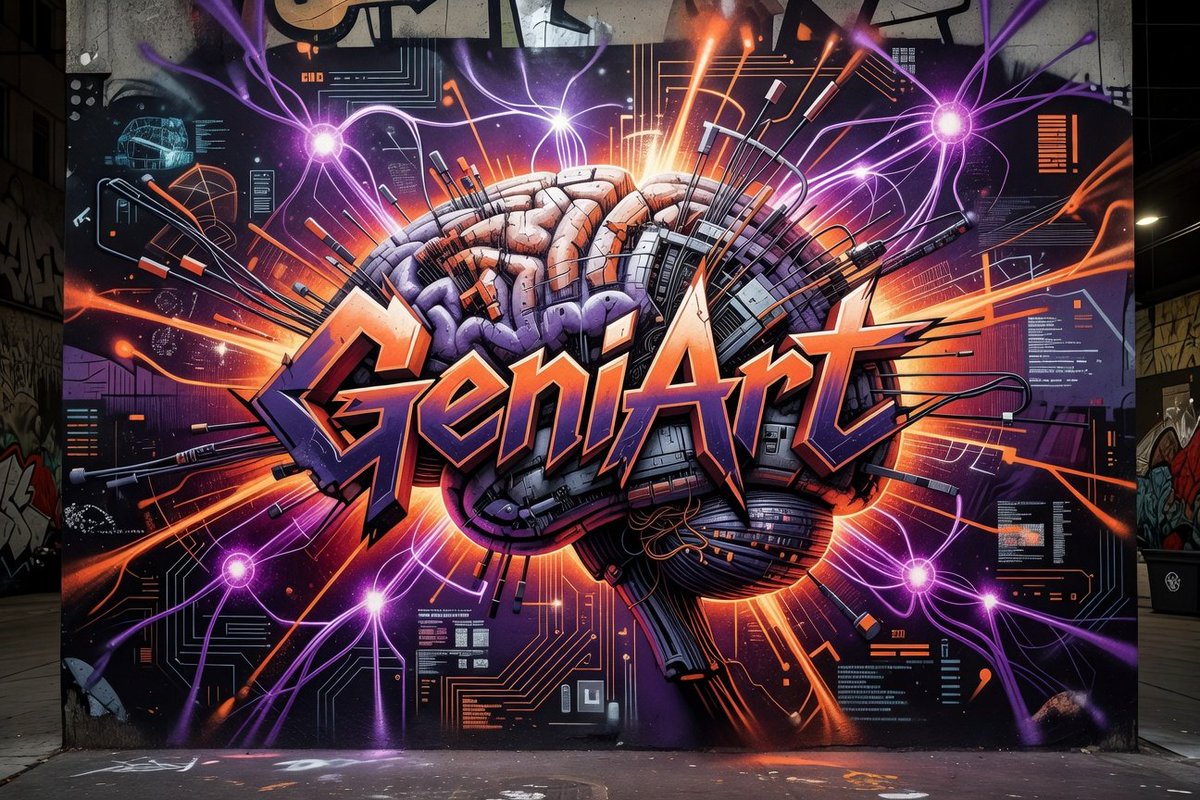
Visual Effects
Create a wide photorealistic nighttime urban graffiti mural on a concrete wall in an alley. The mural should fill almost the entire frame and show a huge cyberpunk biomechanical brain at the center, half organic and half machine, with segmented pink and purple brain folds, metal panels, cables, circuit boards, rods, wires, and antenna-like components protruding outward. Across the brain, paint a large sharp 3D graffiti word in stylized lettering reading {argument name="graffiti word" default="GeniArt"}, with orange-to-peach highlights, dark purple shadowing, black outlines, angular spikes, and a dramatic street-art tag aesthetic. Behind it, create an explosive sci-fi composition of neon orange laser streaks, purple electric tendrils, glowing magenta energy nodes, circuit-diagram patterns, interface panels, data blocks, and technical HUD details on a dark black and violet background. Include exactly 5 bright purple glowing energy orbs around the mural: one upper left, one upper right, one lower left, one lower center-left, and one lower right, each sending branching violet light trails outward. The color palette should emphasize {argument name="primary neon color" default="orange"}, {argument name="secondary neon color" default="purple"}, black, charcoal gray, metallic silver, and deep violet. The setting is a real gritty alley with adjacent walls covered in smaller graffiti, a concrete sidewalk and street visible at the bottom, subtle urban lights at the sides, and realistic perspective showing the mural painted on a flat wall. Use high contrast, crisp spray-paint textures, realistic concrete grain, paint drips, glowing highlights, cinematic lighting, ultra-detailed linework, and a symmetrical centered composition. Avoid people, vehicles, logos, watermarks, or extra readable words beyond the main graffiti word.
This is a free AI prompt from the Orelon library. Thousands more image prompts here are free to copy and adapt.
Explore more image prompts


Ready to create
Start with this curated direction in Orelon, then shape it into your next visual.