UGC / Ad Templates
Realistic East Asian Woman Portrait
Views
631
 Orelon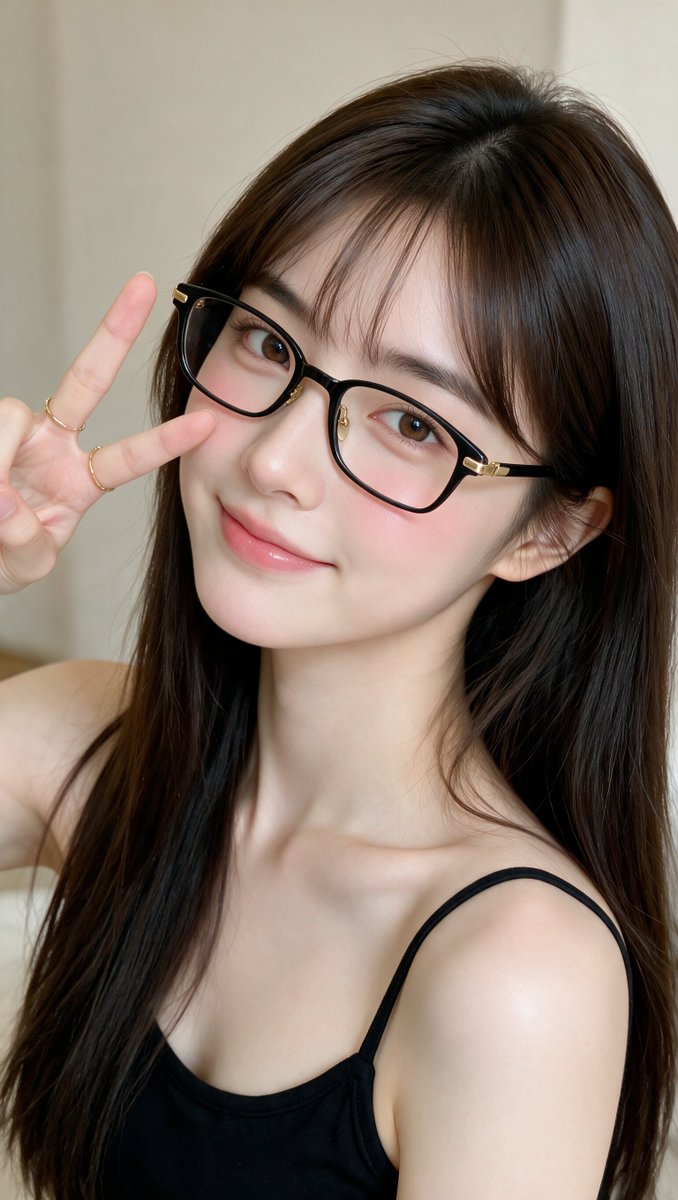
UGC / Ad Templates
A highly realistic close-up portrait of a {argument name="subject" default="young East Asian woman (early 20s)"} with fair porcelain skin and soft natural makeup. She has long, straight, silky dark brown hair with soft curtain bangs falling over her forehead. She wears {argument name="accessory" default="thin black rectangular glasses with subtle gold metal accents"} on the hinges and bridge. Her eyes are large and expressive with soft brown irises, looking directly at the camera with a gentle, slightly playful expression. She has a soft closed-mouth smile with glossy, natural pink lips and a light flush of pink on her cheeks. Her right hand is raised near her face in a {argument name="pose" default="classic V-sign (peace sign)"}, fingers slightly relaxed, showing delicate fingers with two thin gold rings on the ring and middle fingers. She is wearing a thin black spaghetti-strap top that reveals her bare shoulders and collarbone. Soft, even indoor lighting creates a gentle glow on her skin with subtle highlights on her cheekbones and the frames of her glasses. Shallow depth of field, smooth skin texture, realistic hair strands, and natural facial proportions. Neutral beige-to-cream background, clean and minimal. Shot in a high-resolution, photorealistic style resembling a professional smartphone selfie or beauty portrait, slightly tilted head pose, intimate and cute aesthetic.
This is a free AI prompt from the Orelon library. Thousands more image prompts here are free to copy and adapt.
Explore more image prompts





Ready to create
Start with this curated direction in Orelon, then shape it into your next visual.