Camera Control
Mecha Toy to Anime Gijinka
Views
38
 Orelon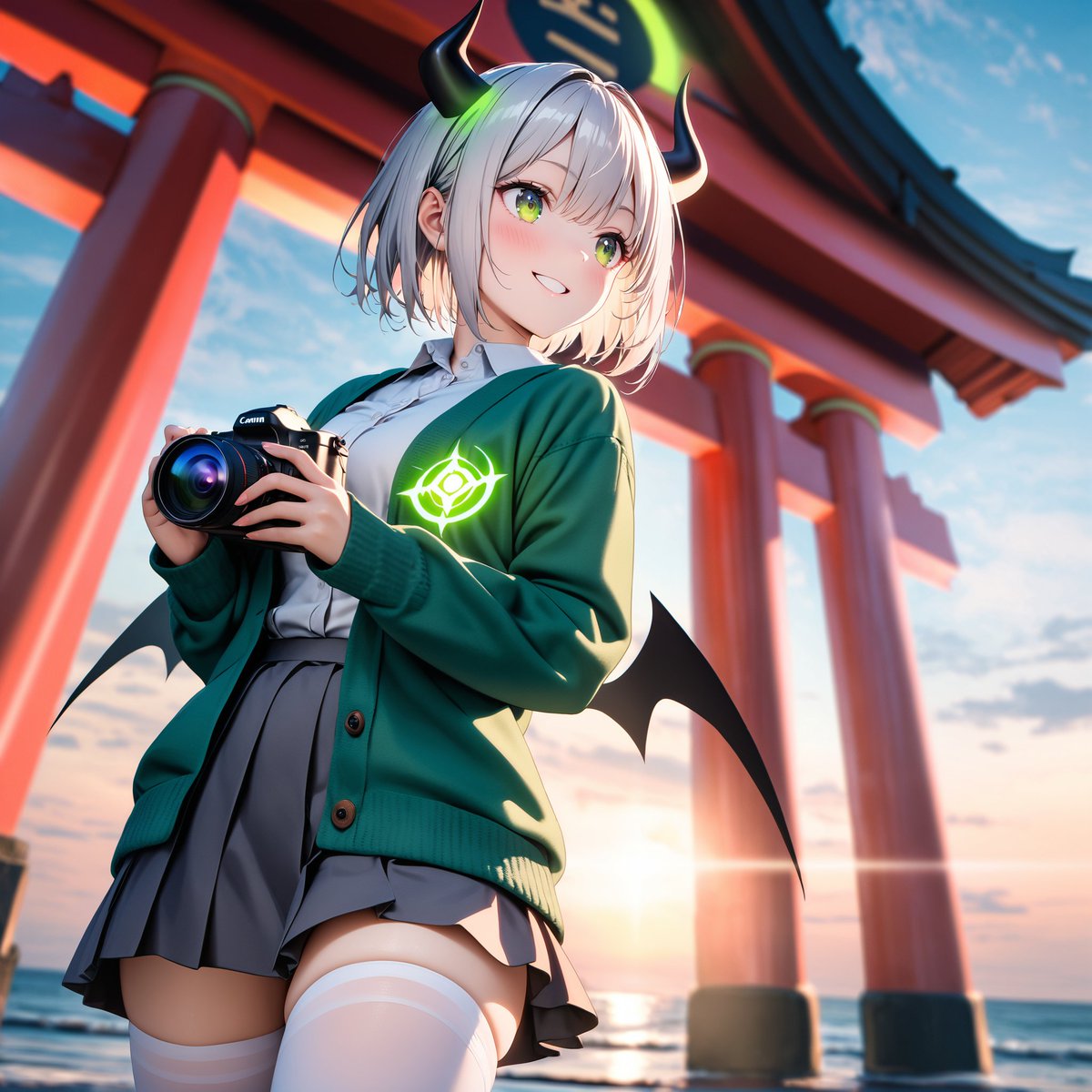
Camera Control
Using REFERENCE_0 as the design motif, transform the robot model into a cute anime-style gijinka girl while keeping only the recognizable color inspiration and mecha identity: deep green/brown outerwear, tan/gray uniform tones, claw/monster-like silhouette cues, and a glowing mono-eye-style emblem. Replace the toy/table setting with a dramatic outdoor scene at a seaside shrine during sunset, with large red torii gate pillars behind her and the ocean horizon visible. Add a handheld black Canon-style camera in her hands as if she is taking photos. Give the character exactly 2 black curved horns with neon green glow accents, exactly 2 small black bat-like wings, short white/silver hair, a green cardigan over a white shirt and gray pleated skirt, white thigh-high socks, and a glowing green emblem on the cardigan chest. Cover the character's face with a plain beige square censor block so facial features are hidden. Render as polished high-detail anime illustration with cinematic lighting, low-angle composition, vivid colors, shallow depth of field, and no visible toy/plastic texture. Optional customization: {argument name="character style" default="cute anime gijinka girl"}, {argument name="location" default="seaside shrine with red torii gates at sunset"}, {argument name="held object" default="black Canon-style camera"}, {argument name="glowing emblem color" default="neon green"}, {argument name="face censor" default="plain beige square covering the face"}.
This is a free AI prompt from the Orelon library. Thousands more image prompts here are free to copy and adapt.
Explore more image prompts





Ready to create
Start with this curated direction in Orelon, then shape it into your next visual.