Camera Control
Luxurious Retrofuturistic Train Exterior
PublishedAug 24, 2026
Original languageEN
Categories
Likes
1
Views
164
 Orelon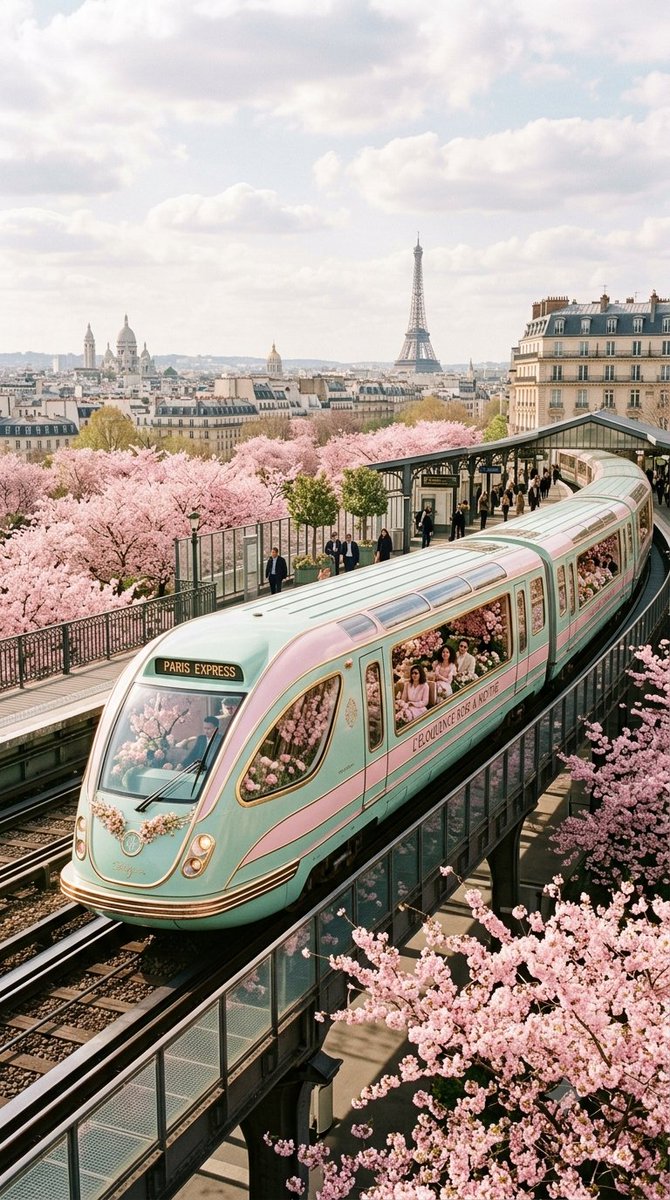
Camera Control
{ "image_generation_prompt": { "shot_type": "exterior shot, photo", "subject": "{argument name="subject" default="A luxurious retrofuturistic train"}", "color_palette": [ "{argument name="primary color" default="pastel pink"}", "{argument name="secondary color" default="mint green"}" ], "interior_design": { "style": "Zaha Hadid", "elements": "filled with flowers", "features": "large windows" }, "setting": "{argument name="environment" default="overlooking Paris during cherry blossom season"}", "focus": "train exterior", "parameters": { "aspect_ratio": "9:16", "version": 7 } } }
This is a free AI prompt from the Orelon library. Thousands more image prompts here are free to copy and adapt.
Explore more image prompts





Ready to create
Start with this curated direction in Orelon, then shape it into your next visual.