Camera Control
Template for Photoreal Artistic Street Photography
Likes
45
Views
1.6K
 Orelon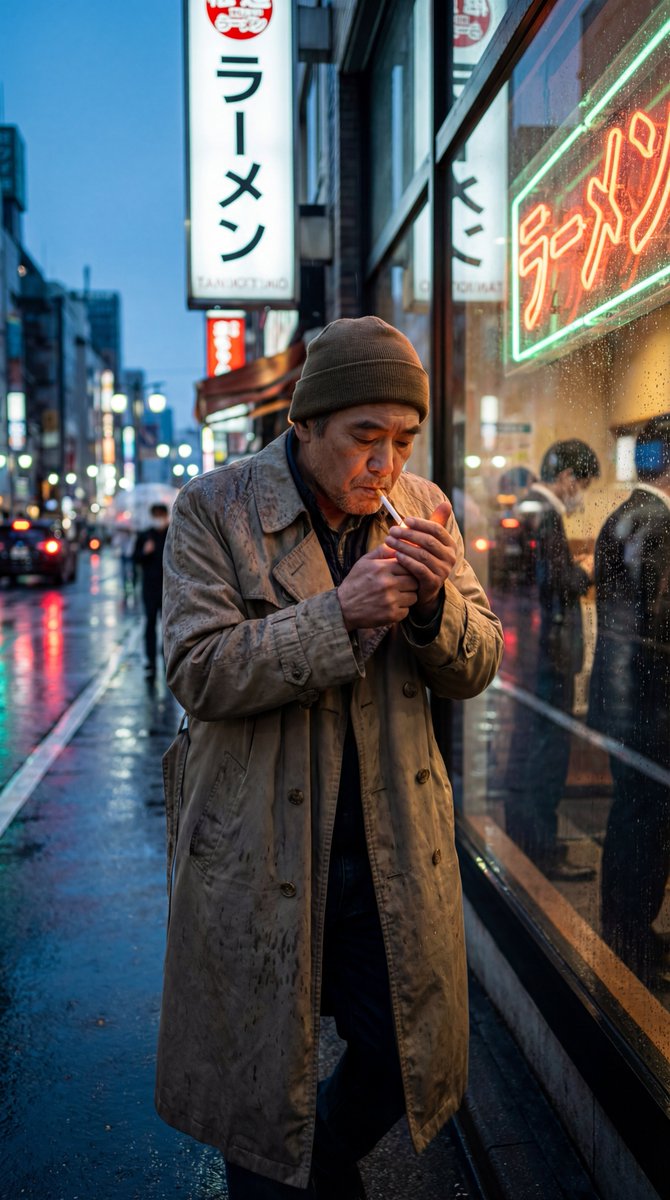
Camera Control
{ "generation_request": { "meta_data": { "tool": "NanoBanana Pro", "task_type": "photoreal_artistic_street_photography", "version": "v1.0_STREET_ART_REALISM_SER_EN", "priority": "highest" }, "output_settings": { "aspect_ratio": "4:5", "orientation": "portrait", "resolution_target": "ultra_high_res", "render_style": "ultra_photoreal_candid_film_still", "sharpness": "crisp_but_natural", "film_grain": "subtle_35mm", "color_grade": "restrained_cinematic_realism", "dynamic_range": "natural_not_hdr", "skin_rendering": "real_texture_no_retouch" }, "creative_prompt": { "scene_summary": "Candid artistic street photograph on location in {argument name="city or neighborhood" default="[CITY/NEIGHBORHOOD]"}. A real, unposed moment that feels documentary and emotionally true.", "subject": "A {argument name="age" default="[AGE]"} {argument name="gender" default="[GENDER]"} wearing {argument name="clothing" default="[CLOTHING]"}, caught mid-action: [MICRO-ACTION]. Natural facial expression, slight asymmetry preserved.", "camera": "35mm lens equivalent, eye-level, close but respectful distance, imperfect framing like a real street photographer, focus on the eyes, shallow-to-medium depth of field.", "lighting": "Motivated natural light from [SOURCE: shop window / street lamp / sunset / neon], deep but detailed shadows, no studio lighting.", "environment_details": "Street textures: worn posters, scratched metal, rain-speckled pavement, subtle reflections in glass, real urban clutter, no clean studio background.", "authenticity_markers": "Subtle motion blur on background only, slight halation on highlights, tiny film gate weave, realistic grain, no beauty retouch.", "mood": "[MOOD: melancholic / hopeful / tense / quiet joy], cinematic but believable." }, "negative_prompt": [ "studio lighting", "beauty retouch", "plastic skin", "over-sharpened", "HDR", "AI glow", "perfect symmetry", "overly clean background", "fake bokeh shapes", "text", "logo", "watermark", "painterly", "cartoon" ] } }
This is a free AI prompt from the Orelon library. Thousands more image prompts here are free to copy and adapt.
Explore more image prompts





Ready to create
Start with this curated direction in Orelon, then shape it into your next visual.