Visual Effects
Gothic Jester Assassin
Likes
1
Views
50
 Orelon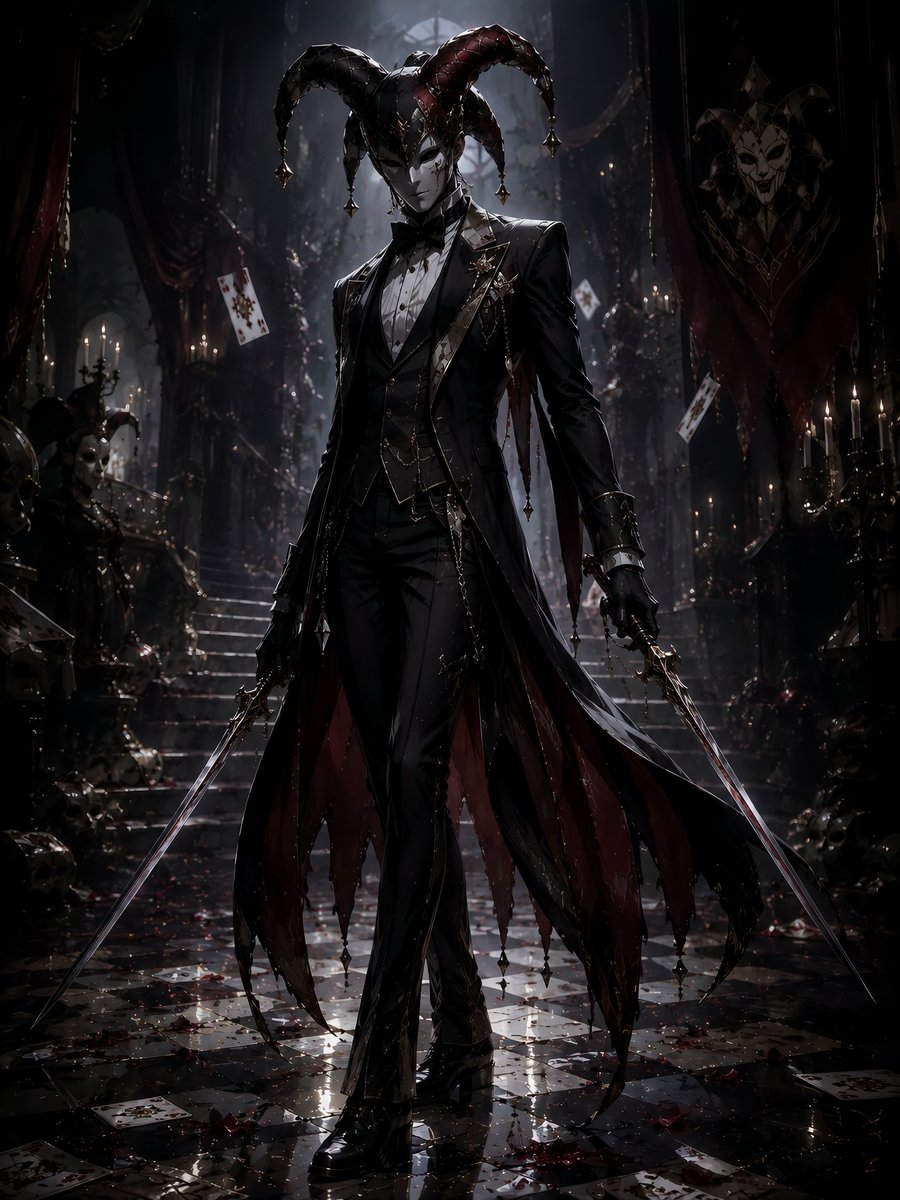
Visual Effects
Create a dark gothic fantasy full-body portrait of an elegant jester assassin in a ruined royal hall. The central figure is a tall, slender humanoid with a deliberately featureless shadowed face, wearing a dramatic horned jester hat with exactly 6 curved points: 3 black points and 3 deep crimson points, each ending in a small metallic bell or spike. Dress the character in a luxurious black Victorian tailcoat and fitted tuxedo suit with a white dress shirt, black bow tie, layered waistcoat, leather straps, chains, brooches, gloves, and polished black boots. The coat has long ragged split tails lined in dark red, with dangling ornaments at the tips. The character stands confidently in the center, walking forward, holding exactly 2 long thin rapier-like swords, one in each hand, angled downward toward the floor. Use a sinister theatrical atmosphere with a grand decaying palace or cathedral interior, tall stairs behind the figure, black-and-white reflective checkerboard marble floor, scattered rose petals, debris, and exactly 5 clearly visible playing cards floating or lying around the scene. Add candles and candelabras glowing softly on both sides, tattered red curtains, ornate banners with jester/harlequin motifs, skull-like dark decorations, and faint drifting dust or mist. Lighting should be cinematic, low-key, high contrast, with a cold moonlit beam from above and warm candle highlights, glossy reflections on the wet floor, deep shadows, and a desaturated palette of black, charcoal, silver, and blood red. Style: ultra-detailed dark fantasy concept art, anime-inspired but realistic rendering, sharp costume details, dramatic vertical composition, no text, no watermark. Optional customization: make the jester assassin named {argument name="character name" default="Jesterheads"}, use {argument name="accent color" default="deep crimson"} accents, set the environment as {argument name="setting" default="ruined royal hall"}, give the face a {argument name="face treatment" default="featureless shadowed face"}, and use {argument name="weapon type" default="two long thin rapier-like swords"}.
This is a free AI prompt from the Orelon library. Thousands more image prompts here are free to copy and adapt.
Explore more image prompts


Ready to create
Start with this curated direction in Orelon, then shape it into your next visual.