Camera Control
Extract First Storyboard Row
Views
74
 Orelon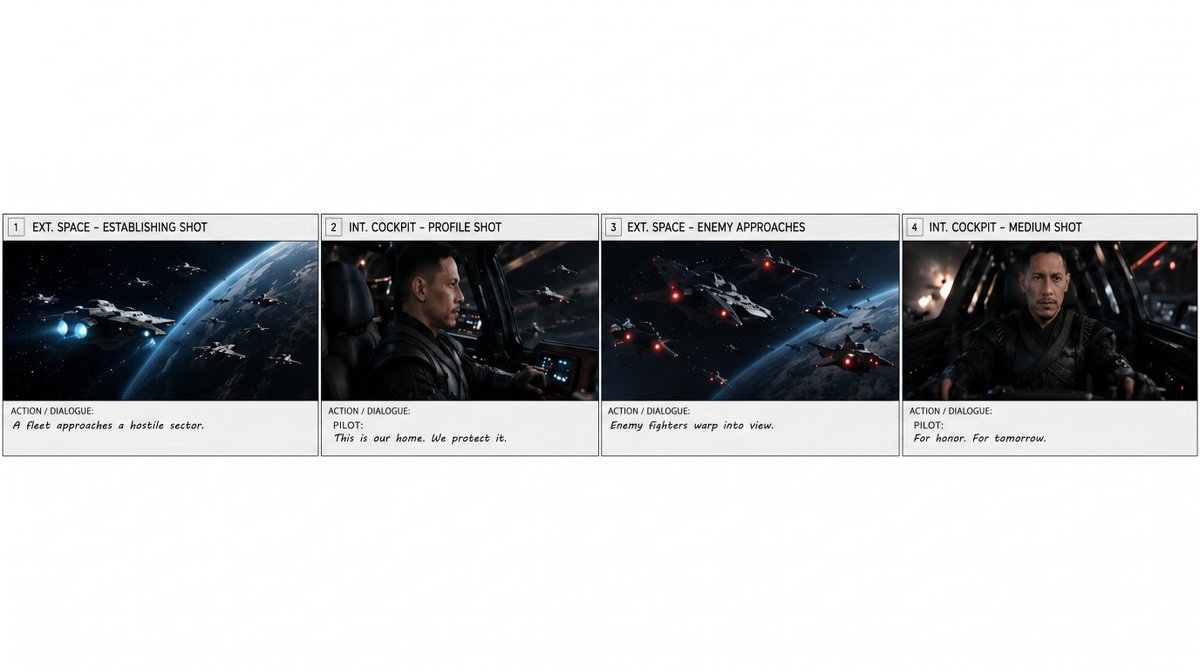
Camera Control
Using REFERENCE_0 as the source storyboard, extract only the first row of the storyboard and regenerate it as a standalone horizontal storyboard strip. Keep exactly 4 panels, preserving their original artwork, panel borders, numbering, shot labels, and action/dialogue text as closely as possible: 1) “EXT. SPACE – ESTABLISHING SHOT” with “A fleet approaches a hostile sector.” 2) “INT. COCKPIT – PROFILE SHOT” with “PILOT: This is our home. We protect it.” 3) “EXT. SPACE – ENEMY APPROACHES” with “Enemy fighters warp into view.” 4) “INT. COCKPIT – MEDIUM SHOT” with “PILOT: For honor. For tomorrow.” Remove the overall storyboard header, project/director/date information, and all panels after number 4. Place the four extracted panels in one clean row across the lower-middle of a wide white canvas, with generous blank white space above and around the strip. Do not add new imagery, new titles, watermarks, or extra panels. Optional customization: extract panels {argument name="panel range" default="1–4"} from the storyboard for a {argument name="scene duration" default="15-second scene"}.
This is a free AI prompt from the Orelon library. Thousands more image prompts here are free to copy and adapt.
Explore more image prompts





Ready to create
Start with this curated direction in Orelon, then shape it into your next visual.