Commercial
Soft Spring Cherry Blossom POV Portrait
Likes
17
Views
1.2K
 Orelon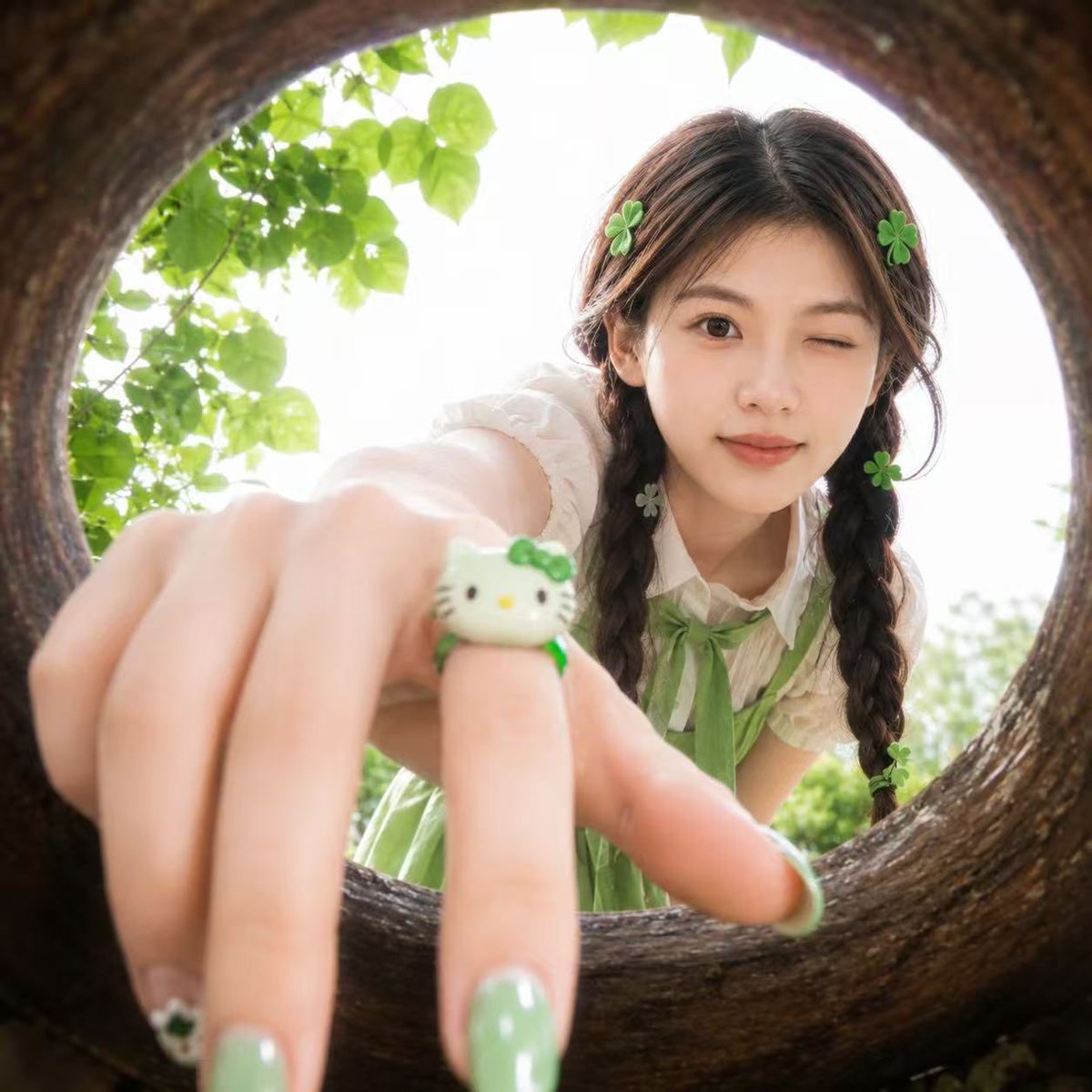
Commercial
Use the {argument name="reference" default="uploaded portrait"} only as the identity reference. Preserve the person’s real facial features, face shape, skin tone, eye shape, and recognizable hairstyle. Create a realistic square close-up portrait taken from inside a {argument name="frame" default="round hollow wooden opening"}, as if the camera is placed inside a circular tree hole or natural wooden ring. The person leans toward the opening and looks into the camera with a {argument name="expression" default="playful cute expression"}, one eye gently winking, creating a fresh youthful snapshot mood. The camera uses an ultra-wide fisheye perspective, with the circular wooden frame surrounding the entire image. The person’s hand reaches toward the camera in the extreme foreground, creating strong depth and perspective distortion. Focus on the hand and face balance: the hand should look close but natural, with realistic finger proportions. Add glossy green manicured nails with subtle cute details, and a small green-and-white cute cartoon cat-style ring on one finger. Add small green clover-shaped hair accessories around the hair for a playful lucky charm feeling. Choose a flattering outfit that best suits the uploaded person’s appearance and hairstyle, using a fresh green-and-white color palette, youthful fashion styling, and clean fabric texture. Do not copy any specific outfit. The outfit should feel cute, fresh, and naturally coordinated with the green accessories. Outdoor garden atmosphere, soft daylight, bright overexposed sky behind the person, fresh green leaves around the circular frame, natural shallow depth of field, slightly dreamy soft focus, realistic skin texture, natural hair strands, authentic smartphone snapshot feeling, cute Japanese/Korean youth fashion mood, high realism, soft colors, playful composition, no text, no logo, no watermark.
This is a free AI prompt from the Orelon library. Thousands more image prompts here are free to copy and adapt.
Explore more image prompts




Ready to create
Start with this curated direction in Orelon, then shape it into your next visual.