Camera Control
Hyper-Realistic POV Smartphone Pop-out Illusion in a Park
Likes
3
Views
152
 Orelon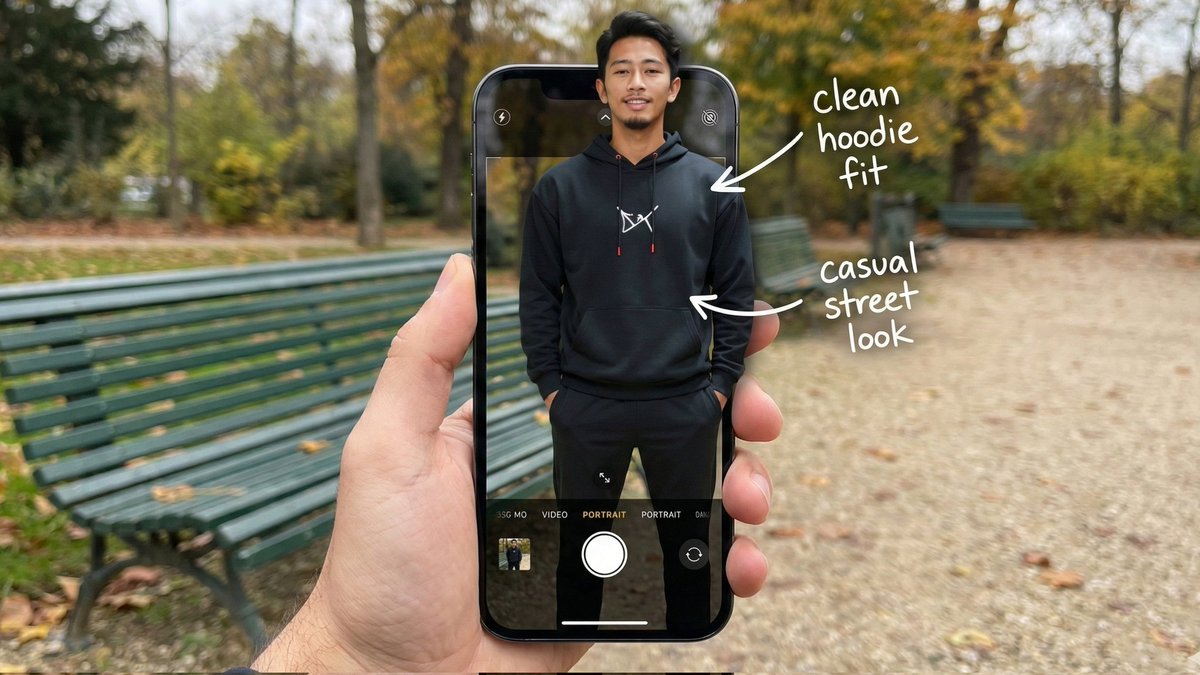
Camera Control
{ "image_metadata": { "format_version": "2.1.0", "aspect_ratio": "16:9", "shot_type": "Composite Hyper-Realistic POV", "concept": "OOTD Breakdown / Smartphone Pop-out Illusion (Outdoor Park)" }, "subject_profile": { "identity": { "gender": "Male", "ethnicity": "{argument name="ethnicity" default="Asian"}", "age_range": "20-25 years old", "identity_consistency": "preserve face and body like reference image" }, "facial_architecture": { "facial_hair": "light mustache and beard", "jawline": "defined and proportional", "expression": "relaxed confident smile", "skin_rendering": "warm tan, natural texture" }, "hair_mechanics": { "color": "black", "style": "short with volume, brushed back", "texture": "natural sheen, realistic strand breakup" }, "body_anatomy": { "frame": "lean, proportional", "posture": "standing straight, hands in hoodie pockets" } }, "wardrobe_and_styling": { "top_layer": { "item": "black hoodie", "details": "white chest logo, red string tips", "material": "matte cotton fleece" }, "bottom_layer": { "item": "black jogger pants", "fit": "clean streetwear silhouette" }, "footwear": { "item": "black sneakers", "visibility": "lower frame inside UI" } }, "device_and_interface": { "hardware": { "model": "modern high-end smartphone", "case": "matte black", "hand_interaction": "male POV holding phone in foreground" }, "software_ui": { "app": "iOS Camera Interface", "elements": [ "white shutter button", "PORTRAIT mode (active)", "focus box on subject's face" ], "screen_condition": "OLED brightness, crisp pixels" }, "augmented_overlay": { "style": "white handwritten annotations", "notes": [ { "text": "clean hoodie fit", "pointer": "upper body" }, { "text": "casual street look", "pointer": "torso" } ] } }, "environment_optics": { "location": "{argument name="location" default="public park"}", "background_elements": { "bench": "green metal park bench", "ground": "gravel path with scattered leaves", "trees": "surrounding foliage, greenery" }, "lighting_design": { "source": "natural daylight", "quality": "soft overcast, diffused shadows", "mood": "relaxed, cinematic outdoor ambiance" } }, "technical_execution": { "optics": { "lens": "35mm macro / smartphone equivalent", "depth_of_field": { "foreground": "sharp (phone + subject)", "background": "soft bokeh park depth" } }, "special_effects": { "illusion": "3D pop-out; torso out of screen, lower body inside UI", "realism": "accurate edge lighting and natural shadow blending" } }, "safety_and_exclusions": { "negative_prompt": [ }
This is a free AI prompt from the Orelon library. Thousands more image prompts here are free to copy and adapt.
Explore more image prompts





Ready to create
Start with this curated direction in Orelon, then shape it into your next visual.