Commercial
Japanese SaaS Before-After Banner
Views
27
 Orelon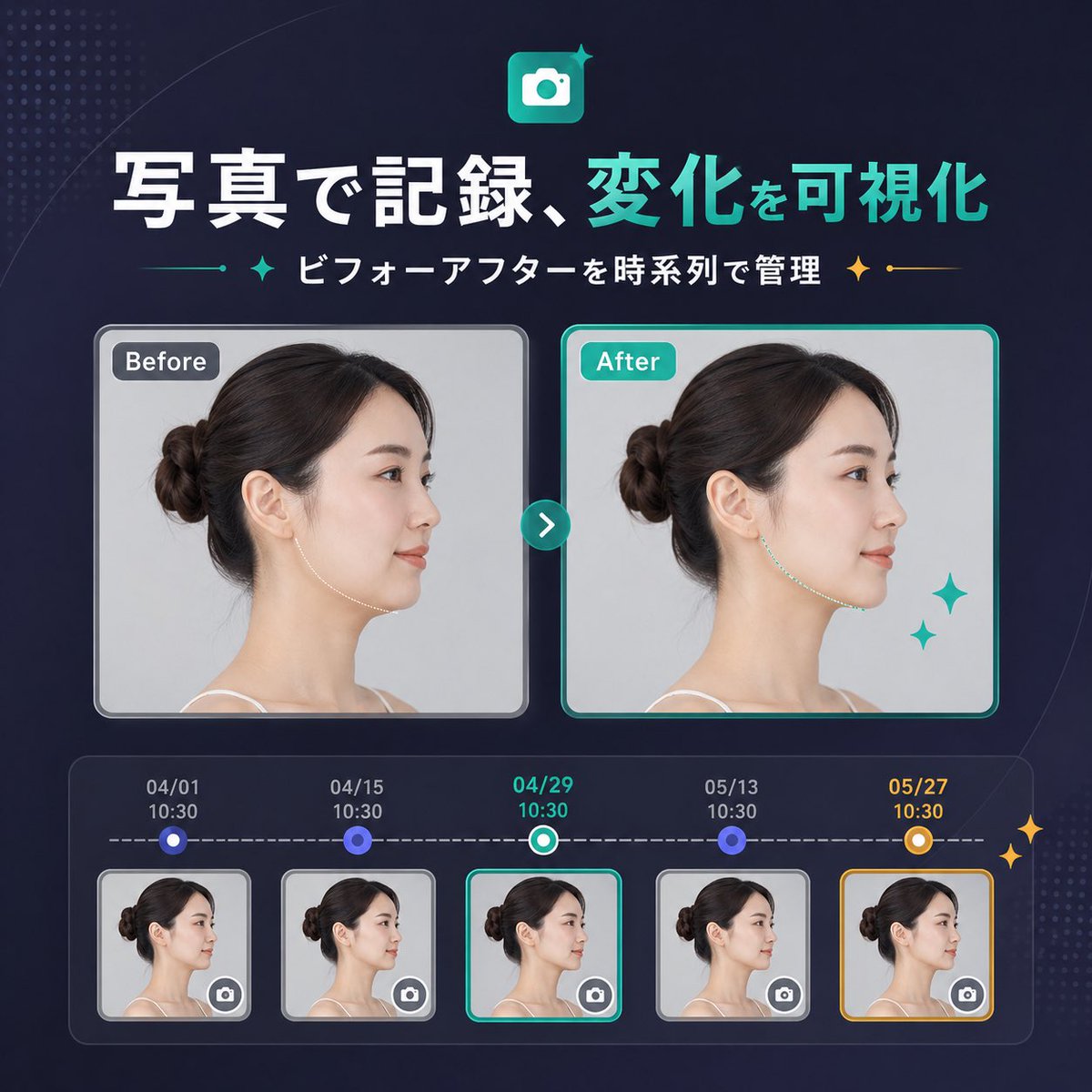
Commercial
{"type":"SaaS feature update banner infographic","style":"clean modern Japanese tech marketing, premium UI, dark navy gradient background, subtle dotted halftone texture in the top-left and bottom-right corners, soft curved line accents, glossy neon teal highlights, polished high-quality product announcement visual","canvas":{"aspect_ratio":"1:1"},"headline":{"icon":"rounded square app icon with a white camera symbol on a teal gradient background, small sparkle accent","title":"{argument name=\"headline text\" default=\"写真で記録、変化を可視化\"}","subtitle":"{argument name=\"subtitle text\" default=\"ビフォーアフターを時系列で管理\"}","language":"Japanese","title_style":"large bold sans-serif, first phrase in white and second phrase in bright teal","subtitle_style":"medium bold sans-serif in white with teal and gold sparkle-divider ornaments on both sides"},"layout":{"sections":[{"title":"comparison cards","position":"center","count":2,"labels":["Before","After"]},{"title":"timeline entries","position":"bottom","count":5,"labels":["04/01 10:30","04/15 10:30","04/29 10:30","05/13 10:30","05/27 10:30"]}],"centerpiece":"side-by-side before and after portrait cards connected by a circular teal arrow button","bottom_panel":"rounded rectangular timeline module with five dated thumbnails connected by a dashed horizontal progress line"},"comparison":{"subject":"same adult woman in left-facing side profile with dark brown hair in a neat low bun, light skin, thin shoulder strap top, studio lighting, pale gray background","privacy":"face area covered by a vertical rectangular blur block in both large cards and all five thumbnails","before_card":{"label":"Before","frame":"rounded rectangle with light gray border and soft shadow","image":"neutral clinical-style portrait"},"after_card":{"label":"After","frame":"rounded rectangle with bright teal border and soft shadow","image":"similar portrait with a subtly refined jawline/neck contour to imply visible improvement","decorations":"2 teal sparkle stars near the lower-right of the after card"},"connector":"small circular teal button centered between cards with a white right-pointing chevron"},"timeline":{"panel_style":"dark translucent rounded container with inner glow","line":"white dashed horizontal line","entries":[{"date":"04/01","time":"10:30","state":"small circular blue node above thumbnail","thumbnail":"woman side-profile thumbnail with blur block and tiny camera icon button in bottom-right corner","frame":"light gray rounded border"},{"date":"04/15","time":"10:30","state":"small circular blue node above thumbnail","thumbnail":"woman side-profile thumbnail with blur block and tiny camera icon button in bottom-right corner","frame":"light gray rounded border"},{"date":"04/29","time":"10:30","state":"current selection with teal-and-white ring node","thumbnail":"woman side-profile thumbnail with blur block and tiny camera icon button in bottom-right corner","frame":"bright teal rounded border"},{"date":"05/13","time":"10:30","state":"small circular blue node above thumbnail","thumbnail":"woman side-profile thumbnail with blur block and tiny camera icon button in bottom-right corner","frame":"light gray rounded border"},{"date":"05/27","time":"10:30","state":"highlighted milestone with gold-and-white ring node","thumbnail":"woman side-profile thumbnail with blur block and tiny camera icon button in bottom-right corner","frame":"gold rounded border"}],"extra_decorations":"2 small gold sparkle stars on the far right edge of the timeline panel"},"color_palette":{"background":"deep navy to indigo gradient","primary":"bright teal","secondary":"white","accent":"gold","support":"soft gray and blue-violet"},"rendering":"crisp vector-meets-UI design with embedded realistic portrait photography, balanced spacing, centered composition, startup landing-page banner quality"}
This is a free AI prompt from the Orelon library. Thousands more image prompts here are free to copy and adapt.
Explore more image prompts




Ready to create
Start with this curated direction in Orelon, then shape it into your next visual.