Effects by Tags
Dark Academia Anime Legal Officer
Likes
26
Views
1.4K
 Orelon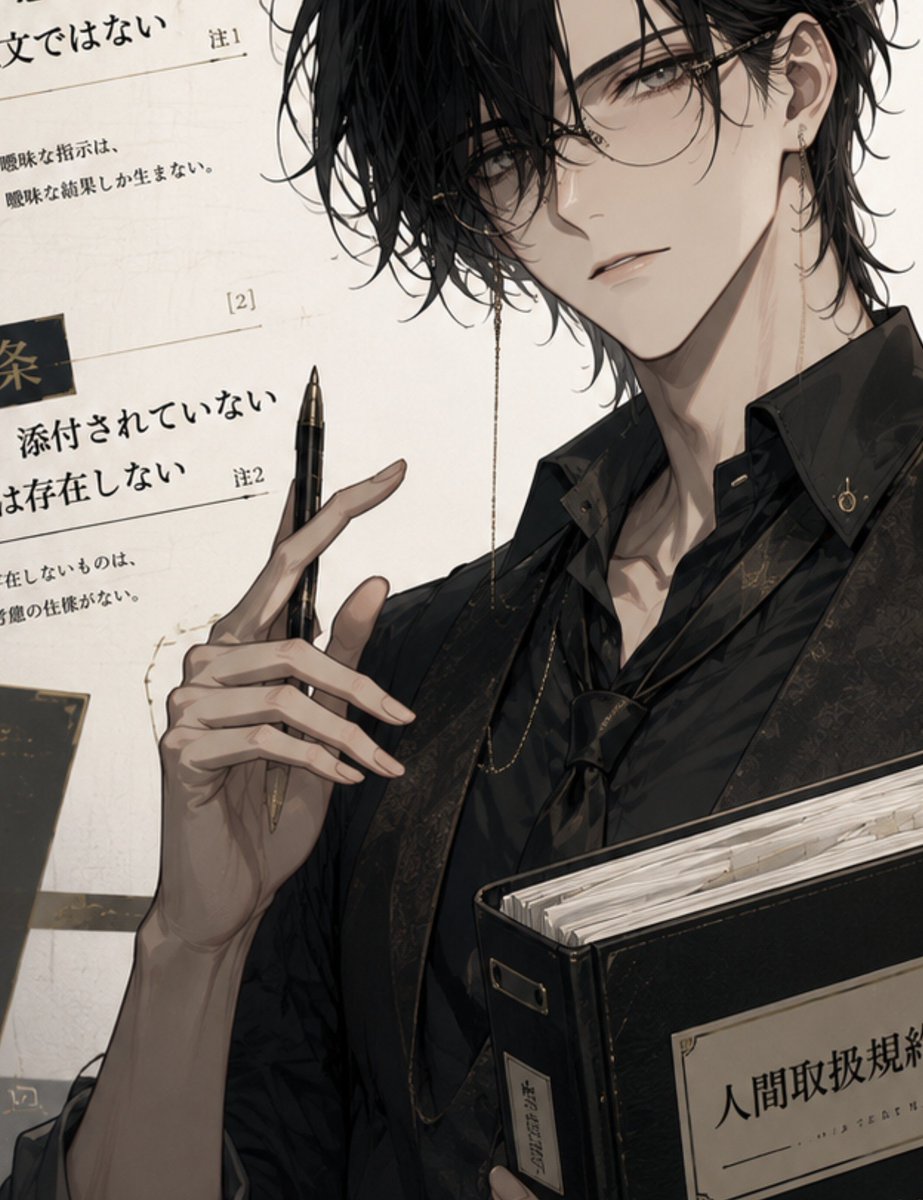
Effects by Tags
Create a vertical 3:4 anime-style illustration of a cool, elegant male legal officer or contract handler named {argument name="character name" default="unnamed character"}, shown from chest up in a close cropped composition. He is a slim young adult with pale skin, sharp narrow gray-brown eyes, a calm slightly aloof expression, messy wet-looking {argument name="hair color" default="black"} hair falling over one eye, and delicate round wire-frame glasses with a thin gold glasses chain hanging down. He wears a black open-collar dress shirt, a dark patterned vest or jacket with subtle ornate floral texture, small gold buttons, and a discreet earring. His left hand is raised elegantly in front of him holding exactly 1 black fountain pen between long, well-drawn fingers; his other arm supports exactly 1 large black legal binder at the lower right, stuffed with many off-white papers. The binder has a cream label with the Japanese title {argument name="binder label" default="人間取扱規約"}. Background: an off-white paper wall filled with oversized Japanese contract clauses, ruled lines, annotation marks, and black rectangular section tags; include exactly 3 visible annotation markers such as 注1, [2], and 注2, and fragments of Japanese legal text including {argument name="background clause" default="添付されていない"}. Use a refined dark academia palette of black, ivory, muted beige, smoky gray, and antique gold. Lighting should be soft and dramatic from the upper left, with gentle shadows on the face, neck, hands, and binder. Style: highly detailed modern Japanese otome/manhwa character art, elegant linework, painterly shading, realistic hands, glossy eyes, intricate fabric texture, crisp pen and binder details, no extra characters, no watermark, no distorted fingers, no unreadable face.
This is a free AI prompt from the Orelon library. Thousands more image prompts here are free to copy and adapt.
Explore more image prompts





Ready to create
Start with this curated direction in Orelon, then shape it into your next visual.