Effects by Tags
YouTube Video Interface Mockup
Likes
1
Views
224
 Orelon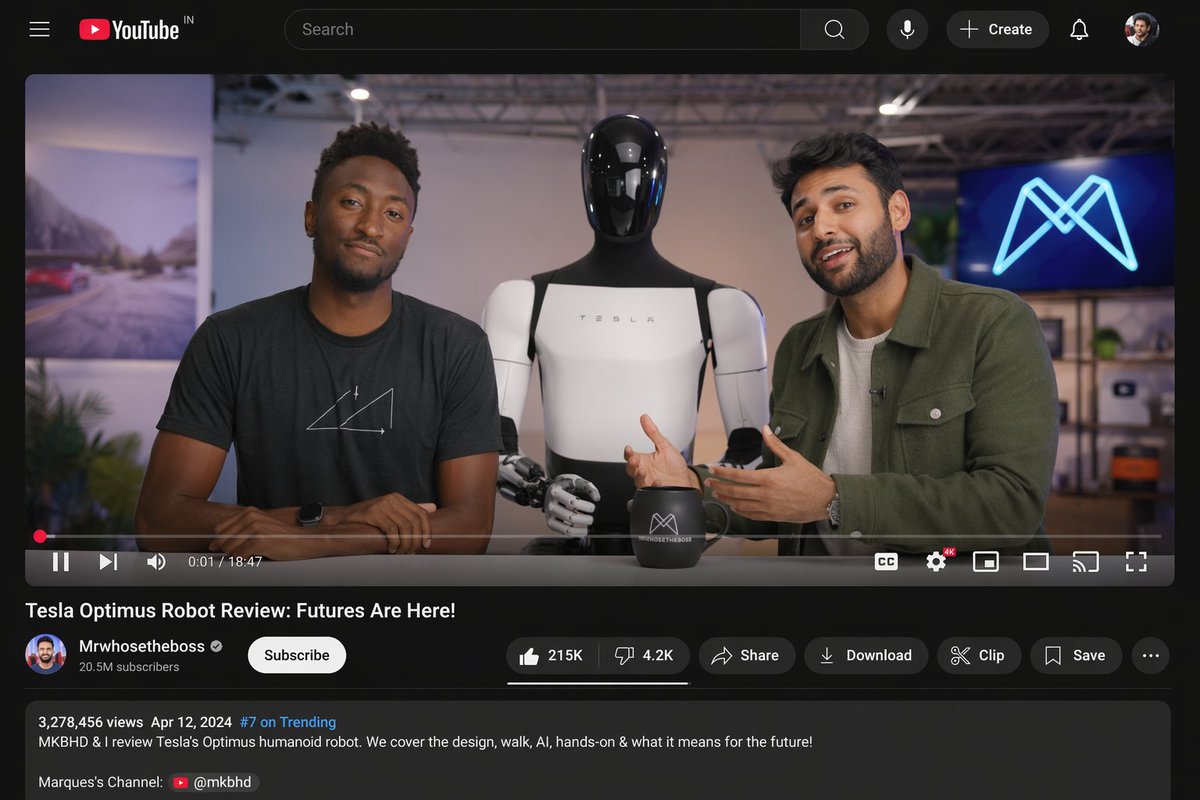
Effects by Tags
{ "type": "desktop video platform UI mockup", "theme": "dark mode", "header": { "logo": "YouTube IN", "search_bar": "centered, with magnifying glass icon", "right_icons": { "count": 4, "items": ["microphone", "+ Create button", "notifications bell", "user profile picture"] } }, "video_player": { "scene": "Studio setting with two tech reviewers at a desk.", "subjects": [ "{argument name=\"left person\" default=\"Marques Brownlee (MKBHD)\"} in black t-shirt", "{argument name=\"right person\" default=\"Arun Maini (Mrwhosetheboss)\"} in green overshirt", "{argument name=\"robot model\" default=\"Tesla Optimus humanoid robot\"} standing between them" ], "props": ["black mug with logo", "background screen with glowing blue neon M logo"], "controls_bar": { "progress_bar": "red, near the beginning", "timestamp": "0:01 / 18:47", "left_icons": { "count": 3, "items": ["play/pause", "next track", "volume"] }, "right_icons": { "count": 6, "items": ["CC", "settings with 4K badge", "miniplayer", "theater mode", "cast", "fullscreen"] } } }, "video_details": { "title": "{argument name=\"video title\" default=\"Tesla Optimus Robot Review: Futures Are Here!\"}", "channel_info": { "name": "{argument name=\"channel name\" default=\"Mrwhosetheboss\"}", "badges": ["verified checkmark"], "subscribers": "20.5M subscribers", "button": "white Subscribe button" }, "action_buttons": { "count": 6, "items": ["Like (215K) / Dislike (4.2K) pill", "Share", "Download", "Clip", "Save", "More (...)"] } }, "description_box": { "metadata": "3,278,456 views Apr 12, 2024 #7 on Trending", "text": "MKBHD & I review Tesla's Optimus humanoid robot. We cover the design, walk, AI, hands-on & what it means for the future!", "links": ["Marques's Channel: @mkbhd"] } }
This is a free AI prompt from the Orelon library. Thousands more image prompts here are free to copy and adapt.
Explore more image prompts





Ready to create
Start with this curated direction in Orelon, then shape it into your next visual.