Camera Control
Glossy Codex vs Hermes Tech Thumbnail
Views
15
 Orelon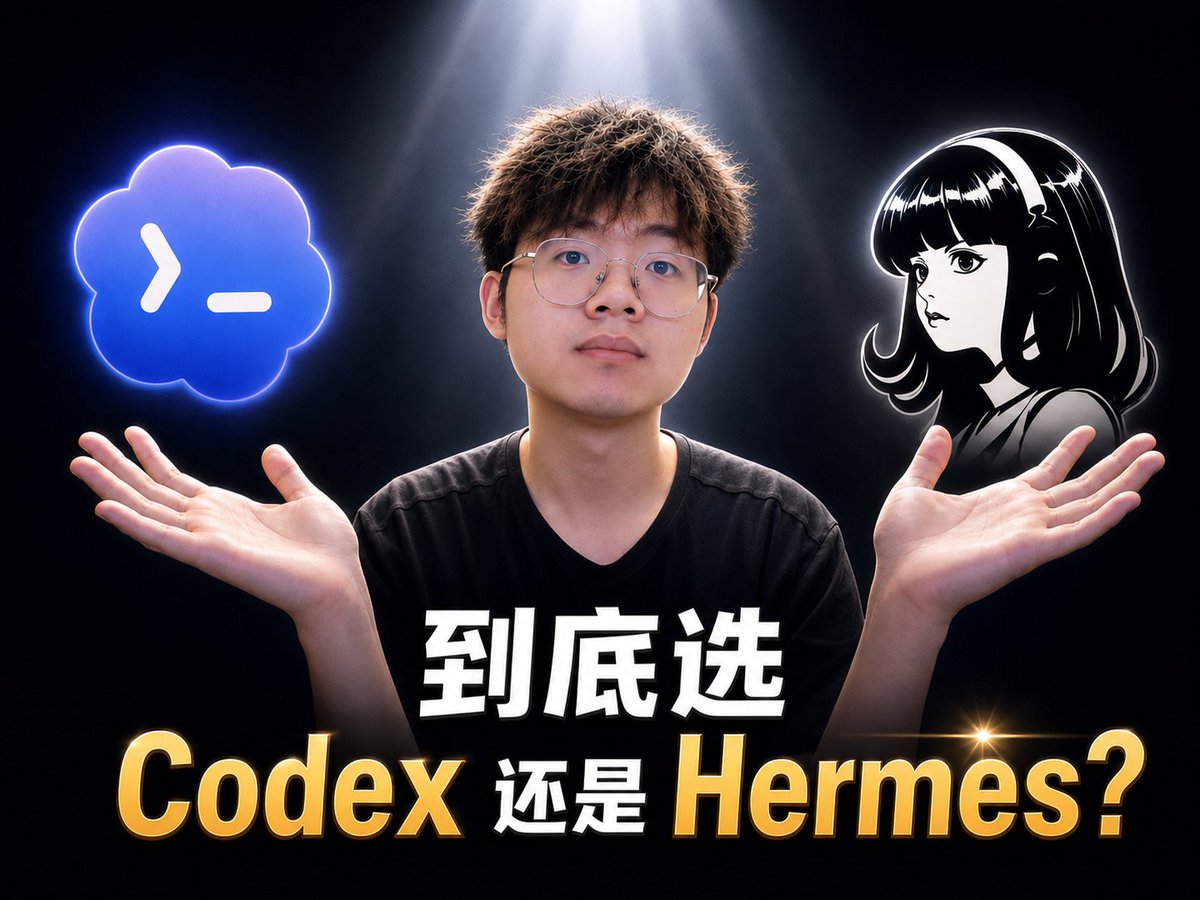
Camera Control
Goal: Create a glossy, high-contrast YouTube-style tech video thumbnail about choosing between {argument name="tool one name" default="Codex"} and {argument name="tool two name" default="Hermes"}. Canvas: 4:3 landscape thumbnail, 1024×768 composition, dark black-to-charcoal studio background with a dramatic white spotlight shining down from the top center, subtle smoky haze, cinematic rim lighting, and a premium “oily” glossy thumbnail look. Layout: Center a young male presenter from chest up, facing camera, wearing a plain black V-neck T-shirt. His face should be intentionally anonymized with a smooth blurred rectangular skin-tone mask. His arms are raised symmetrically, palms open upward as if weighing two choices. Place exactly 2 floating option graphics above his hands: on the left, a glowing blue cloud-shaped terminal icon with a white command prompt symbol; on the right, a black-and-white anime-style female avatar bust with glossy hair and a white outline glow, also anonymized with a small blurred square over the face. Text content: Add exactly 2 stacked text lines across the lower third. Top line: large bold white Chinese text with black shadow, {argument name="top headline text" default="到底选"}. Bottom line: huge mixed gold-and-white text reading {argument name="bottom comparison text" default="Codex 还是 Hermes?"}; make “Codex” and “Hermes?” metallic gold with bevel, gradient, black outline, and drop shadow, while the middle Chinese word stays white. Include one small golden star lens flare near the right side of the word “Hermes”. Subject details: The presenter has short messy brown hair lit by the overhead spotlight, natural hands with visible palms, and a neutral pose suggesting comparison or uncertainty. The left icon should glow electric blue with a neon rim; the right anime avatar should be monochrome with strong white edge highlights. Visual style: Hyper-polished Chinese tech creator thumbnail, sharp subject cutout, intense contrast, glossy 3D text, dramatic lighting, saturated highlights, clean composition, no extra logos, no watermark, no additional text.
This is a free AI prompt from the Orelon library. Thousands more image prompts here are free to copy and adapt.
Explore more image prompts





Ready to create
Start with this curated direction in Orelon, then shape it into your next visual.