Commercial
Twitter Papercraft Motorcycle City
Views
54
 Orelon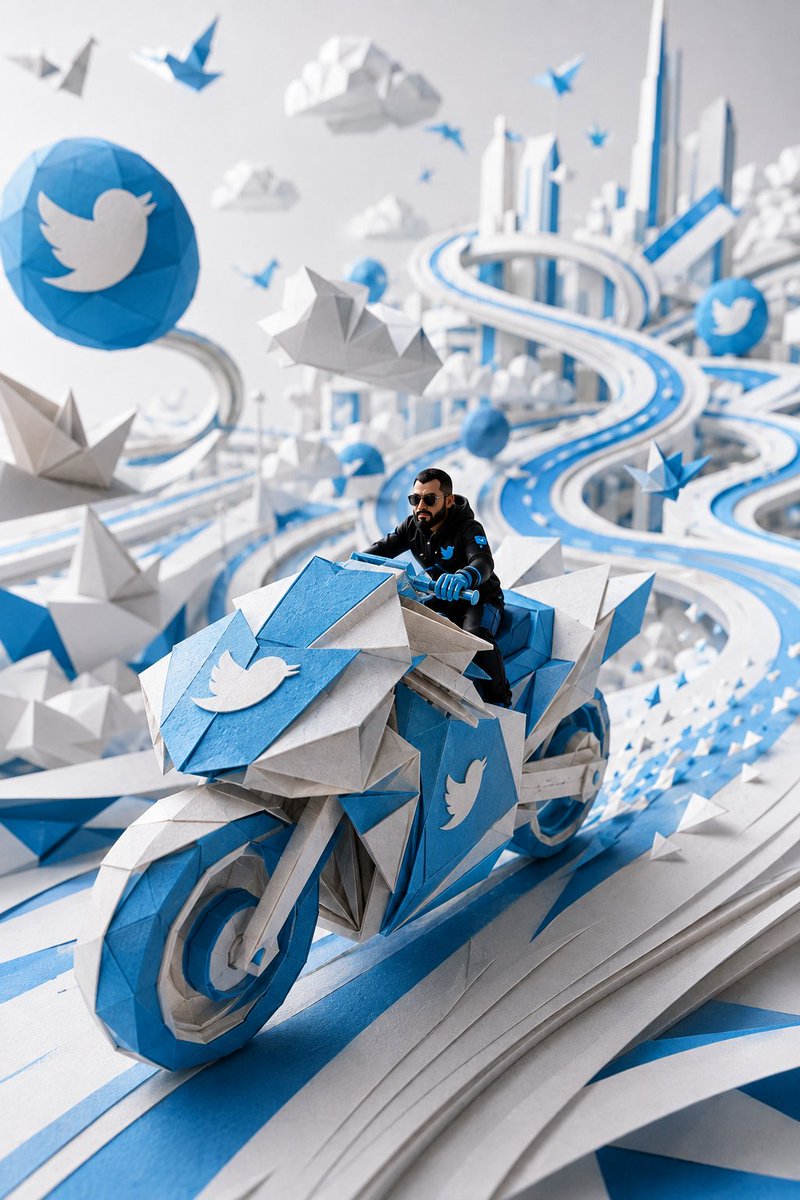
Commercial
Create a vertical 2:3 cinematic papercraft diorama in Twitter/X brand colors: a hyper-detailed low-poly origami world made of layered white paper, bright Twitter blue cardstock, and soft gray folded paper. In the foreground, show {argument name="character description" default="a realistic miniature adult man with short dark hair, full beard and moustache, black sunglasses, black tactical jacket, blue gloves, and a small blue bird emblem on his chest"} riding a futuristic angular origami motorcycle directly toward the viewer on a sweeping elevated blue-and-white paper highway. The motorcycle is large, faceted, and geometric, with blue front wheel rim, white and gray folded-paper body panels, blue handlebars, and sharp origami fins; place a large white bird logo on a blue front shield and another white bird logo on the blue side panel. Use exactly 5 prominent white bird logos in the scene: 1 on a large blue circular sign at upper left, 1 on the motorcycle front shield, 1 on the motorcycle side panel, 1 on the rider's chest patch, and 1 on a smaller blue circular sign in the right background. Surround the scene with an airy futuristic paper city: tall white skyscrapers with blue accents in the distance, looping ribbon roads, layered cut-paper lanes, folded clouds, low-poly mountains, and many blue-and-white origami birds and paper planes flying through the air and along the road. Emphasize shallow depth of field with the motorcycle and rider sharply focused, background city softly blurred, strong perspective curves leading into the distance, studio lighting, clean white background, crisp shadows, tactile paper fibers, folded creases, beveled paper edges, and a premium miniature model photography look. No text, no watermark, no extra logos beyond the 5 specified bird symbols.
This is a free AI prompt from the Orelon library. Thousands more image prompts here are free to copy and adapt.
Explore more image prompts




Ready to create
Start with this curated direction in Orelon, then shape it into your next visual.