Effects by Tags
Dreamy Fine-Art Editorial Portrait with Double Exposure
Likes
44
Views
1.2K
 Orelon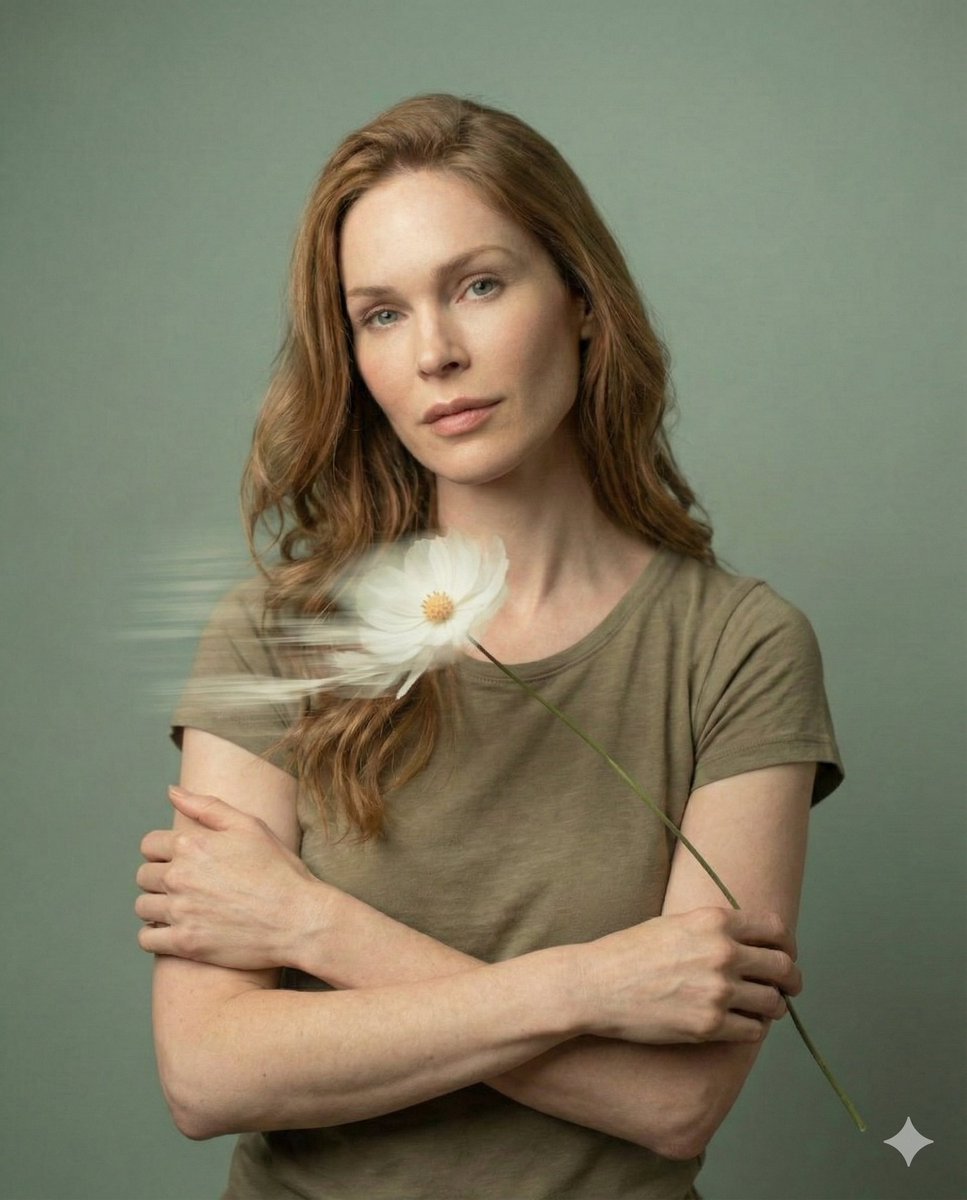
Effects by Tags
{ "meta": { "title": "Dreamy Fine-Art Editorial Portrait", "version": "1.0", "type": "image-generation-prompt", "quality_target": "ultra-high resolution 8K" }, "reference": { "face_identity": "use exact facial structure, proportions, and identity from the provided reference image", "identity_preservation": "high", "notes": "do not alter facial features, age, or likeness" }, "subject": { "description": "Young woman with soft, natural facial features", "expression": "calm, introspective, emotionally serene", "makeup": "minimal, natural skin-focused makeup", "pose": "front-facing or slight profile, relaxed posture" }, "composition": { "style": "editorial fine-art photography", "framing": "tight portrait crop", "depth_of_field": "shallow depth of field with cinematic softness", "aesthetic": "elegant, minimalist, painterly realism" }, "lighting": { "type": "gentle diffused natural light", "highlights": "soft smooth highlights on skin", "skin_texture": "natural texture preserved, no over-smoothing" }, "background": { "color_palette": "muted pastel {argument name="background color" default="sage green"} tones", "texture": "soft, seamless, non-distracting" }, "foreground_effects": { "elements": "delicate flowers drifting across the frame", "motion": "intentional slow-shutter motion blur", "light_effects": "soft streaks of light and dreamy bloom" }, "artistic_effects": { "double_exposure": "subtle and poetic, lightly layered across the face", "motion_blur": "soft, flowing, slow-shutter inspired", "mood": "dreamy, emotional, serene" }, "rendering": { "style": "ultra-realistic fine-art portrait", "sharpness": "sharp facial focus with soft cinematic falloff", "color_grading": "pastel, filmic, gentle contrast", "resolution": "8K ultra-HD", "detail_level": "extreme realism with painterly softness" } }
This is a free AI prompt from the Orelon library. Thousands more image prompts here are free to copy and adapt.
Explore more image prompts





Ready to create
Start with this curated direction in Orelon, then shape it into your next visual.