Camera Control
Surreal Blue Hour Avian Metamorphosis
Views
114
 Orelon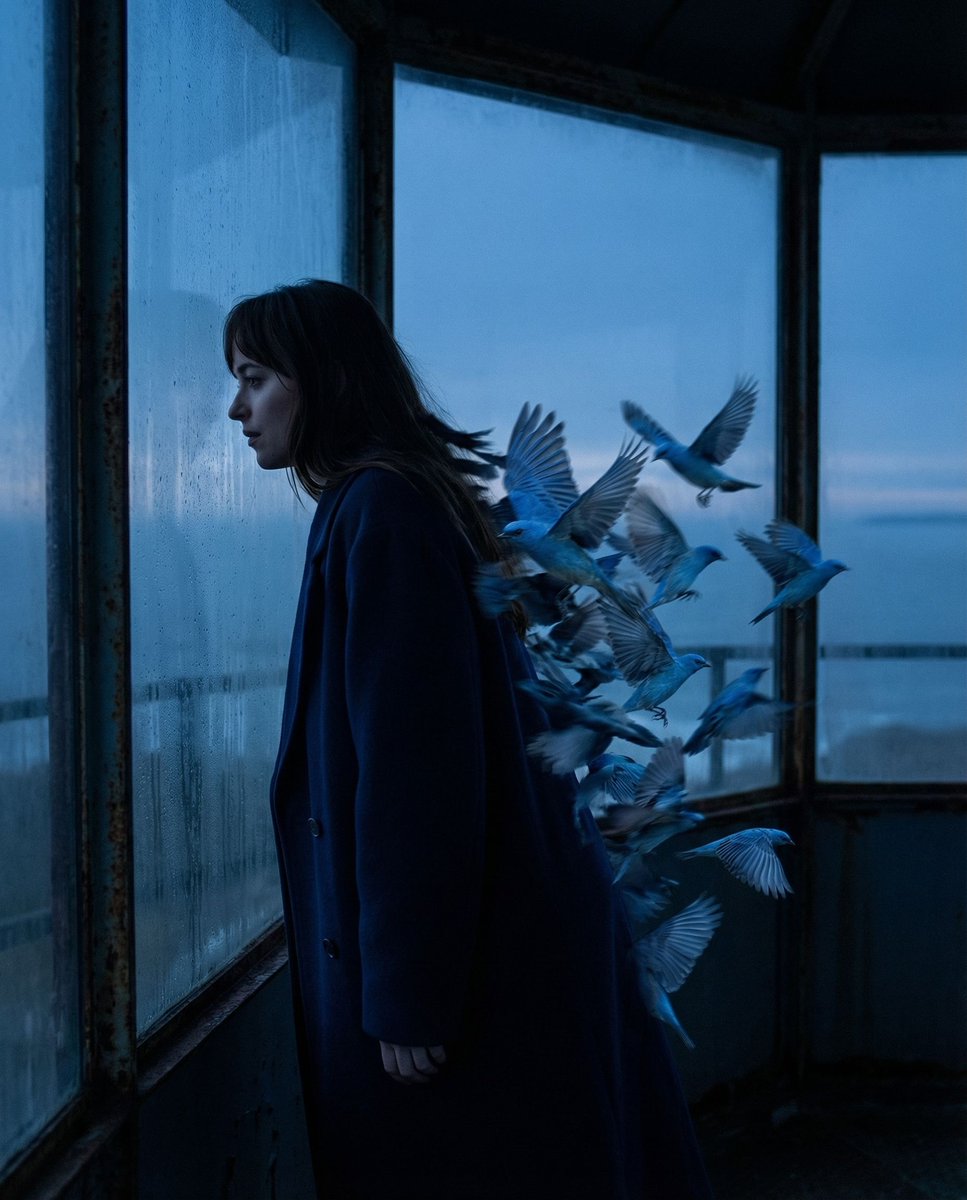
Camera Control
{ "vibe_title_en": "Blue Twilight Metamorphosis", "master_prompt": "A hyper-realistic, surreal cinematic shot of {argument name="subject" default="The Protagonist"} captured in a strict profile silhouette against the expansive, fogged glass wall of a dilapidated coastal observatory during the deep Blue Hour. The narrative energy captures 'The Aftermath Calm'; the subject is leaning heavily against the cold glass, shoulders dropped in exhaustion. In a display of photographic surrealism, the subject's trailing silhouette and hair do not cast a normal shadow but instead physically fracture into a dynamic, motion-blurred swarm of hyper-detailed azure birds. The birds are not cartoons but appear as high-budget practical effects with tangible feather textures catching the dim light. The scene is bathed in cool twilight tones, with a single warm rim light highlighting the subject's nose, lips, and the edges of the transforming feathers. Shot on a Hasselblad X2D with a 80mm f/1.9 lens to render the transition from human skin to avian texture with microscopic fidelity, overlaid with the grain structure of {argument name="film stock" default="Cinestill 800T film"}.", "meta": { "intent": "Editorial Surrealism", "priorities": "Texture, Silhouette, Mood", "device_profile": "Cinema-Grade Monitor" }, "frame": { "aspect": "4:5", "composition": "Profile Silhouette against negative space", "layout": "Rule of Thirds with surreal expansion", "camera_angle": "Eye-level, strictly side-on", "tilt_roll_degrees": "0" }, "subject": { "gender": "Female", "identity": "The Protagonist", "demographics": "Adult, ethereal presence", "face": "Neutral expression, eyes closed or gazing into distance", "hair": "Flowing, morphing into avian shapes", "body": "Relaxed, leaning heavily against surface", "expression": "Exhausted relief, introspective", "pose": "Leaning profile, weight distributed on the glass" }, "wardrobe_accessories": { "garments": [ { "item": "{argument name="clothing item" default="Structured Overcoat"}", "material": "Wool blend", "color": "Deep Midnight Blue", "fit": "Oversized, blending into shadows" } ], "accessories": [] }, "environment": { "setting": "Abandoned Coastal Observatory", "surfaces": "Condensation-covered glass, rusted metal frames", "depth": "Shallow depth of field inside, infinite horizon outside", "atmosphere": "Misty, cold, silent, melancholic", "lens_interaction": "Slight halation from the glass reflection" }, "lighting": { "key": "Soft moonlight (cool)", "fill": "Negative fill (creating silhouette)", "rim": "Sharp, cold rim light defining the profile", "shadows": "Deep, rich blacks morphing into blue textures", "color_temperature": "7500K (Twilight/Blue Hour)", "sensor_flare": "Subtle anamorphic streak" }, "camera": { "lens_type": "Prime Portrait Lens", }
This is a free AI prompt from the Orelon library. Thousands more image prompts here are free to copy and adapt.
Explore more image prompts





Ready to create
Start with this curated direction in Orelon, then shape it into your next visual.