Camera Control
Witch in Japanese Washitsu Portal
Likes
1
Views
342
 Orelon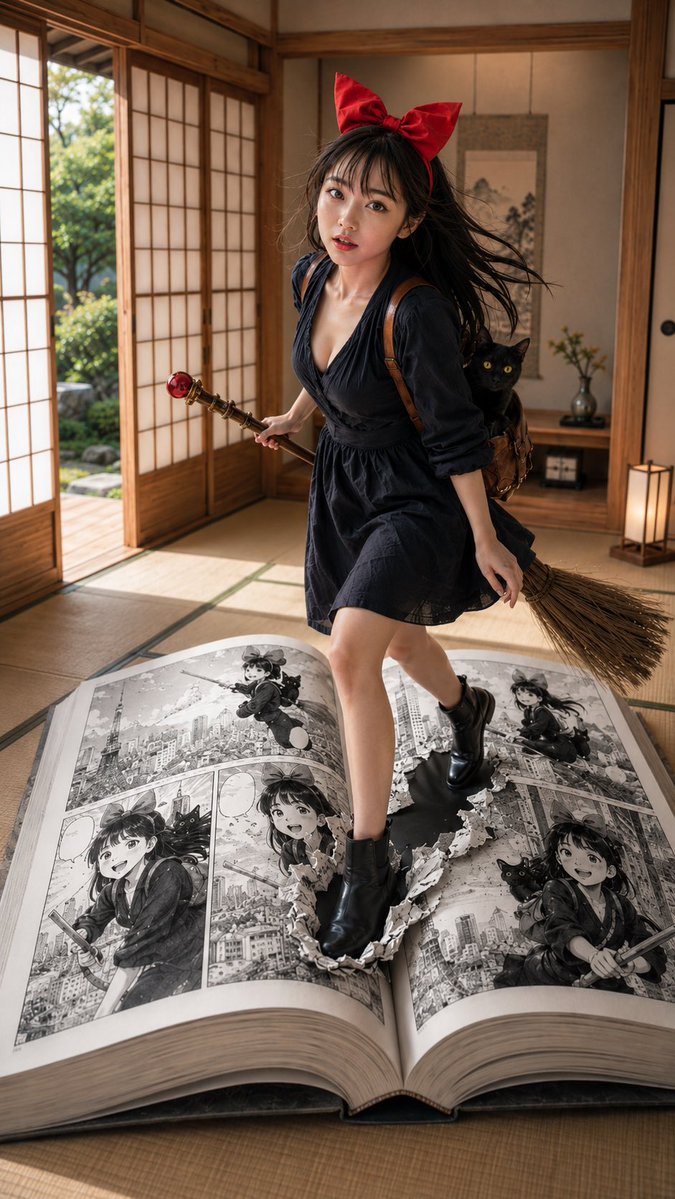
Camera Control
Subject: {argument name="subject" default="A witch girl standing on the boundary between a Japanese room and a manga"} Person/Expression: {argument name="person" default="Woman in her 20s, long dark brown hair, large red ribbon"}, translucent skin, natural makeup, natural healthy complexion, a slightly open-mouthed expression of light surprise, gentle eye contact with the camera. Clothing/Pose: {argument name="clothing" default="Deep navy one-piece dress, black short boots, a small brown bag on the back"}, a black cat peeking out from the bag, a broom with a red bead decoration in one hand, stepping forward with the other foot half-submerged into a torn hole in a giant manga page. Background/Light: An elegant Japanese room with tatami mats, soft natural light streaming through shoji doors, wooden pillars and an alcove (tokonoma), a hanging scroll and a single flower in a vase, a green garden visible outside, a quiet and warm Japanese-style space. Composition/Camera: 9:16 vertical aspect ratio, full-body portrait, slightly low angle, a large open giant manga book placed prominently in the foreground, person centered in a composition showing the boundary between manga and reality, 35mm lens, shallow depth of field, active cinematic framing. Texture/Style: High definition, 4K quality, realistic AI portrait, natural skin texture, delicate hair flow, cinematic lighting, a fantasy expression blending live-action and manga. The manga page content consists of B&W manga panels featuring the same red-ribboned woman and black cat flying over Tokyo on a broom, including an aerial shot with Tokyo Tower, a close-up of a smile, and flight scenes. Emphasize the holes and torn paper fragments in the page, clearly expressing the sensation of a foot stepping into the manga world from reality. Negative: Low quality, unnatural hands, collapsed face, extra fingers, distorted body, unnatural feet, broken manga panels, excessive processing, garbled text, logos, watermarks, overexposure.
This is a free AI prompt from the Orelon library. Thousands more image prompts here are free to copy and adapt.
Explore more image prompts





Ready to create
Start with this curated direction in Orelon, then shape it into your next visual.