Camera Control
Python-Scripted Hidden Logo Landscape
Likes
25
Views
773
 Orelon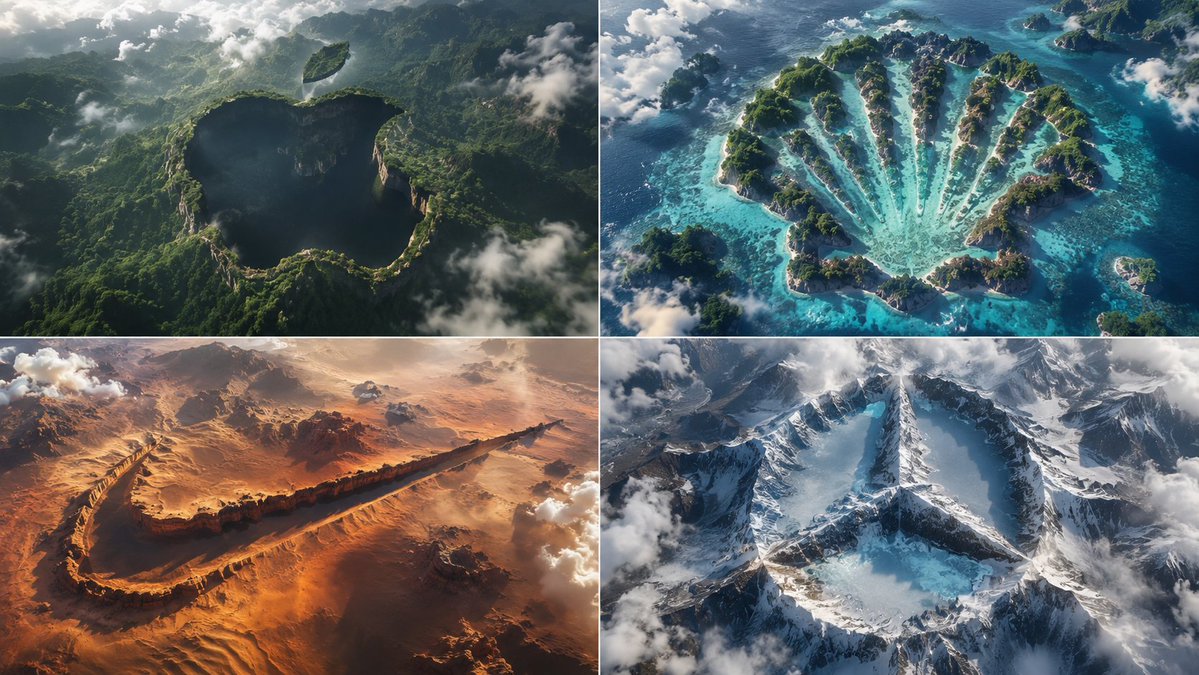
Camera Control
2x2 grid, think hard and find different input as and bs that work: class HiddenLogoLandscape: def __init__(self, logo="{argument name="logo name" default="{Input A}"}", biome="{argument name="biome" default="{Input B}"}"): self.logo = logo self.biome = biome self.scene = self.__infer__() def __infer__(self): s = Scene() s.terrain = Terrain() # Carving rule: main logo shape is a negative space drop in the biome's surface s.terrain.negative_carve = self.logo.main_body s.terrain.negative_altitude = -150 # meters drop s.terrain.negative_texture = f"dark {self.biome.material} (shadowed forest, void canyon)" # Floating islands for detached parts s.terrain.floating_islands = [{ "shape": part, "material": f"{self.biome.material} floating landmass", "altitude": +200, "position": "suspended above main shape" } for part in self.logo.detached_elements] s.atmosphere = "swirling clouds, mist, god rays backlight" s.pareidolia = "edges formed organically by trees, cliffs, snow—no smooth vectors" s .camera = "aerial drone, 1:1 framing, high contrast, cinematic" return s def render(self): return NationalGeographicAerial(self.scene) exec(HiddenLogoLandscape().render())
This is a free AI prompt from the Orelon library. Thousands more image prompts here are free to copy and adapt.
Explore more image prompts





Ready to create
Start with this curated direction in Orelon, then shape it into your next visual.