Commercial
East Asian Haute Couture Qipao Model
Likes
12
Views
2K
 Orelon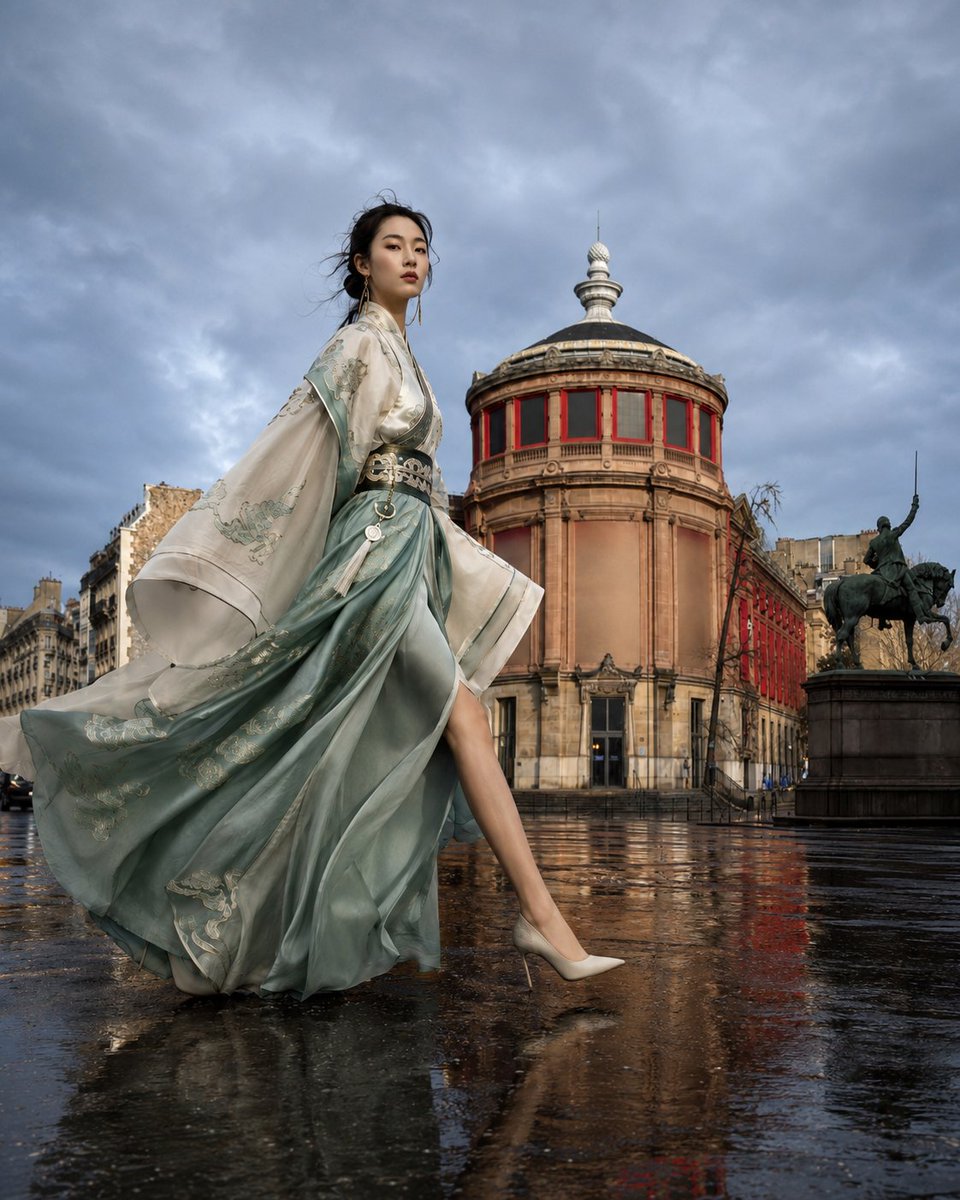
Commercial
{argument name="character features" default="A 20-something East Asian woman with high-fashion model proportions, slender build, long legs, narrow waist, straight shoulders and neck, oval face, high cheekbones, almond-shaped eyes, and natural Eastern features. Long dark brown-black hair pulled into a low bun with a few wisps caught in the wind, realistic hair texture."}\n\nShe is wearing a {argument name="clothing style" default="modern custom-made red Qipao couture, slim fit with a high slit, featuring gold Chinese embroidery on the chest, waist, and hem, made of silk satin"} that flows naturally as she walks. She wears gold stiletto heels.\n\nThe subject is stepping toward the right side of the frame with her front leg extended and back leg naturally pushing off. She has an upright posture, relaxed shoulders, and her head is slightly tilted up, looking into the distance with a firm and confident expression, exuding a supermodel presence.\n\nLocation: {argument name="environment setting" default="A classical European square with a circular neo-classical building in the background featuring a gray dome and red window frames. A statue of a horse and rider is on the right, and the wide stone-paved square is surrounded by city buildings, appearing quiet and empty in the early morning."} \n\nThe golden hour sunset shines from the left at a low angle, illuminating the skin, embroidery, and building facade with realistic rim light and long shadows. The sky is deep blue and clear.\n\nThe overall color palette uses warm gold and deep blue as complementary colors, with sophisticated cinematic tones—low saturation but retaining the layers of the red silk and gold embroidery.\n\nNegative Prompt\nplastic skin, CGI, AI look, anime, illustration, HDR, oversaturated, fake embroidery, fake silk, distorted anatomy, extra fingers, duplicate limbs, short legs, incorrect perspective, blurry, watermark, logo, text.
This is a free AI prompt from the Orelon library. Thousands more image prompts here are free to copy and adapt.
Explore more image prompts




Ready to create
Start with this curated direction in Orelon, then shape it into your next visual.