Effects by Tags
Cute Cat Burger Chat Screenshot
Likes
1
Views
63
 Orelon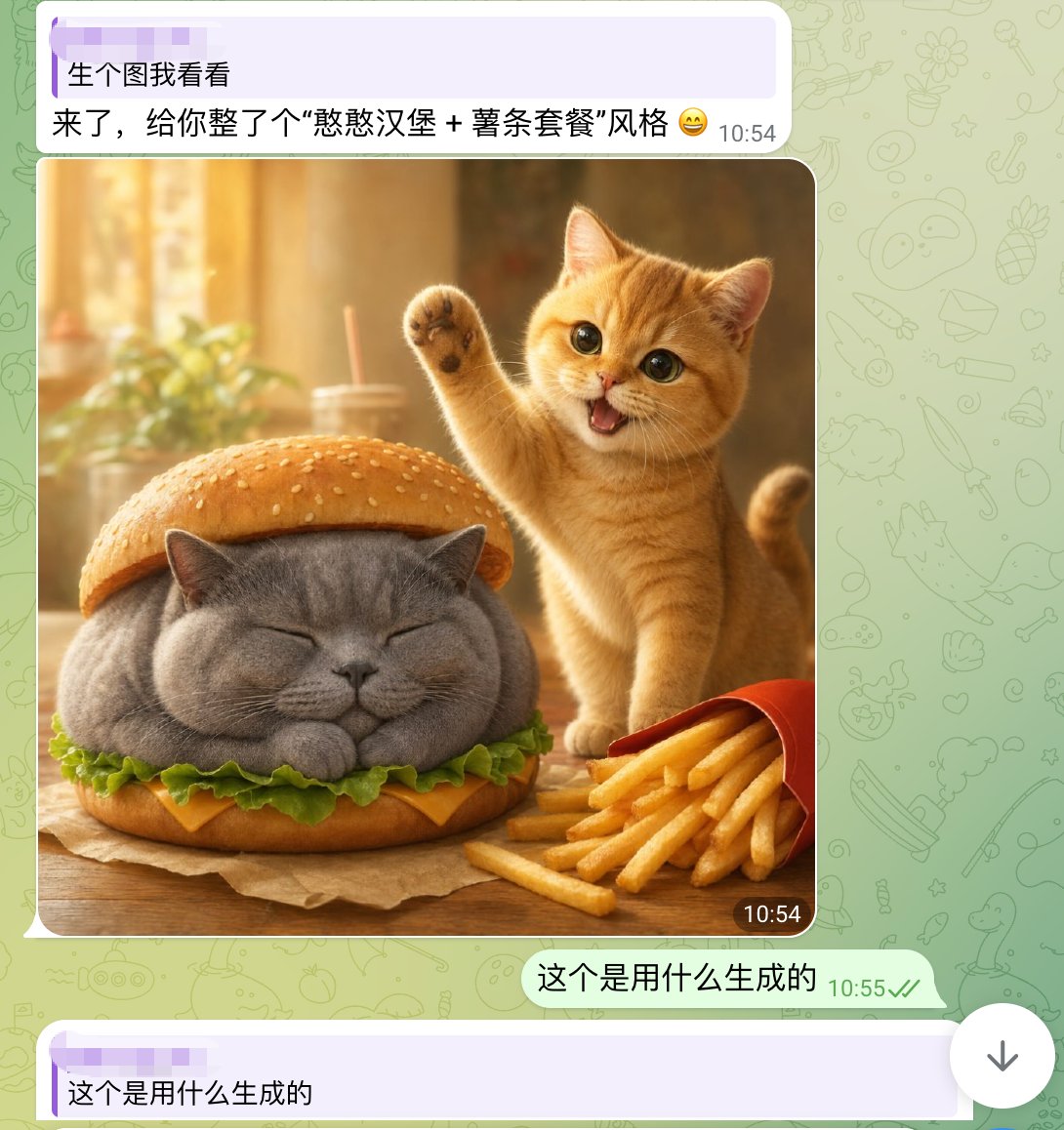
Effects by Tags
A realistic yet whimsical mobile chat screenshot in a WhatsApp-like interface, shown full screen. The background is pale green with faint doodle icons. At the top is a light purple incoming message bubble with two lines of Chinese text and a timestamp on the right, reading: "生个图我看看" on the first line and "来了,给你整了个“憨憨汉堡 + 薯条套餐”风格 😄" on the second line. Below it is a large rounded-corner image inside the chat. The generated image shows a cozy warm-lit tabletop food scene: a chubby gray British shorthair cat is styled as a hamburger, sitting with eyes closed and paws tucked under, placed between a sesame bun top and bottom bun, with green lettuce and a slice of yellow cheese visible around its body. To the right of the burger-cat is a small orange tabby kitten, cheerful and energetic, standing upright with one front paw raised in a waving pose, mouth open in a happy smile, large glossy eyes looking toward the viewer. In the lower right foreground is a red fries carton tipped slightly with golden French fries spilling out. The table is wooden with a sheet of brown parchment under the burger-cat. The background of the photo is softly blurred, golden and sunlit, with a drink cup and straw and a leafy plant in bokeh. Put a small dark rounded timestamp label "10:54" at the bottom-right corner of the image. Under the image, add an outgoing pale green message bubble aligned right with Chinese text: "这个是用什么生成的" and a gray-green timestamp "10:55" with two check marks. At the very bottom, show another light purple incoming bubble beginning with the same text "这个是用什么生成的". Keep the overall composition exactly like a smartphone screenshot of a chat conversation, mixing cute photorealistic animal food art with clean messaging app UI.
This is a free AI prompt from the Orelon library. Thousands more image prompts here are free to copy and adapt.
Explore more image prompts





Ready to create
Start with this curated direction in Orelon, then shape it into your next visual.