UGC / Ad Templates
Ultra-Photorealistic iPhone Selfie Prompt
Likes
4
Views
126
 Orelon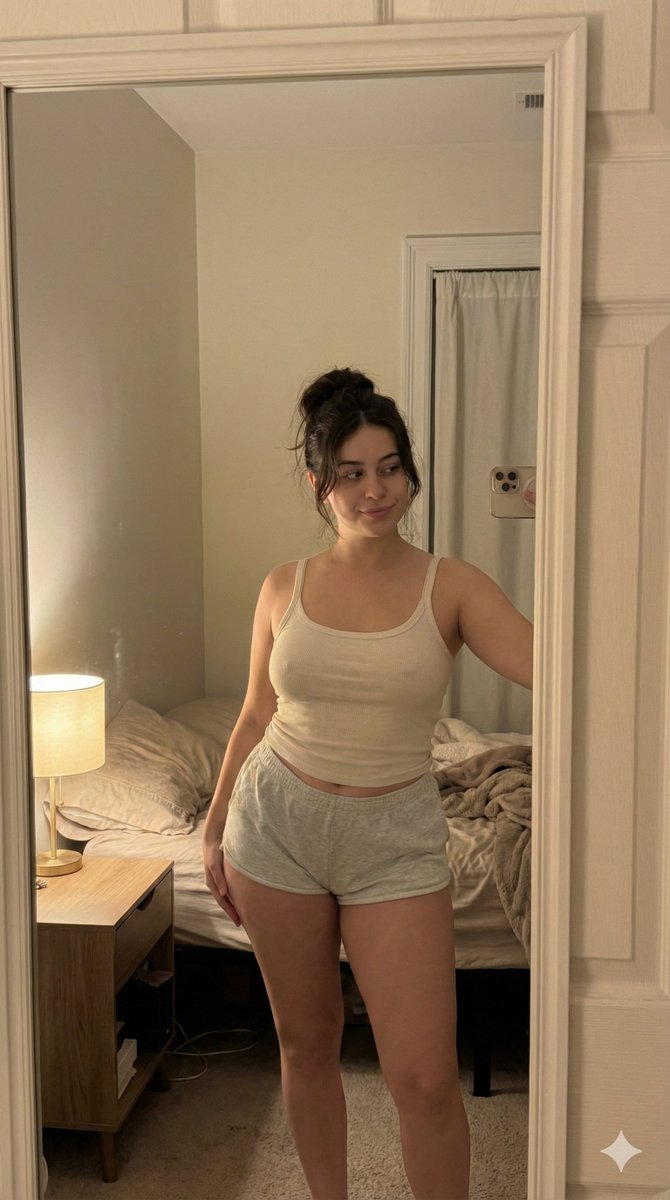
UGC / Ad Templates
{ "meta": { "quality": "ultra photorealistic", "resolution": "8k", "camera": "iPhone 15 Pro", "lens": "26mm", "aspect_ratio": "4:3", "style": "raw iphone realism, soft indoor lighting, subtle grain, candid snapshot feel" }, "character_lock": { "age": "mid 20s", "ethnicity": "Mediterranean / brunette", "hair": { "color": "dark brown", "style": "loose messy bun with soft strands falling" }, "eyes": "brown", "body": { "type": "curvy hourglass", "chest": "full", "waist": "defined", "hips": "round" } }, "scene": { "location": "small bedroom", "time": "late night", "atmosphere": "quiet, intimate, relaxed nighttime mood" }, "camera_perspective": { "pov": "we ARE her phone", "angle": "slightly high angled selfie", "framing": "upper thighs to head", "phone_visibility": "not visible" }, "subject": { "action": "standing near bed taking a casual mirror selfie", "pose": { "hips": "slightly tilted to one side", "upper_body": "relaxed posture", "expression": "sleepy eyes, faint soft smile" }, "outfit": { "top": { "type": "thin ribbed tank top", "color": "off-white", "fit": "soft, lightly fitted", "details": "natural fabric folds, slightly loose straps" }, "bottom": { "type": "cotton lounge shorts", "color": "light grey", "fit": "comfortable, slightly loose" } } }, "lighting": { "type": "warm bedside lamp", "effect": "soft shadows, warm skin tones, gentle falloff into darker edges" }, "negative_prompt": [ "men", "nudity", "explicit sexual content", "overexposed lighting", "plastic skin", "studio setup", "AI artifacts", "unnatural anatomy" ] }
This is a free AI prompt from the Orelon library. Thousands more image prompts here are free to copy and adapt.
Explore more image prompts





Ready to create
Start with this curated direction in Orelon, then shape it into your next visual.