Camera Control
Pastel Pink Catgirl Streamer Room
Views
10
 Orelon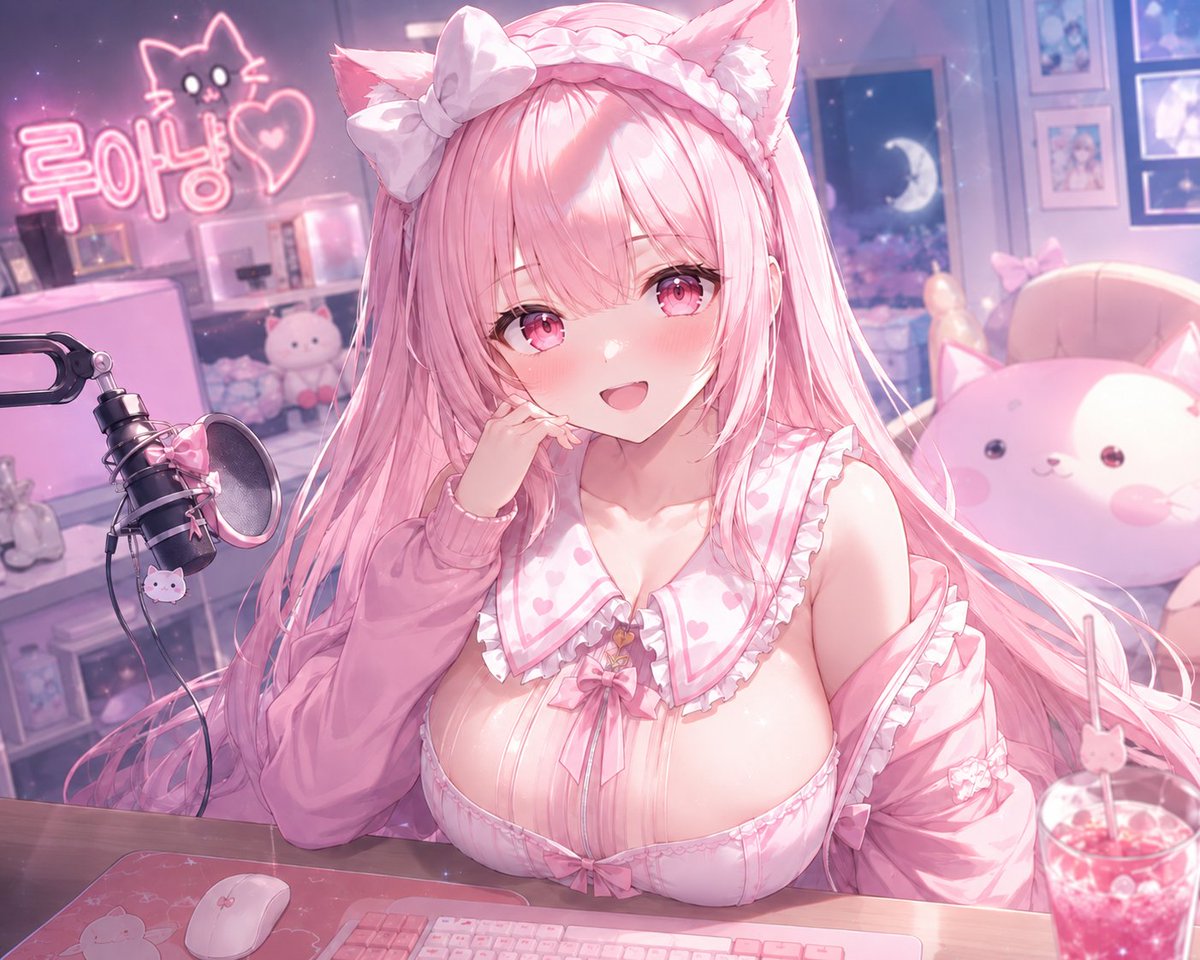
Camera Control
Create a polished pastel anime livestreamer illustration in a cozy bedroom studio at night, featuring one cute catgirl VTuber named {argument name="character name" default="Lua Nyang"} seated close to the camera behind a desk. She has very long silky {argument name="hair color" default="pink"} hair flowing across her shoulders, two fluffy pink cat ears, large sparkling pink eyes, a shy open-mouthed smile, flushed cheeks, and a soft glossy anime complexion. Her pose is leaning forward with one hand touching her cheek, looking directly at the viewer in a playful affectionate way. Dress her in a frilly pink-and-white kawaii outfit: one oversized white bow on her head, a braided headband, one off-shoulder pink cardigan sleeve visible on each arm, a heart-pattern sailor-style collar, ruffled trim, a central ribbon bow, and small bow accents. Use a dreamy pink lighting palette with bloom, soft depth of field, lens sparkle, and high-detail gpt-image-2 anime rendering. The desk foreground contains exactly three main items: one pink mechanical keyboard, one white mouse on a pink mat, and one clear cup of pink soda with a straw and cute decoration. On the left side place exactly one black streaming microphone with a round pop filter, pink bow, and small cat charm. In the room background include exactly one neon sign on the left reading {argument name="neon sign text" default="루아냥"} beside a simple glowing cat outline and heart, one plush display shelf with small cute plushies, one large round cat plush chair or cushion on the right, one window showing a crescent moon and dreamy night sky, and several framed pastel pictures on the wall. Keep the whole composition romantic, fluffy, and idol-like, with a soft pink-purple ambiance, crisp character detail, blurred cozy background, no watermark, no extra text beyond the neon sign.
This is a free AI prompt from the Orelon library. Thousands more image prompts here are free to copy and adapt.
Explore more image prompts





Ready to create
Start with this curated direction in Orelon, then shape it into your next visual.