Camera Control
Kawaii Green Bead Art Girl
Likes
1
Views
49
 Orelon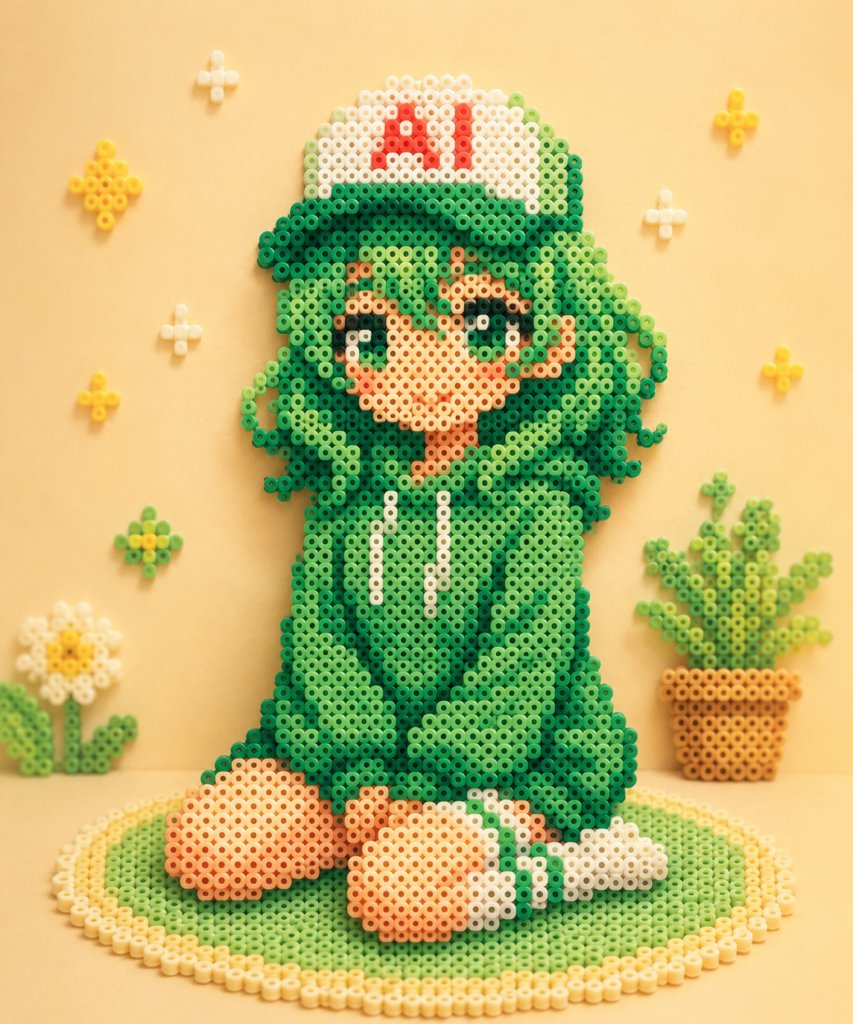
Camera Control
Create a cute handcrafted bead art scene made from fuse beads / Perler beads, photographed like a real tabletop craft. The main subject is a chibi anime-style {argument name="character name" default="green-haired girl"} sitting on a round green-and-cream beaded rug, wearing an oversized dark-to-light green hoodie with two white drawstrings, large rounded sleeves, bare peach-colored feet, and white socks with green stripes. She has very long curly/wavy {argument name="hair color" default="green"} hair made of many bead clusters, big sparkling dark green eyes, rosy cheeks, a small smiling mouth, and one raised hand in a peace-sign pose. On her head is a white baseball cap with a green brim and bold red letters reading {argument name="cap text" default="AI"}. Make the entire character and all props visibly constructed from small circular plastic beads with hollow centers, arranged in pixel-art gradients, with soft shadows and tactile depth. Canvas and style: square 1:1 composition, warm pastel yellow background, soft studio lighting, shallow depth of field, cozy handmade kawaii aesthetic, high-resolution macro craft photography, no hard outlines except the bead colors themselves. Scene elements: include exactly 1 main seated character, exactly 1 circular rug under her, exactly 1 potted plant on the right made from beads in an orange pot, exactly 1 white daisy-like flower on the lower left with green leaves, and exactly 7 small floating bead decorations on the wall/background: 3 yellow star/flower clusters, 3 small white sparkle crosses, and 1 green-yellow flower cluster near the lower left. Keep the background uncluttered and symmetrical enough to frame the character. Color details: use multiple greens for hair and hoodie shadows, peach and tan beads for skin, white and cream beads for highlights, red beads for the cap letters, yellow beads for stars and flower centers, and orange-brown beads for the plant pot. Preserve the visible bead holes and gridlike pixel construction throughout. Avoid realistic fabric, extra text, watermarks, or additional characters.
This is a free AI prompt from the Orelon library. Thousands more image prompts here are free to copy and adapt.
Explore more image prompts





Ready to create
Start with this curated direction in Orelon, then shape it into your next visual.