Visual Effects
Cinematic Olympus Myth Poster
Views
19
 Orelon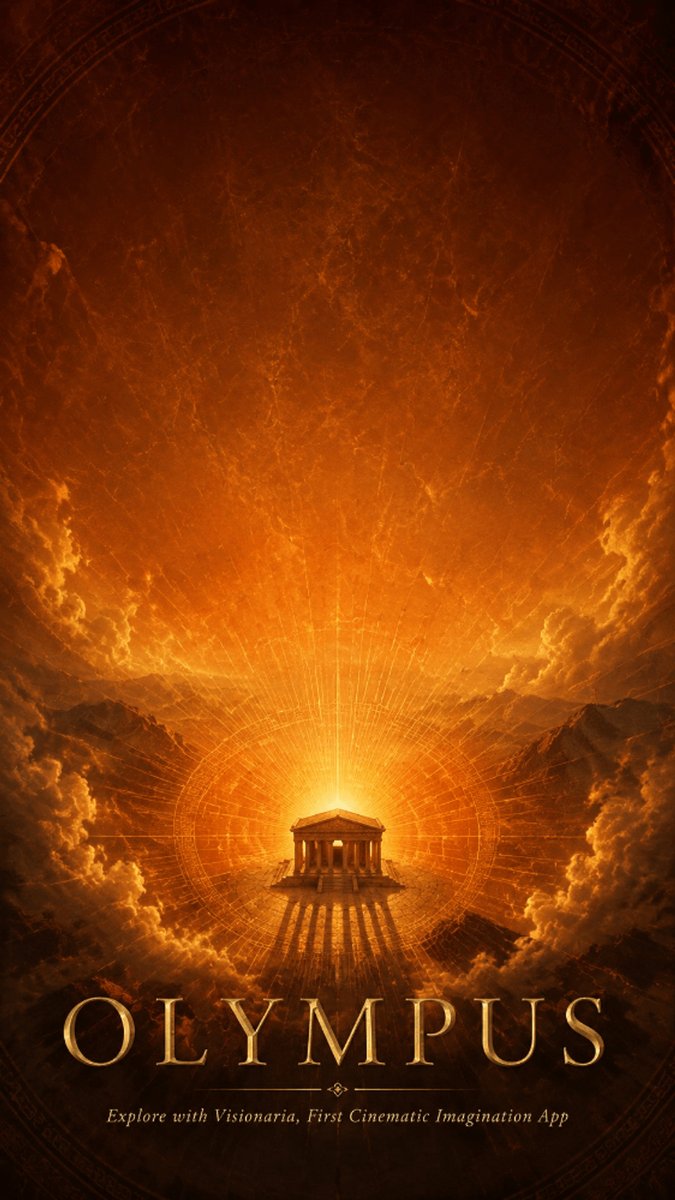
Visual Effects
Create a vertical cinematic mythological travel poster for {argument name="mythic landmark" default="Olympus"}, in a dark bronze and molten-gold color palette. The composition is symmetrical and epic: a small ancient Greek temple with columns sits at the exact lower center on a rocky mountaintop, backlit by an overwhelming radiant golden sun or divine portal. Long dramatic shadows stretch forward from the temple. Behind it, glowing concentric sacred-geometry circles, radial lines, and faint astrolabe-like rings expand across the sky, as if charting the heavens. Massive storm clouds frame both sides, lit from within by orange firelight, with distant dark mountain silhouettes on the horizon. The upper sky is a textured, smoky, scratched parchment-like darkness with faint circular celestial markings near the edges. Use high-contrast cinematic lighting, volumetric rays, mythic grandeur, antique poster texture, subtle grain, and a fantasy historical-world atmosphere. Include exactly 2 text elements: the large bottom title {argument name="main title" default="OLYMPUS"} in elegant wide-spaced Roman serif gold lettering with embossed metallic highlights, and a small centered italic tagline beneath it reading {argument name="tagline" default="Explore with Visionaria, First Cinematic Imagination App"}. Keep the typography crisp and centered, with no extra logos, no people, no modern objects, and no additional text.
This is a free AI prompt from the Orelon library. Thousands more image prompts here are free to copy and adapt.
Explore more image prompts


Ready to create
Start with this curated direction in Orelon, then shape it into your next visual.