Effects by Tags
Edo-period Ukiyo-e reinterpretation of a modern scene
Views
53
 Orelon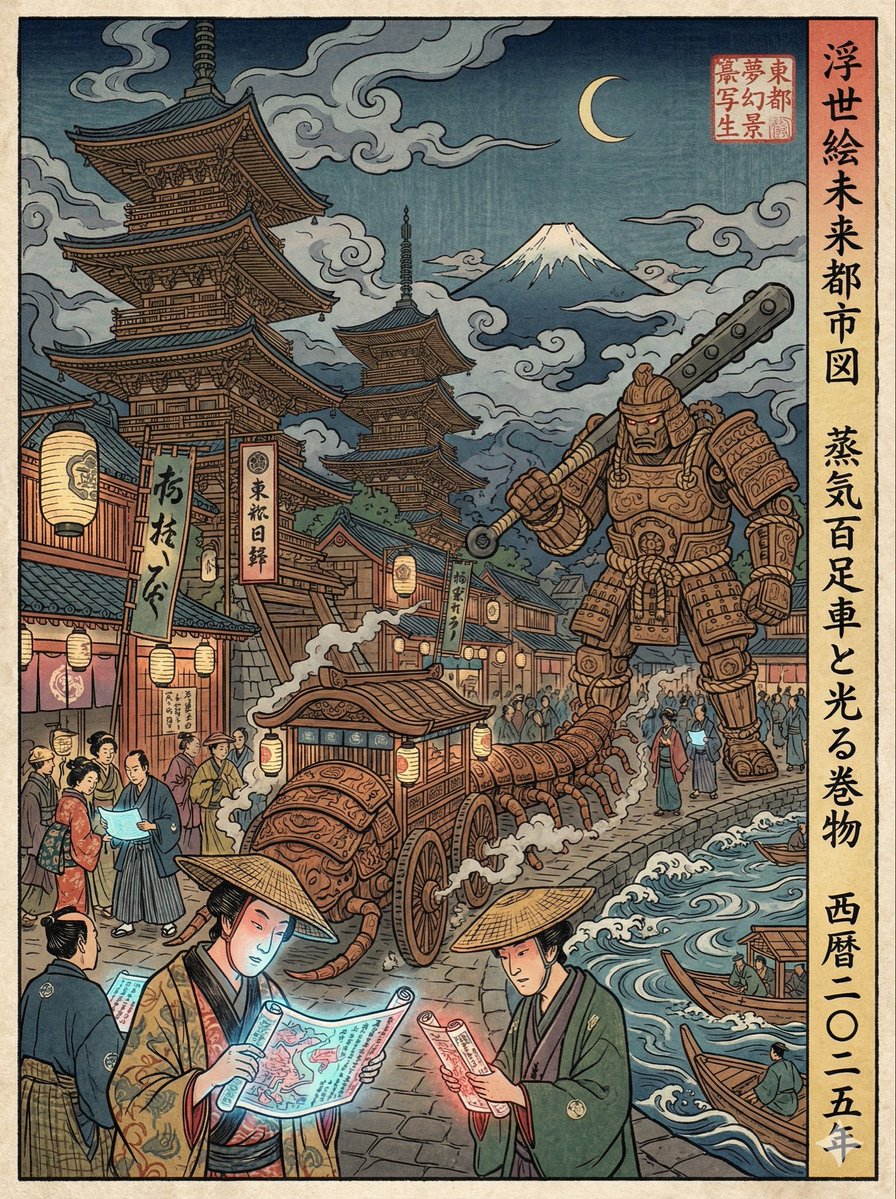
Effects by Tags
A Japanese Edo-period Ukiyo-e woodblock print (浮世絵 木版画). The overall feeling is a surreal collaboration between masters like Hokusai and Hiroshige, reimagining modern technology through an ancient lens. **The Scene:** {argument name="现代场景" default="繁忙的涩谷十字路口"} **Edo Transformation Logic:** Characters wear Edo-era kimono but perform modern actions. All technology is transformed into surreal Edo equivalents: * **Smartphones** are glowing, illustrated paper scrolls being read intently. * **Metro stations/Trains** are giant articulated wooden centipede carriages shuffling through crowds. * **Skyscrapers** are reimagined as endless, towering wooden pagodas reaching into dramatic clouds. * **Robots/Mecha** appear as giant, armored woodblock golems. The composition uses a flattened perspective with large, bold, hand-carved ink outlines (太い墨線). The background features heavily stylized Ukiyo-e wave patterns and dramatic, swirling clouds, with a distant Mt. Fuji visible on the horizon. The image must look like a physical print, not a digital painting. * **Texture:** Strong visible wood grain texture (木目) and rough paper fibers throughout the piece. * **Printing Imperfections:** Pigment bleeding is evident. Crucially, simulate hand-pressed plates with slight **color misalignment (版ズレ)** for authenticity. * **Color Palette:** Strictly limited to traditional mineral pigments. Dominant use of Prussian blue (浮世絵ブルー), vermilion red, and muted yellow ochre. * **Lighting:** Soft, flat, shadow-free lighting with no digital gradients. * **Aspect Ratio:** 3:4 vertical poster. * **Extras:** Include vertical Japanese calligraphy describing the scene and a traditional red artist seal stamp (落款) in a corner.
This is a free AI prompt from the Orelon library. Thousands more image prompts here are free to copy and adapt.
Explore more image prompts





Ready to create
Start with this curated direction in Orelon, then shape it into your next visual.