Camera Control
Atmospheric Afternoon Window Portrait
Likes
18
Views
1.4K
 Orelon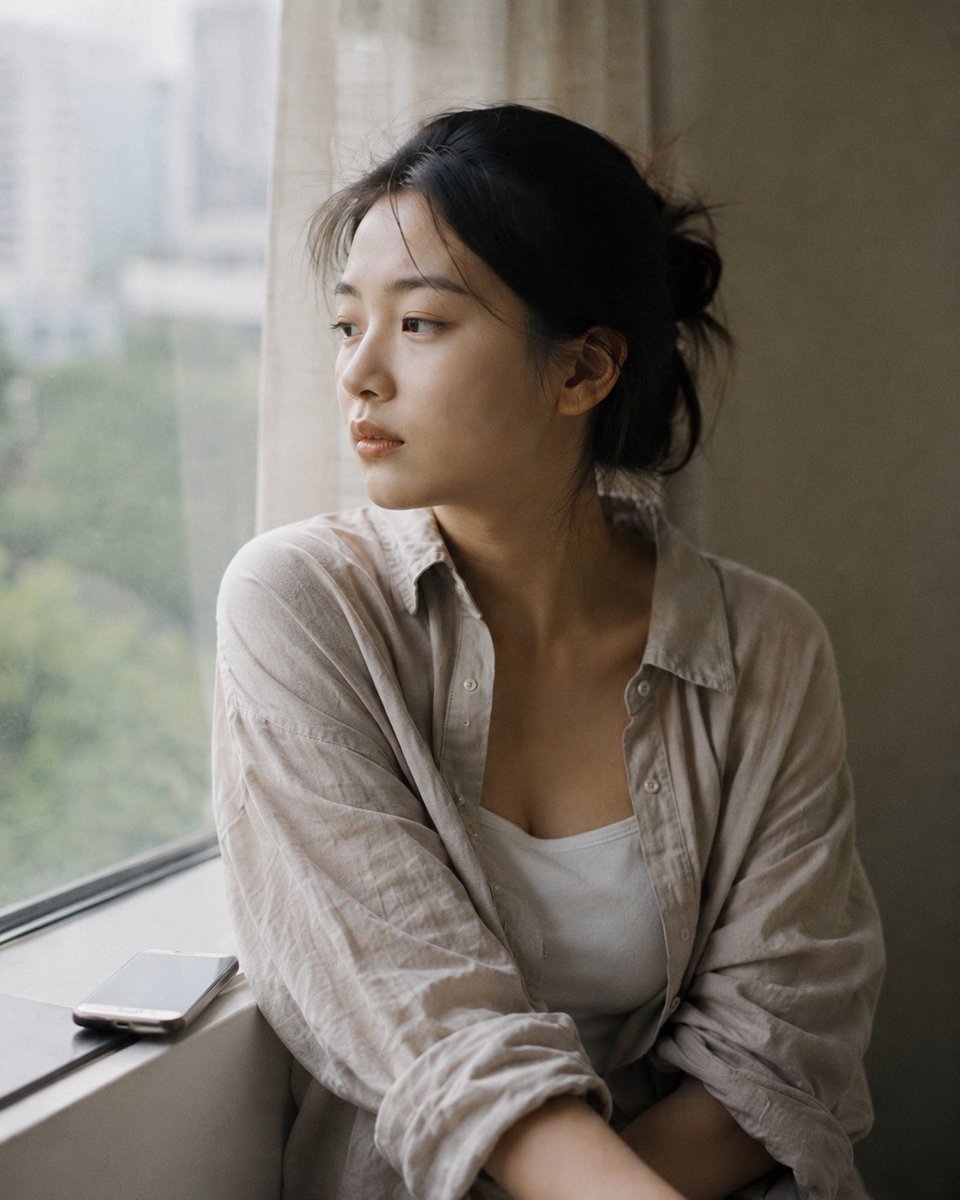
Camera Control
Medium close-up portrait, 85mm, a young East Asian woman in her {argument name="age" default="early 20s"} sits by a large {argument name="setting" default="apartment window"} in late afternoon light, body turned slightly toward the glass, natural candid moment, authentic daily life photography. Almond-shaped eyes with soft single eyelids, straight refined nose, fair light-beige skin. She is not looking at camera — gaze rests on something outside, or nothing at all. Lips relaxed, no expression readable. Skin subsurface scattering visible under soft window light, fine texture natural and unretouched, specular micro-highlights on nose ridge and cheekbone. She wears a {argument name="clothing" default="loose oatmeal-colored linen overshirt"}, slightly wrinkled, worn over a white inner top, sleeves pushed to elbows. Phone placed face-down on the windowsill beside her, not in her hands. Two or three stray hairs fall across her temple, disturbed by faint indoor air movement, not geometrically arranged. Late afternoon diffused daylight, overcast sky outside filtering through sheer curtain, warm-grey tones throughout, Kodak Portra 400 low-saturation palette, muted beige and sage, no vivid color. Subtle ISO 400 film grain in shadow areas, photographic texture not CG render smoothness. Aspect ratio 4:5. No watermark, no text overlay, not cartoon, not digitally painted, not illustration, not anime.
This is a free AI prompt from the Orelon library. Thousands more image prompts here are free to copy and adapt.
Explore more image prompts





Ready to create
Start with this curated direction in Orelon, then shape it into your next visual.