Commercial
Luxury Coffee Tasting Menu Layout Prompt
Likes
5
Views
103
 Orelon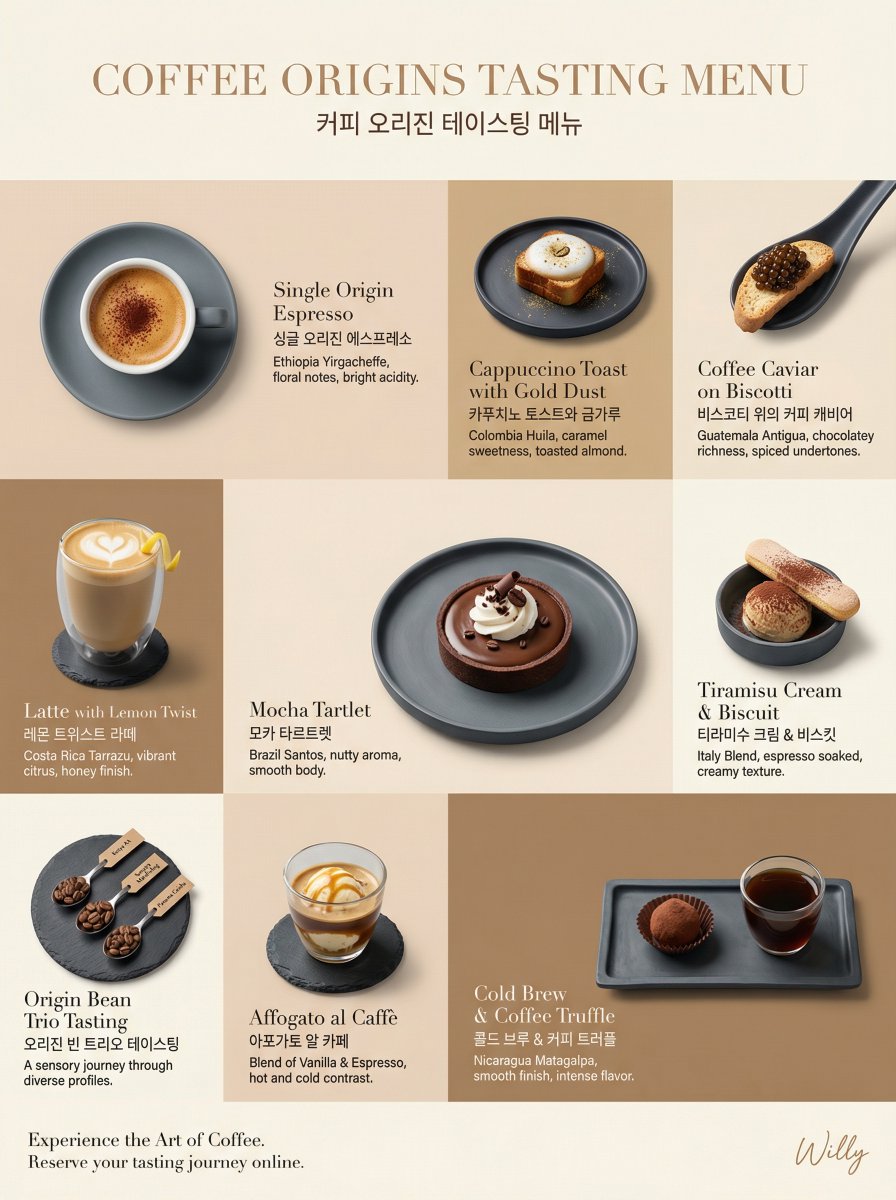
Commercial
Luxury coffee tasting menu layout, irregular grid composition, 9:16 aspect ratio for webpage. LAYOUT: Irregular 3x3 grid, varied cell sizes, flowing editorial arrangement BACKGROUND: Tone-on-tone panels - alternating {argument name="color 1" default="latte beige (#F2E2D2)"}, {argument name="color 2" default="mocha brown (#D1B48F)"}, and coffee cream (#FAF5E6) creating a subtle caffeinated rhythm PRODUCT EXPRESSION: Product only, overhead and 45-degree angles mixed, plated presentation on minimalist slate ceramics TONE STRATEGY: Tone-on-tone - coffee colors harmonize with background tones, an ethereal blend MAIN ELEMENTS: Individual coffee tastings - Espresso with crema foam, Cappuccino toast with gold dust, Caviar on blinis substituted with coffee caviar on biscotti, Latte with lemon twist, Mocha tartlet, each on matching plates, consistent soft lighting TYPOGRAPHY: Bilingual - English names in elegant light serif (Didot), English/Korean below in clean sans-serif, small origin descriptions in light gray CAMERA: Canon EOS R5, 100mm Macro for details, 50mm for full plates, soft diffused overhead lighting, side rim lighting STYLE: Minimal + Luxury hybrid - generous whitespace, refined typography, coffee colors as primary source Style keywords: coffee, tasting menu, tone-on-tone, luxury, webpage A delicate handwritten signature "Willy" is elegantly placed in small letters at the bottom right corner..
This is a free AI prompt from the Orelon library. Thousands more image prompts here are free to copy and adapt.
Explore more image prompts




Ready to create
Start with this curated direction in Orelon, then shape it into your next visual.